
A growing business website is a sign of success. More visitors may mean stronger brand awareness, better search visibility, successful marketing campaigns, or increasing customer demand. But when traffic grows faster than the infrastructure supporting the website, that success can quickly turn into a technical challenge.
Imagine launching a promotional campaign that brings thousands of visitors to your website within a few minutes. Instead of browsing products or submitting inquiries, visitors encounter slow pages, checkout errors, or a website that stops responding. The campaign may attract attention, but the website fails to convert that attention into business results.
This is why website infrastructure matters. A website needs more than attractive design and valuable content. It also needs reliable hosting, optimized performance, strong security, and the ability to handle changing traffic patterns.
Managed WordPress hosting providers such as WP Engine offer hosting environments designed to support website performance, maintenance, and growth.
What Does It Mean When Website Traffic Outgrows Infrastructure?

Website infrastructure includes the technical resources and services that allow a website to operate. These may include hosting servers, databases, storage, caching systems, content delivery networks, and security tools.
When traffic increases, every visitor creates requests that the website must process. A simple blog page may require relatively little processing when cached, while an online store with personalized product recommendations, shopping carts, and account features may require more resources.
The challenge is not simply the number of visitors. It is how many people visit at the same time, what they do on the website, and how efficiently the site handles their requests.
Website factor | What increases with growth | Possible challenge | Business impact |
|---|---|---|---|
Visitor traffic | Requests and page views | Server overload | Slow or unavailable pages |
Dynamic features | Database and PHP processing | Delayed responses | Poor user experience |
Media content | Image and file delivery | High bandwidth usage | Longer loading times |
Customer activity | Logins and transactions | More complex processing | Checkout or form errors |
A website that handles steady traffic comfortably may struggle during a sudden campaign or seasonal event. Infrastructure must therefore be planned around both normal usage and peak demand.
1. Slow Website Performance Can Drive Visitors Away

Website speed plays an important role in how people experience a business online. Visitors expect pages to load quickly, navigation to respond smoothly, and important actions to work without delays.
When infrastructure becomes overloaded, page loading may slow down. Images can take longer to appear, product pages may become difficult to browse, and forms may take several seconds to submit.
Why performance declines as traffic increases
A website may slow down because its server is handling too many requests, its database is processing inefficient queries, or its plugins are consuming excessive resources. Large images, unoptimized scripts, and unnecessary third-party integrations can make the situation worse.
For example, an online store running a discount campaign may receive a sudden increase in product searches and checkout requests. If the hosting environment cannot process those requests efficiently, customers may abandon their shopping sessions.
Performance issue | Common cause | Visitor experience | Improvement |
|---|---|---|---|
Slow page loading | Server or resource limitations | Visitors wait longer | Optimize hosting and caching |
Delayed product pages | Heavy database queries | Browsing feels sluggish | Improve query efficiency |
Images load slowly | Large image files | Poor visual experience | Compress and optimize images |
Checkout delays | Dynamic requests under load | Customers may abandon carts | Test and optimize checkout |
A useful first step is to monitor performance regularly instead of waiting for complaints. Tools such as PageSpeed Insights can help identify page-level issues, while hosting analytics can reveal resource usage and traffic patterns.
You can also explore website performance optimization to understand how caching, infrastructure, and delivery improvements can contribute to faster WordPress experiences.
2. Website Downtime Can Affect Revenue and Trust
When a website becomes unavailable, visitors cannot access the information or services they came for. For businesses that depend on online sales, bookings, subscriptions, or lead generation, even a short outage can interrupt important operations.
Downtime can happen when server resources reach their limits, a database becomes unresponsive, or a plugin conflict causes errors. Traffic spikes may expose weaknesses that were not noticeable during normal website activity.
How downtime affects business operations
A business website often acts as a digital storefront. If customers cannot access it, they may visit a competitor, delay a purchase, or lose confidence in the brand.
Downtime scenario | Immediate effect | Possible business consequence | Preventive approach |
|---|---|---|---|
Server overload | Website stops responding | Lost leads or sales | Capacity planning |
Database failure | Pages or transactions fail | Interrupted operations | Database monitoring |
Plugin conflict | Errors or broken features | Customer frustration | Staging and testing |
Hosting outage | Website becomes unavailable | Reputation damage | Reliability planning |
Businesses should prepare for unexpected traffic rather than assuming that current hosting capacity will always be sufficient.
3. Database Bottlenecks Can Become a Hidden Problem
WordPress websites rely on databases to store content, user information, settings, product details, and other important data. As a website grows, the database may need to handle more frequent and complex requests.
A website with thousands of posts, multiple plugins, customer accounts, or an active online store can place significant demands on its database.
Why database optimization matters
Poorly optimized queries may take longer to execute. Excessive stored data, unnecessary metadata, and inefficient plugin behavior can also contribute to slow responses.
WP Engine's guidance on availability highlights cacheability and database optimization as important factors in helping websites handle increased traffic.
WP Engine Support
Database challenge | What it means | Possible result | Recommended action |
|---|---|---|---|
Inefficient queries | Requests take too long | Slow dynamic pages | Review query performance |
Excessive metadata | Unnecessary stored information | Database overhead | Clean up unused data |
Frequent uncached requests | More work reaches the server | Higher resource usage | Improve cacheability |
Poor database maintenance | Tables and data become less efficient | Slower operations | Schedule maintenance |
Database optimization should be part of regular website maintenance, especially for businesses experiencing consistent growth.
4. Caching and CDN Become Essential for Growing Websites
One of the most effective ways to improve website scalability is to reduce the amount of work the server must perform for every visitor.
Caching stores copies of frequently requested content so that the website does not need to generate the same page repeatedly. A content delivery network (CDN) distributes static files such as images, CSS, and JavaScript across locations closer to visitors.
How caching supports traffic growth
For example, if thousands of visitors open the same blog article, a properly configured cache may deliver the page without requiring a fresh database request for every visit.
However, not every page can be cached in the same way. Personalized dashboards, account pages, shopping carts, and payment processes often require dynamic processing.
Optimization | How it works | Main benefit | Best use |
|---|---|---|---|
Page caching | Stores ready-to-serve pages | Reduces repeated processing | Blogs and public pages |
Browser caching | Stores files in visitors' browsers | Faster repeat visits | Images and static assets |
CDN | Delivers files from distributed locations | Better global delivery | Websites with broad audiences |
Object caching | Stores reusable database results | Reduces database workload | Dynamic WordPress sites |
WP Engine provides server-level caching and CDN-related performance features through its managed hosting platform.
You can also explore free online tools on AltFTool to discover useful utilities for everyday digital tasks and productivity.
Businesses should review their caching configuration carefully to ensure that important dynamic features continue to work correctly.
5. Security Risks Can Increase Alongside Traffic
More website traffic can bring more legitimate customers, but it can also attract unwanted activity. Public websites may experience automated bot requests, login attempts, scraping, or denial-of-service attacks.
A sudden increase in requests does not always mean that a marketing campaign is successful. Some traffic may be automated or malicious.
Protecting a growing WordPress website
Security should be considered part of infrastructure planning rather than an optional feature added after a problem occurs.
Security measure | Purpose | Why it matters | Maintenance step |
|---|---|---|---|
Web application firewall | Filters suspicious requests | Helps block common attacks | Review firewall rules |
DDoS protection | Mitigates traffic-based attacks | Supports website availability | Confirm protection coverage |
SSL/TLS | Encrypts website connections | Protects data in transit | Keep certificates active |
Backups | Creates recoverable copies | Helps restore website data | Test restoration regularly |
Managed WordPress hosting may include security monitoring, managed updates, backups, and protective infrastructure, depending on the provider and plan. WP Engine describes features such as managed firewall protection, threat detection, and automated security maintenance on its hosting platform.
Businesses should still maintain strong passwords, appropriate user permissions, secure plugins, and a clear recovery plan.
6. Managed WordPress Hosting Can Help Businesses Scale
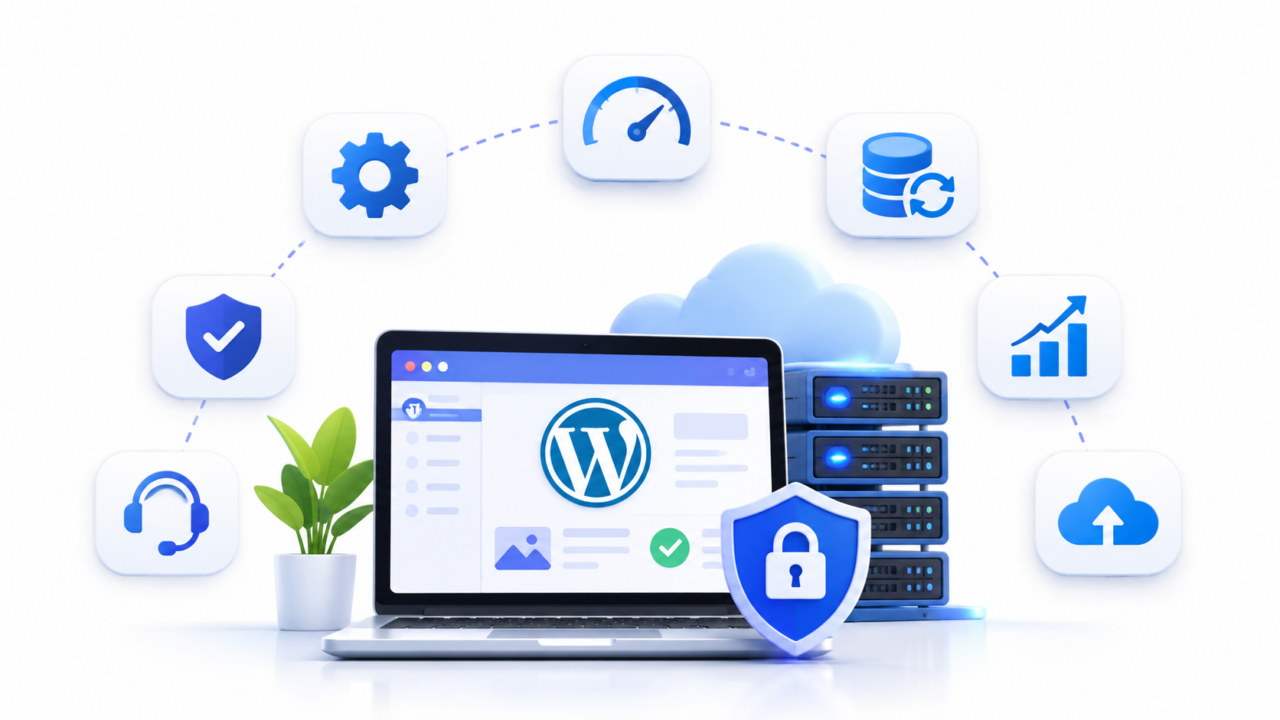
Managing a growing website requires time and technical knowledge. Business teams may need to handle hosting configuration, software updates, backups, security monitoring, performance troubleshooting, and traffic planning.
Managed WordPress hosting can reduce some of this operational workload by providing hosting services specifically designed for WordPress.
What managed hosting can provide
A managed hosting platform may offer infrastructure optimization, automatic maintenance, support, caching, staging environments, and security features. The exact services depend on the provider and subscription plan.
WP Engine offers managed WordPress hosting with performance and security tools, technical support, and plan options for different website requirements.
Managed hosting feature | What it helps with | Business advantage | Consideration |
|---|---|---|---|
Managed updates | WordPress maintenance | Less manual work | Test important changes |
Performance tools | Caching and delivery | Better page experience | Review site configuration |
Backups | Data recovery | Greater resilience | Verify backup frequency |
Technical support | Troubleshooting | Faster issue investigation | Check plan support limits |
Managed hosting does not automatically solve every performance issue. A website with inefficient code, heavy plugins, or poorly designed features may still require development work.
The best hosting choice depends on the website's traffic, complexity, business goals, and technical requirements.
7. Preparing for Traffic Growth Before It Happens
The most effective way to manage website growth is to prepare before a major traffic increase occurs. Businesses should understand their current performance and identify potential bottlenecks.
A practical website scalability checklist
Use this checklist before a major campaign, product launch, or seasonal promotion.
Review current hosting resources and traffic limits.
Monitor website speed and server response times.
Optimize images, scripts, and database queries.
Check caching and CDN configuration.
Update WordPress core, themes, and plugins safely.
Test important forms, login pages, and checkout flows.
Confirm backups and recovery procedures.
Contact the hosting provider about expected traffic spikes.
Run load tests where permitted and appropriate.
Load testing can help reveal how a website behaves under simulated demand. Testing should be conducted carefully and with hosting-provider approval when required, because it can consume significant resources.
Why Infrastructure Planning Is a Business Decision
Website infrastructure is not only a technical concern. It directly supports customer experience, marketing performance, brand credibility, and business growth.
A successful campaign can bring new visitors, but a slow or unavailable website may prevent those visitors from becoming customers. Likewise, a secure and reliable website can help businesses maintain customer confidence as their digital operations expand.
Businesses using WordPress should periodically evaluate whether their hosting environment is still suitable for their current traffic and future plans. Comparing managed hosting options, monitoring performance, and addressing bottlenecks early can help reduce the risk of unexpected disruptions.
You can learn more about WP Engine's managed WordPress hosting platform to review its performance, security, and hosting capabilities.
You can also explore free online tools on AltFTool to discover useful utilities for everyday digital tasks and productivity.
FAQs
The website may become slower, return errors, or stop responding. The result depends on the hosting resources, website design, caching, and the type of requests visitors make.
Optimize images and database queries, configure caching, use a CDN where appropriate, monitor performance, and discuss expected traffic with your hosting provider.
Managed hosting can provide performance tools, monitoring, and technical support that help improve reliability. However, no hosting service can guarantee that every website will remain available under every condition.
Caching reduces repeated processing by storing reusable content or data. This can lower server workload and help pages respond more efficiently during periods of increased traffic.
Sources and notes
Links the author listed for this post.
This article is based on general website infrastructure and WordPress performance principles, along with information from WP Engine's official managed hosting, performance, security, and availability resources.
More on AltFTool
- AltFTool (opens in a new tab)
altftool.com


Discussion
0 comments