Building a successful website requires more than attractive design and engaging content. A website also needs reliable hosting, strong security, fast performance, and the flexibility to grow as its audience expands. Whether you are managing a personal blog, an online store, a business website, or multiple client projects, choosing the right hosting platform can make a significant difference.
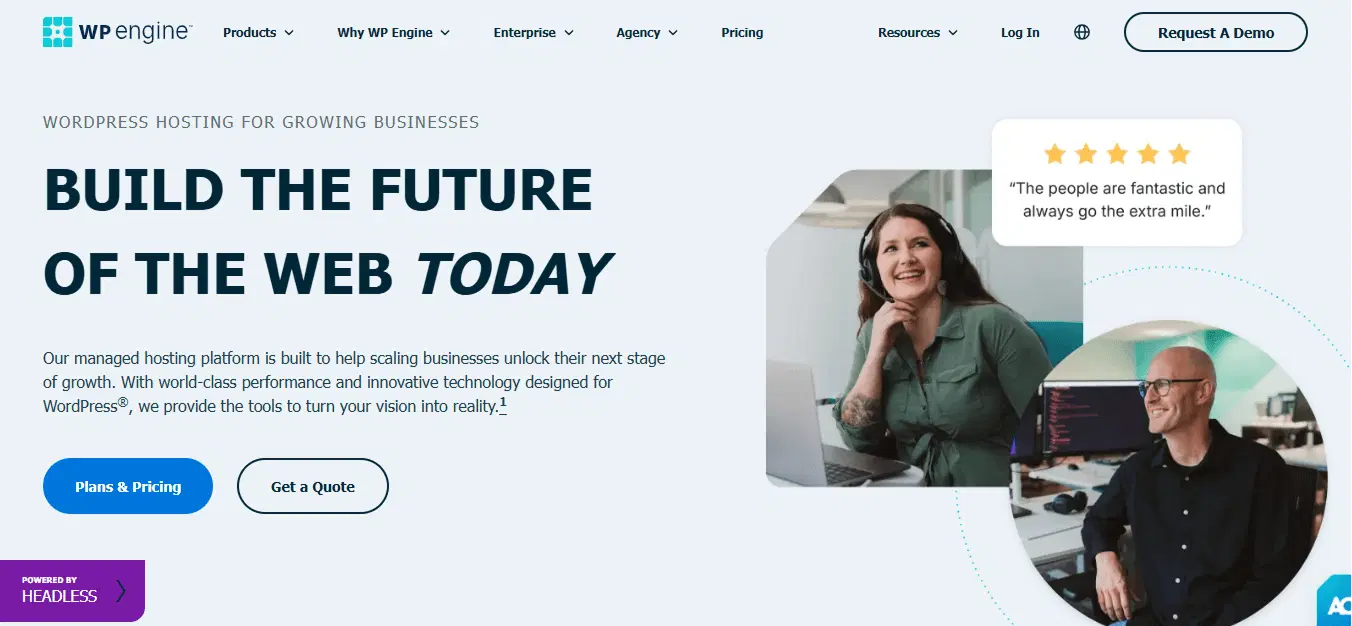
WP Engine is a technology company that specialises in managed WordPress hosting and digital experience solutions. Its platform is designed to help businesses, developers, agencies, and content teams build, manage, and improve WordPress websites with less technical complexity.
WP Engine combines hosting infrastructure with tools for website performance, security, backups, development, and technical support. This approach allows website owners to spend more time creating content, improving customer experiences, and growing their online presence instead of managing every hosting task manually.
With features such as WordPress-optimised caching, staging environments, automated backups, and developer tools, WP Engine provides a hosting environment suited to websites that require dependable performance and professional management.
What Is WP Engine?
WP Engine is a managed WordPress hosting provider that helps users operate websites built on WordPress. Unlike basic hosting services, managed WordPress hosting includes specialised infrastructure and services intended to simplify website maintenance.
The platform handles several technical responsibilities, including WordPress-related updates, server-level performance optimisation, backups, security measures, and hosting support. These features can be particularly useful for businesses that depend on their websites for customer communication, online sales, publishing, and lead generation.
WP Engine serves a range of users, including:
Bloggers and content publishers.
Small and medium-sized businesses.
Digital marketing agencies.
WordPress developers and designers.
Large enterprises managing complex websites.
eCommerce businesses using WordPress and WooCommerce.
The company offers hosting plans and services designed for different website sizes and operational requirements. Customers can explore plans based on the number of websites, traffic estimates, storage needs, and support requirements.
Why Choose WP Engine for WordPress Hosting?
Choosing a hosting provider is an important decision because it affects the reliability, security, and overall performance of a website. WP Engine offers a specialised environment that focuses on the needs of WordPress users.
1. Managed WordPress Hosting
One of the primary benefits of WP Engine is its managed hosting approach. The platform takes care of several technical tasks that website owners would otherwise need to handle themselves.
Managed services may include WordPress software updates, hosting maintenance, backups, and performance-related features.
This can help businesses reduce the time spent on routine website management and concentrate on their main goals.
2. Website Performance Optimisation
Website speed plays an important role in user experience. Slow-loading pages can frustrate visitors and make it harder for them to interact with a website.
WP Engine offers performance features such as EverCache and global content delivery network (CDN) support. These technologies are designed to help deliver website content efficiently and improve loading performance.
A well-optimised website can provide a smoother experience for visitors browsing articles, product pages, landing pages, and other online content.
3. Security Features
Website security is essential for protecting business information, customer interactions, and online operations.
WP Engine includes security-focused features such as threat protection, security patching, SSL support, and additional security options depending on the hosting plan.
These features can help reduce common hosting-related risks. However, website owners should still maintain secure passwords, use trusted plugins, and follow appropriate security practices.
4. Automated Backups
Website updates, plugin conflicts, and unexpected errors can sometimes affect website functionality. Backups provide a recovery option when something goes wrong.
WP Engine offers automatic and on-demand backup capabilities on its managed hosting platform. These backups can help users restore website data when necessary.
Having a backup strategy is particularly important for business websites, online stores, and content platforms that regularly publish new information.
5. Developer-Friendly Tools
WP Engine also supports developers who need greater control over website creation and deployment.
Its platform offers tools such as staging environments, Git-based workflows, SSH access, and local development capabilities, depending on the plan.
These features can make it easier to test changes, develop custom functionality, and manage website projects efficiently.
Key Features of WP Engine
WP Engine provides a combination of hosting, development, and website management features that support different digital projects.
Feature | Description | Main Benefit |
|---|---|---|
Managed WordPress Hosting | Hosting environment specialised for WordPress | Simplifies website maintenance |
EverCache | WordPress-optimised caching technology | Helps improve website speed |
Global CDN | Content delivery across distributed locations | Supports faster content delivery |
Automated Backups | Automatic and on-demand backup options | Helps with website recovery |
SSL Certificates | Secure website connections | Supports data protection |
Staging Environments | Separate environment for testing website changes | Reduces risk of live-site errors |
Git Integration | Version control and deployment workflows | Helps developers manage code |
24/7 Support | WordPress-focused technical assistance | Provides help with hosting issues |
Site Migration Tools | Tools and services to move websites | Simplifies hosting transitions |
The availability of certain advanced features may depend on the selected plan or additional services.
WP Engine Hosting Plans and Solutions
WP Engine offers hosting solutions for different website requirements. Its UK website presents options for smaller websites, growing businesses, and organisations that need advanced hosting capabilities.
1. Startup Hosting
Startup is designed for smaller websites and blogs. It can be a suitable option for individuals, bloggers, and businesses launching their first WordPress website.
It provides a foundation for hosting a website while offering managed WordPress features.
2. Professional Hosting
Professional is intended for users who want to build their brand online and manage a larger website presence.
It can be useful for growing businesses, professional websites, and projects that require more capacity than an entry-level hosting plan.
3. Growth Hosting
Growth is designed for businesses that are expanding their online operations.
It can support users managing several websites or requiring additional hosting capacity for their content and business activities.
4. Scale Hosting
Scale is intended for higher-capacity website requirements.
Businesses managing multiple websites or experiencing increasing traffic may explore this type of hosting plan.
5. Core and Enterprise Solutions
For more complex requirements, WP Engine offers Core and Enterprise-level solutions with advanced performance, security, support, and scalability capabilities.
These services may be appropriate for large organisations, agencies, and businesses with mission-critical websites.
Hosting Plan Comparison
Hosting Option | Suitable For | Main Purpose |
|---|---|---|
Startup | Small websites and blogs | Establishing an online presence |
Professional | Growing brands | Expanding website operations |
Growth | Developing businesses | Managing increased website needs |
Scale | Higher-capacity websites | Supporting larger operations |
Core | Advanced business requirements | Optimised performance |
Enterprise | Large organisations | Custom hosting and support |
Plan names, inclusions, and prices can change. Review the official UK pricing page before purchasing.
How WP Engine Helps Businesses Grow Online
A website is often one of the most important digital assets for a business. It can help attract customers, showcase products, publish valuable information, and generate leads.
WP Engine supports these activities by providing a hosting environment designed for WordPress websites.
1. Better Website Management
Businesses can benefit from managed hosting features that reduce the need for manual technical maintenance.
This can help marketing teams and business owners focus on publishing content, updating product information, and improving their digital presence.
2. Improved Customer Experience
A reliable website with efficient content delivery can help visitors navigate pages more smoothly.
For example, an online store may need visitors to browse product categories, read descriptions, and complete purchases without unnecessary delays.
Hosting performance is one factor that contributes to this experience, alongside website design, content quality, and optimisation.
3. Support for Growing Traffic
As a business becomes more popular, website traffic may increase.
WP Engine provides scalable hosting solutions intended to support different traffic levels. Businesses should select a plan that matches their expected usage and contact the provider for requirements involving significant traffic spikes or complex websites.
4. Efficient Website Development
Development teams can use staging environments and deployment tools to test website changes before making them available to visitors.
This workflow can be useful for businesses that frequently update their websites, introduce new features, or maintain multiple digital projects.
5. More Time for Content and Marketing
When hosting maintenance is simplified, teams can spend more time on activities such as:
Creating engaging blog articles.
Improving search engine optimisation.
Updating website landing pages.
Developing marketing campaigns.
Enhancing customer journeys.
Analysing website performance.
These activities help businesses make better use of their online platforms.
WP Engine for Developers and Digital Agencies
WP Engine is not only designed for business website owners. It also offers tools that support developers and agencies working on WordPress projects.
Developer Tools and Workflows
Developers can benefit from features such as local development environments, Git-based deployment, SSH access, and staging sites.
These tools help teams organise website development and manage changes in a structured way.
Managing Multiple Client Websites
Digital agencies often work with several clients who have different website requirements.
WP Engine's transferable site features, user permissions, and management tools can help agencies organise projects and support client handoffs.
Testing Before Publishing
A staging environment allows developers to test updates without immediately changing the live website.
For example, an agency may test a new theme, update a plugin, or redesign a landing page before publishing the changes.
This approach can help reduce disruption and improve the quality of website releases.
WP Engine vs Traditional Web Hosting
Understanding the difference between managed WordPress hosting and traditional hosting can help users choose the right platform for their website.
Comparison | WP Engine Managed Hosting | Traditional Hosting |
|---|---|---|
WordPress Optimisation | Specialised WordPress environment | Depends on provider |
Maintenance | Managed hosting maintenance | Often requires more manual work |
Performance Tools | WordPress-specific caching and CDN features | Varies by hosting package |
Security | Managed security features | Depends on provider and plan |
Backups | Automatic and on-demand options | May be manual or plan-dependent |
Developer Tools | Staging, Git, SSH and other tools | Varies by provider |
Support | WordPress-focused expertise | General hosting support may be offered |
Pricing | Typically premium | Often offers lower-cost entry plans |
WP Engine can be a strong choice for websites that need managed services and WordPress-specific tools. However, traditional hosting may be more suitable for beginners or website owners with limited budgets and simple requirements.
How to Get Started with WP Engine
Getting started with WP Engine involves selecting a suitable hosting plan and setting up your WordPress website.
Step 1: Visit the Official Website
Go to the official WP Engine UK website:
Explore the available hosting solutions and website management services.
Step 2: Choose a Hosting Plan
Select a plan based on your website requirements, expected traffic, storage needs, and budget.
Consider whether you are hosting a personal blog, business website, online store, or multiple client websites.
Step 3: Create or Migrate Your Website
You can set up a new WordPress website or use migration tools and services to transfer an existing website.
Before migrating, review your website files, database, plugins, themes, and domain configuration.
Step 4: Configure Your Website
Set up your domain, SSL, WordPress theme, plugins, and essential website settings.
Make sure your website is properly configured for security and performance.
Step 5: Test and Launch
Use the available staging tools to review website functionality before launching.
Check page loading, navigation, forms, mobile responsiveness, and important website features.
Step 6: Monitor Website Performance
After launching, monitor website performance, traffic, backups, and security.
Regular monitoring can help you identify potential issues and maintain a reliable online experience.
Advantages and Considerations of WP Engine
WP Engine offers several benefits, but it is important to understand its limitations before selecting a hosting provider.
Advantages
Managed hosting reduces routine technical responsibilities.
WordPress-focused infrastructure supports website performance.
Security and backup features help protect websites.
Developer tools support structured workflows.
Hosting solutions are available for different business sizes.
WordPress-specific support can help resolve technical challenges.
Staging environments allow testing before publishing changes.
Things to Consider
Managed hosting can cost more than basic shared hosting.
Pricing may increase with additional sites, capacity, or extensions.
The platform is specialised for WordPress rather than every website technology.
Some advanced features may require higher-tier plans or additional purchases.
Users should carefully review traffic limits, storage, bandwidth, and renewal pricing.
For website owners who prioritise professional hosting management, WP Engine may offer value through its integrated services. However, the best hosting choice depends on the website's requirements and available budget.
Is WP Engine Worth Exploring?
WP Engine provides a managed hosting platform designed to make WordPress website management more efficient. Its combination of hosting infrastructure, performance optimisation, security features, backup tools, and developer workflows makes it a useful option for businesses, agencies, publishers, and professional website owners.
The platform can be particularly valuable for organisations that rely on their websites for business operations and want to reduce the technical effort involved in maintaining them.
From small business websites to complex digital projects, WP Engine offers hosting solutions for different stages of online growth. Its WordPress-focused services can help users concentrate on content creation, website improvements, and customer experiences while the hosting platform manages important technical responsibilities.
Although its pricing may be higher than basic hosting alternatives, users who require specialised WordPress hosting and professional support may find its features worth considering.
If you are planning to launch a new website, migrate an existing WordPress project, or improve your website management workflow, explore the available solutions on the official WP Engine website.
Visit: WP Engine UK
FAQs
WP Engine is a managed WordPress hosting provider offering website hosting, performance optimisation, security features, and development tools.
Yes. Its managed hosting features can simplify website maintenance, although its pricing and advanced options may be more suitable for users with specific hosting needs.
Yes. WP Engine specialises in managed WordPress hosting for blogs, business websites, agencies, and enterprises.
Yes. WP Engine provides automatic and on-demand backup options for supported hosting plans.
Yes. WP Engine provides migration tools and managed migration services, depending on the hosting plan and website requirements.
Sources and notes
Links the author listed for this post.
This article is based on information available through the official WP Engine UK website and its hosting platform pages. Features, plan availability, prices, and services may change over time.


Discussion
0 comments
No comments yet
Discussion will appear here once it loads.