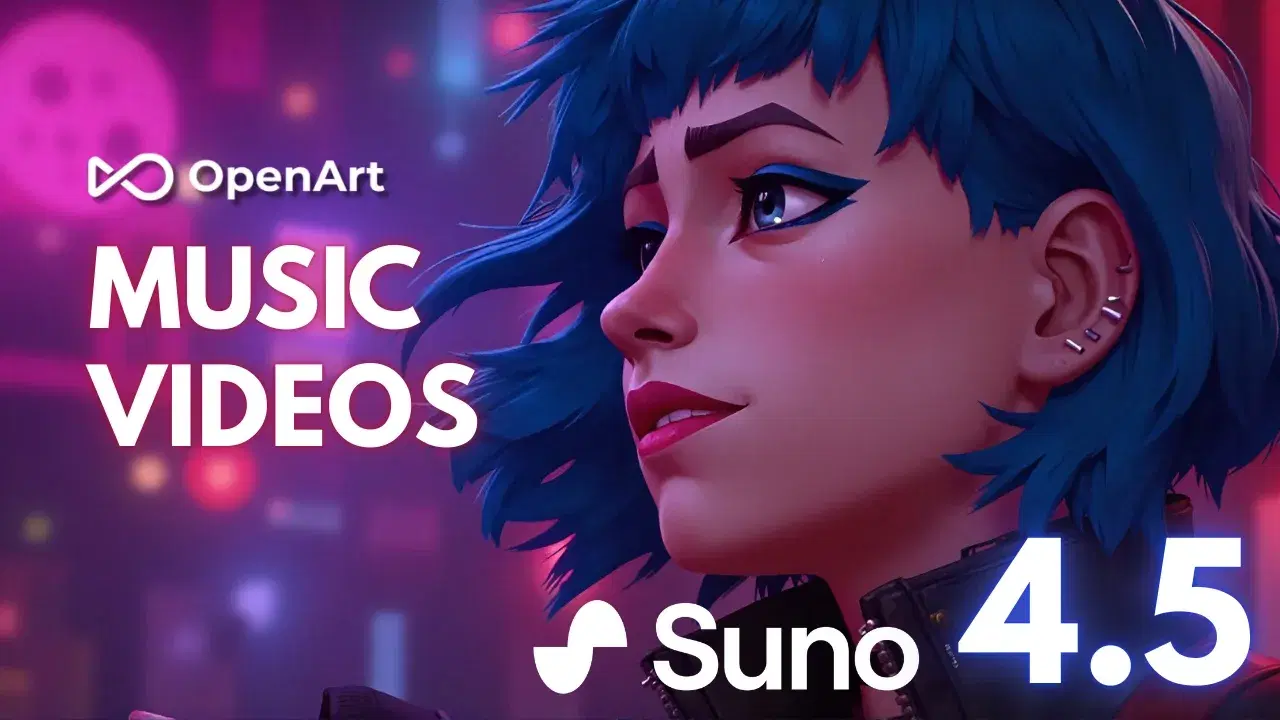
Artificial intelligence is changing the way people create digital content. What once required professional design software, photography equipment and video editing skills can now begin with a simple text prompt. From realistic product photographs to animated characters and cinematic videos, AI tools are opening new creative possibilities for beginners and professionals.
One platform gaining attention in this space is OpenArt. It brings different AI models and creative tools together, allowing users to generate, edit and experiment with digital content from a unified workspace.
Whether you are a content creator, digital marketer, designer, YouTuber or someone who enjoys experimenting with artificial intelligence, OpenArt offers an interesting collection of creative possibilities.
In 2026, the platform's development is particularly interesting because it goes beyond simple text-to-image generation. Its expanding ecosystem includes AI video creation, character consistency, audio workflows, creative editing and more advanced production features.
Let's explore what makes OpenArt AI worth watching and how it is shaping the future of digital creativity
1. What Is OpenArt AI?
OpenArt is an AI-powered creative platform designed to help users turn ideas into visual and multimedia content. Instead of depending on a single generation model, it provides access to multiple AI models through one creative environment.
Users can explore different tools depending on what they want to produce.
For example, someone creating social media content might use an image generator for attractive visuals, an AI video tool for short clips and editing features to improve the final result.
The platform is useful for different types of creative projects, including:
AI-generated illustrations and digital artwork.
Realistic portraits and character designs.
Marketing and product images.
Short-form videos and cinematic scenes.
Storyboards and creative presentations.
Audio-supported visual content.
One of its biggest attractions is flexibility. Users can experiment with different models and creative approaches without building an entire workflow around a single AI generator.
2. Why Is OpenArt AI Trending in 2026?
Multiple AI Models
Explore different AI models for creating unique digital images, videos and creative artwork.
Explore More

AI Video Creation
Transform written prompts and reference images into engaging moving visual scenes.
Explore More
Consistent Characters
Create recognisable digital characters for stories, animations and creative projects.
Explore More
Creative Workflows
Combine AI image, video, editing and audio tools in a connected creative process.
Explore More
3. Top Features of OpenArt AI
OpenArt offers a broad collection of features that support different creative activities.
1. AI Image Generator
The AI image generator helps users transform written descriptions into visual artwork.
You can describe the subject, background, lighting, mood and artistic style to guide the generation process.
For example, a prompt such as "A luxury perfume bottle on a marble table with soft golden lighting and an elegant studio background" can help create a product-style visual.
This feature is useful for:
Blog illustrations.
Social media graphics.
Concept artwork.
Product photography concepts.
Creative advertising visuals.
2. AI Video Generator
The AI video generator allows users to turn ideas and reference images into moving scenes.
Creators can experiment with camera movement, animation styles, visual storytelling and cinematic effects.
It can be useful for making:
Instagram Reels.
YouTube Shorts.
Promotional videos.
Animated stories.
Product advertisements.
3. Character Creation Tools
Character creation is especially useful for creators who want to develop recurring digital personalities.
Instead of designing a completely different character for every scene, users can build a visual identity and work towards maintaining a consistent appearance.
This can support storytelling, animation projects and social media content.
4. AI Image Editing
Generating an image is only one part of the creative process. Sometimes the background needs changing, an unwanted element needs removing or the visual needs additional refinement.
OpenArt provides AI-powered editing tools to help users make these adjustments.
Depending on the tool, users can experiment with background replacement, image enhancement, upscaling and other editing workflows.
5. Audio and Lip-Sync Workflows
OpenArt also supports creative audio workflows, including tools for video dubbing and synchronised lip movements.
These capabilities can help creators develop multimedia content without managing every production step through separate applications.
The exact features depend on the selected model and available plan.
4. Latest OpenArt AI Updates to Watch in 2026
Linked Billing with Claude Platform
November 17, 2026
Explore More
All-in-One AI Creation Platform
November 13, 2026
Explore More
Extract Layers
September 30, 2026
Explore More
Video Dubbing
August 27, 2026
Explore More
Seedance 2.5
August 7, 2026
Explore More
5. Popular AI Models Available on OpenArt
One of the platform's major attractions is its selection of AI models.
Different models are designed for different creative purposes. Some focus on realistic images, while others are built for cinematic videos, animation or detailed image editing.
AI Model | Main purpose | Creative use |
Kling 3.0 | AI video generation | Cinematic scenes |
Seedance 2.0 | Multimodal video creation | Creative video projects |
FLUX 3 Image | AI image generation | High-quality visuals |
WAN 3.0 | Video generation | Character-based videos |
GPT Image 2.6 | Image creation and editing | Detailed visual content |
Recraft V4 | Vector and design creation | Logos and graphics |
Nano Banana 2.1 | Image generation and editing | Realistic visuals |
These are examples from OpenArt's model ecosystem. Model availability and capabilities can change as the platform introduces new versions.
OpenArt
How to Choose the Right Model
Choosing a model depends on your creative goal.
For realistic images, explore image-generation models with strong reference and editing capabilities.
For cinematic scenes, compare available video models.
For graphic design, explore vector and typography-focused tools.
For recurring characters, look for character consistency and reference-image support.
The best approach is to experiment with a few models and compare their results rather than assuming one model will be suitable for every project.
6. How to Use OpenArt AI: A Beginner-Friendly Guide

Step 1: Visit the OpenArt Website
Start by visiting the official OpenArt website and exploring its creative tools.
Explore More
Step 2: Select a Creative Tool
Choose the right tool based on the image, video or artwork you want to create.
Explore More
Step 3: Write a Detailed Prompt
Describe your idea clearly so the AI can understand the result you want.
Explore More

Step 4: Select the Model and Settings
Choose an available AI model and adjust the settings for your project.
Explore More

Step 5: Generate Your Content
Submit your prompt and let the selected AI model create your content.
Explore More

Step 6: Edit and Download
Make final adjustments and export your finished creative work.
Explore More
7. Who Can Benefit from OpenArt AI?
OpenArt is not limited to professional digital artists. Its range of tools can be useful for people working across different industries.
User type | How OpenArt can help |
Bloggers | Create attractive article illustrations |
YouTubers | Develop thumbnails and video concepts |
Digital marketers | Produce advertising visuals |
Graphic designers | Explore creative design ideas |
Small businesses | Create product images and promotional content |
Social media creators | Make Reels and visual posts |
Storytellers | Develop characters and storyboards |
Educators | Prepare visual learning materials |
For Bloggers and Content Writers
Bloggers can use AI-generated visuals to make articles more engaging.
For example, a technology article can include a futuristic AI-generated image, while a travel blog can use creative destination illustrations.
For Digital Marketers
Marketing professionals can experiment with different advertisement concepts, promotional images and video variations.
This can help with brainstorming and creating initial campaign materials.
For YouTubers and Social Media Creators
Video generation and image creation tools can support thumbnails, short videos, animated concepts and other digital content.
For Small Businesses
Small businesses can experiment with product images, brand concepts and promotional visuals without immediately arranging a full creative production shoot.
However, generated product images should accurately represent the real product when used for commercial listings.
8. OpenArt AI Pricing: What Should Users Know?
Pricing is an important factor when choosing an AI creative platform.
OpenArt offers different subscription options designed around the number of credits, generation requirements and available features.
Its official pricing page currently lists the following individual plans:
Plan | Displayed monthly price | Credits per month |
Starter | $13/month | 4,000 |
Plus | $27/month | 12,000 |
Pro | Check official pricing | Check current allowance |
Wonder | Check official pricing | Check current allowance |
Prices shown reflect the promotional monthly figures displayed on the official pricing page when checked. Billing terms, annual discounts and availability may change.
Which Plan Should You Choose?
Starter: A reasonable starting point for people experimenting with AI image and video creation.
Plus: Worth considering for creators who need more monthly credits and additional generation capacity.
Pro and Wonder: Explore these options if you have more demanding creative requirements or need access to particular advanced features.
Before subscribing, compare the monthly credit allowance, model access, generation limits and commercial-use conditions.
You can check the latest details on
OpenArt
9. Benefits and Limitations of OpenArt AI
Like every AI platform, OpenArt has strengths as well as limitations. Understanding both can help users decide whether it suits their workflow.
Benefits | Limitations |
Multiple AI models in one place | Different models may require learning |
Image and video creation | Generation may consume credits |
Useful creative editing tools | Results may need manual refinement |
Character-focused workflows | Consistency is not always perfect |
Useful for different creator types | Advanced features may require paid plans |
Supports multimedia workflows | Output quality varies by model |
Important Things to Remember
AI-generated images may contain visual errors.
Text inside generated images may not always be accurate.
Video generation can require several attempts.
Subscription credits and model costs should be checked before starting large projects.
Users should respect copyright, privacy and the rights of people whose likenesses they use.
AI can speed up creative work, but human review remains important for professional results.
10. OpenArt AI vs Traditional Creative Tools
Traditional design software gives users detailed manual control, while AI platforms introduce a faster way to explore creative ideas.
OpenArt offers a different approach by combining AI generation and editing workflows.
Comparison | Traditional tools | OpenArt AI |
Image creation | Mostly manual design | Prompt-based generation |
Video production | Editing and filming workflows | AI-assisted video generation |
Character creation | Manual illustration | AI-supported creation |
Editing | Manual adjustments | AI-powered editing options |
Creative speed | Depends on skills and workflow | Can speed up initial creation |
This does not mean AI will replace traditional creative software. Both approaches can work together.
For example, a designer might generate an initial concept using OpenArt and then refine the final design in professional editing software.
11. The Future of AI-Powered Creativity

Future Trends in AI Creativity
Discover how connected AI tools are transforming digital content creation.
Explore More
- Multimodal AI: Combining text, images, video and audio.
- Consistent Characters: Maintaining character appearance across scenes.
- AI Video Production: Creating cinematic sequences with prompts.
- Advanced Editing: Modifying individual visual elements.
- Personalised Content: Adapting content for different audiences.
Is OpenArt AI Worth Exploring in 2026?
Explore AI image generation, video creation, character development and editing.
Explore More
- Bloggers: Creating article visuals.
- Designers: Exploring creative concepts.
- Marketers: Producing promotional content.
- Video Creators: Experimenting with AI videos.
FAQ'S
OpenArt AI is used to generate and edit images, create videos, develop digital characters and experiment with other AI-powered creative workflows.
Yes. Beginners can start with simple text prompts and gradually explore advanced generation and editing tools.
Yes. OpenArt supports several AI video-generation models that can create moving scenes from prompts and reference materials.
OpenArt's available access and pricing options can change. Visit its official website to check current free features, credits and subscription requirements.
Some plans provide commercial-use rights. Users should review the current licensing conditions and individual model restrictions before using generated content commercially.
Sources and notes
Links the author listed for this post.
The article is based on information from OpenArt's official website, feature pages, model directory, pricing information and product announcements. 1. OpenArt – Official Website 2. OpenArt – Features and Creative Tools 3. OpenArt – AI Models 4. OpenArt – Latest Updates and Announcements 5. OpenArt – Pricing Plans
More on AltFTool
- AltFTool (opens in a new tab)
altftool.com


Discussion
0 comments
No comments yet
Discussion will appear here once it loads.