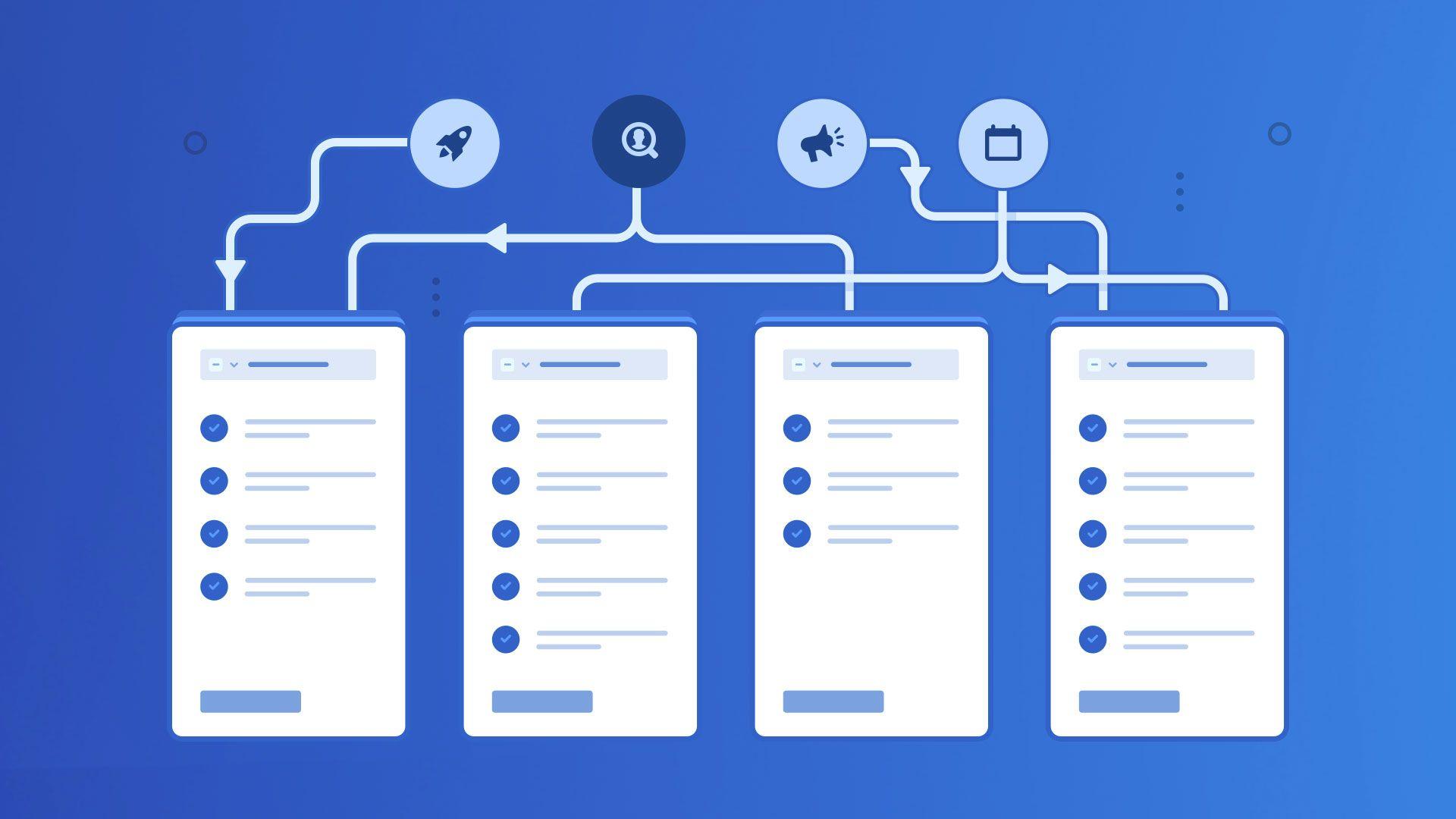
Every successful project begins with a plan. Teams identify what needs to be completed, assign responsibilities, set deadlines, and create a list of tasks. A simple to-do list can be useful for managing everyday activities, but when projects become more complicated, it often stops being enough.
Modern projects usually involve multiple people, departments, deadlines, resources, approvals, and dependencies. One task may need to be completed before another can begin. A delay in one department can affect the entire project, while unclear responsibilities can create confusion among team members. Managing all these moving parts through a basic checklist can quickly become difficult.
For example, a marketing campaign may involve content writers, designers, social media managers, advertising specialists, and project coordinators. Each person has separate responsibilities, but their work is connected. Publishing a campaign on time requires more than knowing which tasks are unfinished. The team must understand who is responsible, what depends on each task, how much progress has been made, and whether the project is still on schedule.
Explore AltFTool for useful productivity tools and digital resources that help teams organize tasks, manage project workflows, improve collaboration, and save time.
This is why teams need more than a to-do list to manage complex projects. They need a structured project management approach that supports collaboration, communication, scheduling, progress tracking, resource planning, and problem-solving.
The Limitations of a Traditional To-Do List

A to-do list is one of the simplest ways to organize work. It allows individuals to write down activities, mark completed tasks, and remember what needs attention. For personal productivity and small assignments, this approach can be effective.
However, complex projects require a broader view of the work. A traditional list generally focuses on individual tasks rather than the relationships between them.
It Does Not Show Task Dependencies
Many project activities depend on other tasks being completed first. For example, a website development project may require the design team to finish the website layout before developers can begin building certain pages.
A basic to-do list might show both activities, but it may not clearly explain that development depends on design approval. If the design process gets delayed, the development schedule can also be affected.
Without dependency tracking, team members may begin work too early, wait unnecessarily, or misunderstand why certain tasks cannot move forward.
It Provides Limited Project Visibility
A list can show what needs to be done, but it does not always communicate the overall health of a project.
Managers may find it difficult to understand:
How much of the project has been completed.
Which activities are currently in progress.
Whether important milestones are approaching.
Which tasks are delayed.
Whether the project is likely to meet its deadline.
When this information is scattered across individual lists, spreadsheets, and conversations, getting a clear picture becomes time-consuming.
It Cannot Properly Manage Team Responsibilities
In a team environment, every activity needs a clearly identified owner. If responsibilities are not properly assigned, multiple people may work on the same task while another important activity remains unattended.
A simple checklist may contain task names without explaining ownership, approval responsibilities, or supporting team members.
This can create unnecessary confusion, especially when projects involve several departments.
Complex Projects Require Structured Planning

Project planning involves more than creating a list of activities. Teams must understand the project's objectives, expected outcomes, deadlines, resources, risks, and responsibilities before work begins.
A structured plan provides direction and helps everyone understand how individual tasks contribute to the final result.
Defining Clear Project Objectives
Every project should begin with a clear understanding of what the team wants to achieve.
For example, a company planning to introduce a new product may have several objectives, such as preparing the product for launch, creating promotional campaigns, completing packaging, and organizing customer support.
These objectives help the team prioritize activities and measure success.
Without clearly defined goals, employees may complete many tasks without making meaningful progress toward the project's main purpose.
Breaking Large Projects into Smaller Activities
Large projects can feel overwhelming when they are treated as one continuous assignment. Breaking them into smaller activities makes the workload easier to understand and manage.
A product launch, for example, can be divided into research, product development, testing, marketing preparation, distribution, and launch activities.
Each stage can then be divided into smaller tasks with individual owners and deadlines.
This approach helps teams monitor progress and identify problems before they affect the entire project.
Setting Realistic Deadlines and Milestones
Deadlines provide structure, while milestones help teams understand whether important stages are being completed on time.
A milestone represents a significant achievement within a project, such as completing the research phase, approving the design, finishing testing, or launching a campaign.
Instead of focusing only on the final deadline, teams can monitor progress through smaller checkpoints.
This makes it easier to recognize delays and adjust schedules when necessary.
The Importance of Task Dependencies and Workflow Management

Task dependencies are among the most important elements of complex project management. They explain how different activities are connected and which tasks must be completed before others can begin.
Consider a mobile application development project. The team may need to complete requirement analysis before designing the interface. Development may depend on approved designs, while testing requires a working version of the application.
If one stage is delayed, the following activities may also be affected.
Understanding Different Types of Dependencies
Some tasks must happen in a specific order, while others can be completed simultaneously.
For example, the marketing team may prepare general campaign ideas while developers work on the product. However, final promotional materials may depend on approved product features.
Understanding these relationships helps managers organize work more efficiently.
Preventing Unnecessary Delays
When dependencies are clearly visible, team members know when they can start their activities and which approvals they need.
This reduces waiting time and prevents employees from working with incomplete information.
It also helps project managers identify critical activities that could affect the final delivery date.
Improving Workflow Coordination
A well-organized workflow explains how work moves from one stage to another.
For example, a content production workflow may include research, writing, editing, approval, design, and publication.
When everyone understands this process, work becomes easier to coordinate and fewer activities are overlooked.
Better Collaboration and Communication Across Teams

Complex projects rarely depend on one person. They often require people with different skills to work together toward a shared objective.
A successful project management system helps teams communicate clearly, share updates, discuss challenges, and coordinate responsibilities.
Creating a Shared Understanding of Work
When team members use separate task lists, they may have different information about deadlines, priorities, and project changes.
A shared project workspace provides a common place where employees can understand what is happening.
Team members can see task ownership, progress, upcoming deadlines, and relevant updates without repeatedly asking others for information.
Reducing Communication Gaps
Miscommunication can create serious problems in complex projects. A missed update, unclear instruction, or delayed approval can affect several connected activities.
Centralized communication helps keep important project discussions connected to the relevant work.
It also makes it easier for new team members to understand previous decisions and current responsibilities.
Supporting Cross-Department Collaboration
Different departments often have different priorities. The sales team may focus on customer requirements, while the technical team concentrates on development and quality.
Project management helps connect these responsibilities.
When departments understand their roles and how their work affects others, coordination improves and unnecessary misunderstandings become less common.
Essential Features Teams Need Beyond a To-Do List
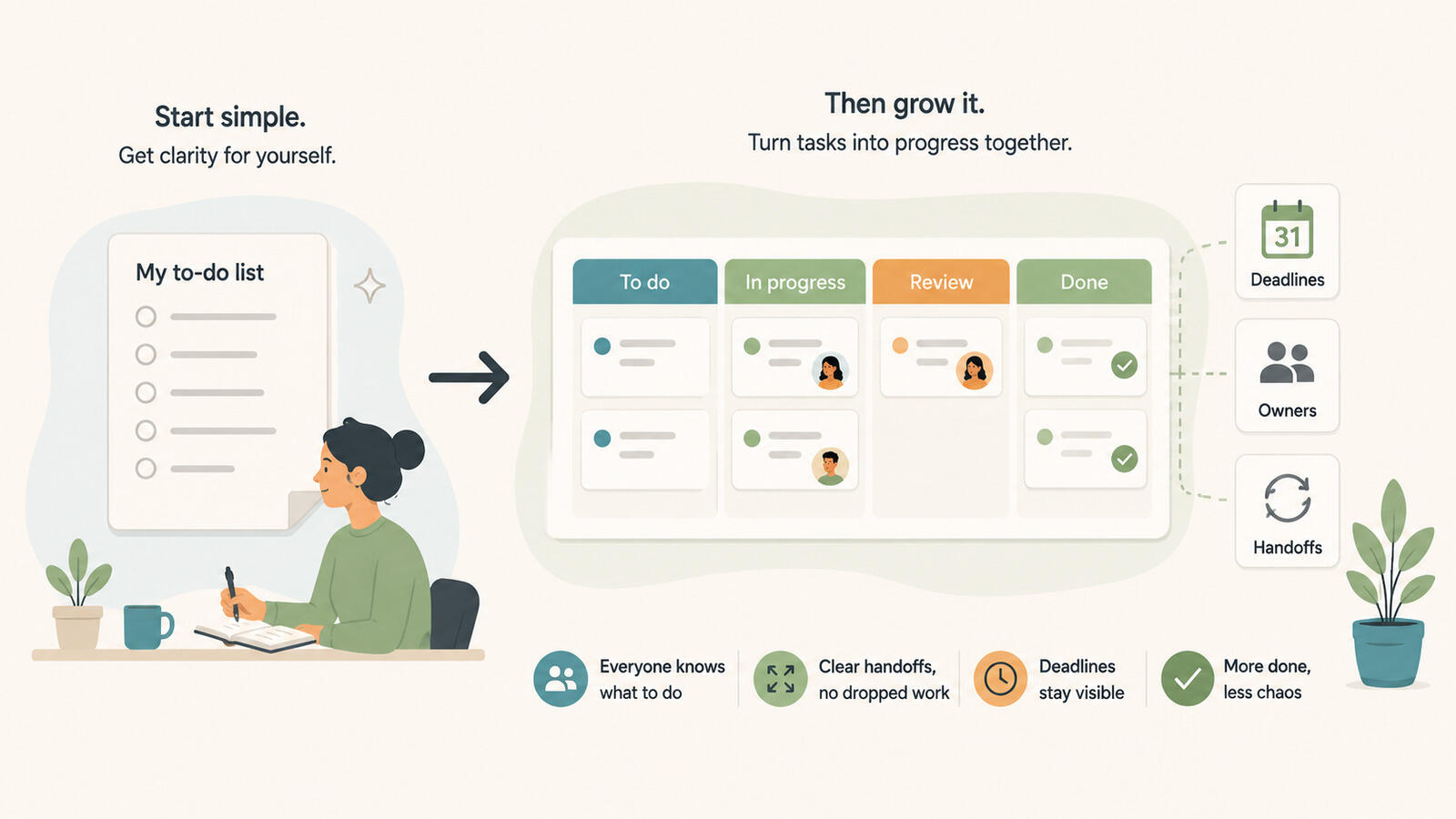
A project management approach should provide tools and processes that help teams manage different aspects of their work.
The following table explains some important capabilities and how they support complex projects.
Project Management Feature | Main Purpose | Benefit for Teams | Example |
|---|---|---|---|
Task Assignment | Defines individual responsibilities | Reduces confusion and overlapping work | Assigning design work to a designer |
Dependency Tracking | Shows relationships between tasks | Prevents workflow delays | Development begins after design approval |
Project Timeline | Organizes activities and deadlines | Keeps work aligned with schedules | Planning a product launch |
Progress Tracking | Monitors completed and pending work | Improves project visibility | Reviewing weekly task completion |
Team Collaboration | Supports communication and updates | Reduces misunderstandings | Sharing feedback on project activities |
Resource Management | Tracks people, time, and available resources | Helps balance workloads | Assigning developers across projects |
Reporting and Analytics | Summarizes project performance | Supports better decisions | Reviewing delayed milestones |
Risk Management | Identifies potential problems | Helps teams prepare for challenges | Planning for supplier delays |
These capabilities help transform project management from a collection of disconnected tasks into an organized system.
Real-Time Progress Tracking Helps Teams Stay on Schedule
One of the biggest challenges in project management is understanding whether work is progressing as expected.
A task may appear simple at the beginning but require additional time because of unexpected problems, feedback, or technical difficulties.
Real-time progress tracking helps managers and employees identify these situations earlier.
Monitoring Task Status
Teams should be able to understand whether an activity is not started, in progress, waiting for approval, blocked, or completed.
These status updates provide a clearer picture of daily operations.
For example, if a designer marks a task as waiting for approval, the project manager can identify who needs to review it before the next stage begins.
Identifying Delays Early
When progress is reviewed regularly, delays become easier to recognize.
A task that has remained unfinished for several days may indicate a workload issue, unclear requirements, or a missing resource.
Early identification gives managers an opportunity to provide support or adjust the schedule.
Keeping Stakeholders Informed
Clients, senior managers, and other stakeholders may need regular information about project progress.
Clear reporting allows teams to communicate completed milestones, current activities, potential delays, and upcoming priorities.
This reduces the need for repeated manual updates and helps stakeholders make informed decisions.
What changed
Resource Management and Workload Distribution
A project can have a detailed schedule and clear responsibilities but still struggle if resources are not managed properly.
Resources include employees, working hours, budgets, equipment, software, and other materials required to complete activities.
Avoiding Employee Overload
When the same employees are assigned too many responsibilities, productivity can decline.
They may miss deadlines, make avoidable mistakes, or struggle to focus on important activities.
Workload management helps project managers understand how much work each person is handling and distribute responsibilities more fairly.
Making Better Use of Available Resources
Not every project has unlimited resources. Businesses often need to manage several assignments with a limited number of employees and a fixed budget.
A structured approach helps managers decide which activities require immediate attention and where resources should be allocated.
Understanding Capacity Before Assigning Work
Before assigning new tasks, managers should consider employees' existing responsibilities, available working hours, skills, and project priorities.
This prevents unrealistic expectations and creates more achievable schedules.
Why Visual Project Management Tools Matter

Complex projects contain many activities, and understanding their progress through long lists can become difficult.
Visual project management methods help teams understand information quickly by presenting tasks, timelines, workflows, and responsibilities in an organized format.
Kanban Boards for Workflow Visibility
Kanban boards organize work into columns that represent different stages of a process.
A simple board may include:
To Do
In Progress
Under Review
Completed
Team members can move tasks between columns as work progresses.
This makes it easier to identify unfinished activities, bottlenecks, and tasks waiting for approval.
Gantt Charts for Project Scheduling
Gantt charts display project activities along a timeline. They help teams understand when tasks begin, when they should finish, and how different activities overlap.
They are especially useful for projects involving multiple stages and dependencies.
For example, a construction project may require planning, material procurement, site preparation, construction, inspection, and final approval.
A timeline view helps managers understand how these activities fit together.
Dashboards for Overall Project Performance
Project dashboards summarize important information in one place.
They may display task completion, delayed activities, upcoming milestones, workload distribution, and project progress.
Managers can use this information to understand project performance without reviewing every individual task.
Risk Management and Problem-Solving
Every complex project involves uncertainty. Unexpected expenses, technical issues, staff availability, supplier problems, and changing requirements can affect the original plan.
A to-do list usually focuses on activities that need to be completed. Risk management focuses on what could prevent those activities from being completed successfully.
Identifying Potential Risks
Teams should consider possible challenges before they become serious problems.
For example, a product launch may depend on receiving materials from an external supplier. If delivery is delayed, packaging, distribution, and marketing schedules may also be affected.
Identifying this risk early gives the team time to consider alternative suppliers or adjust the schedule.
Preparing Backup Plans
A backup plan explains what the team should do if an important activity does not go as expected.
For example, if a key employee becomes unavailable, another trained team member may need to take responsibility.
Planning alternatives helps reduce disruption and keeps the project moving.
Reviewing Risks Throughout the Project
Risk management should not happen only at the beginning. New challenges may appear as the project develops.
Regular reviews help teams update their plans, identify changing priorities, and respond to problems before they become difficult to control.
Choosing the Right Project Management Approach
Not every team needs the same project management process. A small team managing a short assignment may need only a simple task board, while a large organization handling multiple projects may require detailed scheduling, reporting, and resource management.
The right approach depends on project size, complexity, team structure, and business objectives.
Team or Project Type | Main Challenge | Useful Management Approach | Expected Benefit |
|---|---|---|---|
Small Team | Tracking daily responsibilities | Shared task boards | Better task visibility |
Marketing Team | Managing campaigns and approvals | Workflow and calendar management | Organized campaign delivery |
Software Team | Handling development dependencies | Agile planning and sprint tracking | Flexible development |
Construction Team | Managing stages and resources | Gantt charts and milestone tracking | Improved scheduling |
Large Organization | Coordinating multiple departments | Centralized project management | Better overall visibility |
Before selecting a project management system, teams should identify their actual requirements.
A solution with too many unnecessary features can make daily work complicated. On the other hand, a system that lacks important capabilities may not support the project's needs.
Common Mistakes Teams Should Avoid

Even when teams use project management tools, poor planning and communication can create difficulties.
Treating Every Task as Equally Important
Not all tasks have the same impact on project success. Some activities are essential for completing major milestones, while others can be handled later.
Teams should prioritize work according to deadlines, dependencies, business value, and potential consequences.
Assigning Tasks Without Clear Ownership
A task should have a clearly identified person responsible for moving it forward.
Other employees may provide support, but unclear ownership can lead to delays and confusion.
Ignoring Project Updates
A project plan is not something that should remain unchanged after the initial setup.
Teams should update task statuses, deadlines, responsibilities, and priorities whenever important changes occur.
Using Too Many Separate Tools
When teams manage tasks, conversations, schedules, and documents across too many disconnected platforms, information becomes difficult to find.
Using a more centralized approach can reduce unnecessary switching and improve coordination.
Focusing on Activity Instead of Results
Completing a large number of tasks does not automatically mean a project is successful.
Teams should evaluate whether their work is contributing to the project's main objectives, quality standards, and expected outcomes.
FAQ's
Teams need structured project planning, task assignment, workflow management, progress tracking, team collaboration, resource allocation, and reporting to manage complex projects successfully.
Project management improves productivity by organizing responsibilities, setting clear deadlines, reducing communication gaps, tracking progress, and helping employees focus on important activities.
A to-do list tracks individual activities but does not effectively manage task dependencies, team responsibilities, project timelines, resources, or overall progress.
Important features include task assignment, project timelines, Kanban boards, Gantt charts, progress reports, collaboration tools, workload management, and deadline tracking.
They help teams identify task dependencies, monitor deadlines, recognize bottlenecks, and address potential problems before they affect the entire project.
Sources and notes
Links the author listed for this post.
This guide is based on established project management practices, productivity strategies, and team collaboration principles. Explore AltFTool for useful digital tools and resources to simplify everyday work.
More on AltFTool
- AltFTool (opens in a new tab)
altftool.com


Discussion
0 comments