
Launching a website may sound like a complicated project, especially when you do not have developers, designers, or IT specialists working alongside you. For many small business owners, entrepreneurs, freelancers, and first-time founders, the technical side of building a website can feel like the biggest obstacle.
There was a time when creating a professional website usually meant hiring a web developer, learning programming languages, purchasing hosting separately, and spending weeks figuring out how everything worked. Today, things are different. Website builders, ready-made templates, no-code platforms, and automated tools have made it possible for people with little or no technical experience to establish an online presence.
However, launching a website without a technical team does not mean everything happens automatically. You still need a clear purpose, thoughtful planning, useful content, a suitable platform, and an understanding of how visitors will interact with your website.
The real question is not whether you can build a website without technical knowledge. It is whether you can make the right decisions at each stage.
Let's explore what it actually takes to launch a website independently, which tools can make the process easier, and what you should consider before making your website available to the public.
1. Start With a Clear Website Goal
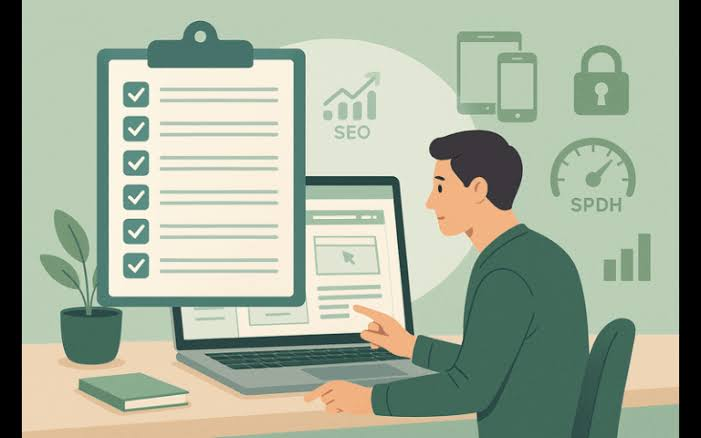
Before choosing a website builder or purchasing a domain, take a moment to understand why you need a website.
A website should have a clear purpose. Without one, it becomes easy to spend time adding unnecessary features, changing designs, or creating pages that do not contribute to your actual goals.
For example, a small business may need a website to explain its services and attract potential customers. An independent writer may want a blog to publish articles and build an audience. An online store, meanwhile, needs product pages, payment options, and a reliable shopping experience.
Your website's purpose influences almost every decision you make later.
Identify What You Want Your Website to Achieve
Start by answering a few practical questions:
Do you want to sell products or services online?
Are you creating a professional portfolio?
Do you want to publish articles and informational content?
Are you trying to generate leads for your business?
Do you need a website where customers can contact you?
Are you building a community or an online resource?
You do not need an elaborate business strategy to begin. A simple understanding of your audience and objectives is enough to create a useful starting point.
2. Choose a Website Platform That Does Not Require Coding
One of the biggest advantages of modern website development is that you no longer need to write code to create a functional website.
No-code and low-code platforms provide visual editors, pre-designed layouts, and built-in tools that allow users to create pages through simple actions such as clicking, dragging, and editing text.
The right platform depends on what you are building, your budget, and how much control you want over the website.
Popular Website-Building Platforms
Examples of platforms commonly used to create websites without a dedicated development team.
1. Wix
Wix offers a visual website editor, ready-made templates, and built-in features for business websites, portfolios, blogs, and online stores. It is useful for people who want a relatively straightforward setup.
2. WordPress
WordPress is a popular content management system that supports blogs, business websites, portfolios, and more complex projects. Its themes and plugins provide flexibility, although users need to manage updates, hosting, and security depending on their setup.
3. Squarespace
Squarespace offers professionally designed templates and an integrated website-building experience. It can be a good choice for creative professionals, service businesses, and brands that want a polished online presence.
4. Shopify
Shopify focuses on ecommerce. It provides tools for product listings, inventory management, payments, order processing, and store management, making it suitable for businesses planning to sell online.
5. Webflow
Webflow combines visual design tools with more detailed layout and styling controls. It is useful for people who want greater design flexibility, although it may take longer to learn than simpler website builders.
How Should You Choose?
Do not select a platform simply because it is popular. Consider its learning curve, pricing, available features, support, and ability to grow with your business.
A personal blog may not need the same tools as an ecommerce business. Similarly, a service-based website may require appointment booking and contact forms rather than advanced inventory management.
Choose a platform that meets your current needs without making future improvements unnecessarily difficult.
3. Get a Domain Name and Reliable Hosting
Once you have selected a platform, the next step is establishing your website's online address.
A domain name is the address visitors type into their browsers to find your website.
Your domain name plays an important role in how people recognise and remember your brand.
Tips for Choosing a Domain Name
A good domain name should be:
Easy to remember: Avoid unnecessarily long or complicated names.
Relevant to your brand: Choose something that reflects your business, service, or content.
Simple to spell: Visitors should be able to type it without confusion.
Professional: Avoid unusual combinations that may look untrustworthy.
Flexible: Choose a name that can still represent your business if your services expand.
You should also check whether the name is available and whether it creates trademark or brand conflicts before registering it.
What About Website Hosting?
Web hosting is the service that stores your website's files and makes them accessible online.
Some website builders include hosting in their subscriptions. Other platforms, including self-hosted WordPress installations, require you to arrange hosting separately.
When evaluating a hosting provider, consider:
Website performance and loading speed.
Uptime and reliability.
Security features.
Backup options.
Customer support.
Storage and bandwidth limits.
Renewal pricing and additional charges.
You do not necessarily need an expensive hosting package for a small website. What matters is choosing a reliable service that can support your expected traffic and website requirements.
4. Plan the Website Structure Before Designing It
A website can look attractive and still be difficult to use. This usually happens when its pages are added without thinking about how visitors will navigate between them.
Before working on colours, fonts, or images, decide which pages your website actually needs.
For a basic business website, the structure might look like this:
Home Page
Introduction and main purpose
About Us
Business background
Services
What you offer
Blog
Articles and updates
Contact
Ways to reach you
An online store will need additional pages, such as product categories, individual product listings, shopping cart, checkout, shipping information, and return policies.
A portfolio may need project galleries, case studies, testimonials, and a contact page.
Keep Navigation Simple
Visitors should be able to understand your website without spending time searching for basic information.
Use clear menu labels, organise related pages together, and avoid adding too many navigation options.
A simple structure is often more effective than a complicated website filled with unnecessary sections.
5. Create Content That Gives Visitors a Reason to Stay

Design attracts attention, but useful content gives people a reason to explore your website.
Many first-time website owners spend too much time choosing colours and layouts while leaving the actual content until the last moment. This can create problems because the design should support the information you want to communicate.
Your content should explain what you offer, who you help, and why visitors should trust you.
Essential Website Content
Depending on the purpose of your website, you may need:
Homepage content: Explain what your website or business does. Visitors should understand its purpose within a few seconds.
About page: Introduce your business, experience, mission, or background. Avoid generic statements that do not tell visitors anything meaningful.
Service or product pages: Explain the features, benefits, pricing, and important details of what you offer.
Contact information: Provide a working email address, contact form, phone number, or business address where appropriate.
Blog content: Publish useful articles that answer questions your audience may have. Consistent, relevant content can also support long-term search visibility.
Frequently asked questions: Answer common customer questions about pricing, delivery, services, support, or other important details.
Make Content Easy to Read
Online visitors often scan pages rather than reading every sentence. Use descriptive headings, short paragraphs, bullet points, and relevant images to make information easier to understand.
Most importantly, write for your audience instead of filling pages with repeated keywords or exaggerated marketing claims.
6. Design a Website That Works on Mobile Devices
A website should not be designed only for people using desktop computers.
Many visitors access websites through smartphones and tablets. If your pages are difficult to read or buttons are difficult to tap on smaller screens, people may leave before finding what they need.
A responsive website automatically adjusts its layout to different screen sizes.
Important Mobile-Friendly Design Features
Text should remain readable without zooming.
Buttons should be large enough to tap comfortably.
Images should resize properly.
Navigation should work on smaller screens.
Forms should be easy to complete.
Pages should load without unnecessary delays.
Important information should not disappear on mobile layouts.
Most modern website builders provide responsive templates, but you should still test your actual pages on different devices.
A template being labelled mobile-friendly does not guarantee that every section you add will look good on a phone.
7. Understand the Basics of SEO
Creating a website is only one part of building an online presence. People also need a way to discover it.
Search engine optimisation, commonly known as SEO, helps search engines understand your website and its content. It can improve your chances of appearing in relevant search results, although rankings are never guaranteed.
You do not need an SEO specialist to begin with the fundamentals.
Important SEO Activities for Beginners
Keyword research: Understand the words and phrases your audience uses when searching for information, products, or services.
Clear page titles: Give each important page a descriptive title that accurately explains its content.
Useful meta descriptions: Write concise descriptions that help people understand what a page offers.
Organised headings: Use headings and subheadings to create a logical content structure.
Image optimisation: Use relevant image filenames, descriptive alt text, and suitable image sizes.
Internal linking: Connect related pages so visitors and search engines can discover more of your content.
Fast loading: Compress large images and avoid unnecessary features that slow down the website.
Helpful content: Focus on answering real questions instead of publishing pages simply to target keywords.
You can also connect your website to tools such as Google Search Console to monitor search performance, indexing issues, and website visibility.
8. Add the Features Your Website Actually Needs
One advantage of modern website platforms is that many features can be added without hiring developers.
However, it is important to avoid installing every available plugin or application. Too many unnecessary tools can make your website harder to manage, increase costs, and sometimes affect performance.
Start with the features that directly support your website's purpose.
Website requirement | Useful feature |
|---|---|
Customer enquiries | Contact form |
Online sales | Shopping cart and payment gateway |
Appointment-based services | Booking calendar |
Website security | SSL certificate and security tools |
Performance monitoring | Analytics |
Email communication | Business email integration |
Content publishing | Blog or content management system |
Customer support | Chat or help desk |
For example, a consultant may only need a homepage, service descriptions, a booking system, and a contact form.
An online store will require more functionality, including payment processing, order notifications, inventory tracking, and clear delivery policies.
The goal is not to make the website feature-heavy. It is to make it useful.
9. Take Website Security Seriously
Security is an important responsibility, even when you are running a small website without technical support.
A website can face risks such as unauthorised access, malicious software, data theft, spam, and service disruptions. Some problems can be avoided through basic security practices.
Basic Security Measures
Use HTTPS: Make sure your website has a valid SSL/TLS certificate so information exchanged between visitors and your website is encrypted.
Choose strong passwords: Avoid predictable passwords and use a password manager where possible.
Enable two-factor authentication: Add another layer of protection to your website administration accounts.
Keep software updated: Update your website platform, themes, plugins, and other connected tools.
Create regular backups: Store backups in a secure location so you can restore your website if something goes wrong.
Limit user permissions: Give administrative access only to people who genuinely need it.
Use trusted integrations: Before installing a plugin or connecting an external service, check its reputation, update history, and permissions.
If your website collects customer information, you should also understand the privacy and data protection requirements that apply to your business and the locations where your customers live.
10. Test Everything Before Launching
A website may appear complete in its editor but still contain problems when visitors use it.
For example, a contact form might not send messages, a navigation link might lead to the wrong page, or an image might display incorrectly on mobile devices.
Testing helps identify these issues before they affect real visitors.
11. Understand the Costs of Launching a Website
Building a website without a technical team can reduce development expenses, but it does not mean launching one is completely free.
Your actual budget depends on the platform, domain, hosting, design requirements, and features you need.
Expense | What it covers |
|---|---|
Domain registration | Your website's online address |
Website platform | Website-building subscription, if applicable |
Hosting | Storage and website availability, when purchased separately |
Templates | Optional premium website designs |
Plugins and apps | Additional functionality |
Business email | Professional email addresses |
Security and backups | Website protection and recovery |
Content and images | Writing, photography, graphics, and other media |
Marketing | SEO, advertising, and promotion |
Some platforms bundle several services into one subscription, while others charge separately for hosting, applications, and additional features.
Before purchasing anything, review the renewal price, subscription limits, transaction fees, and cancellation terms. A low introductory price may not reflect the actual long-term cost.
For a small informational website, you can often begin with a relatively simple setup. An ecommerce business or a website with advanced booking and customer account features will usually require a larger budget.
12. Can AI Tools Help You Launch a Website?
AI tools have made website creation more accessible by helping users complete tasks that previously required considerable time or specialist knowledge.
Depending on the platform, AI-powered features can assist with generating page layouts, drafting website content, creating images, suggesting headings, and improving product descriptions.
They can also help with brainstorming business names, writing FAQs, organising information, and identifying missing content.
However, AI should be treated as an assistant rather than a replacement for human judgement.
Practical Ways to Use AI
Website content: Create an initial draft of homepage text, service descriptions, and FAQs.
Design ideas: Explore colour combinations, layout concepts, and visual styles.
SEO planning: Generate keyword ideas and organise possible article topics.
Product descriptions: Prepare drafts that you can review and correct.
Customer communication: Draft responses to common enquiries.
Content organisation: Create a logical page structure and navigation plan.
Always review AI-generated content before publishing it. Check factual accuracy, remove repetitive wording, protect confidential information, and make sure the final content reflects your actual business.
AI-generated images and text may also require additional review for licensing, accuracy, accessibility, and brand consistency.
13. What Happens After Your Website Goes Live?

Publishing a website is not the end of the process. It is the beginning of managing your online presence.
A newly launched website may not receive many visitors immediately. Search engines need time to discover and understand its pages, and potential customers need opportunities to find and trust your brand.
This is why regular maintenance and improvement are important.
Keep Your Website Updated
Review your content periodically. Update outdated information, remove broken links, replace old images, and check that contact details remain correct.
Monitor Website Performance
Use analytics tools to understand how visitors interact with your website. Pay attention to useful indicators such as traffic sources, popular pages, engagement, and conversions.
Publish Helpful Content
If your website includes a blog, publish articles that address questions your audience genuinely cares about. Quality and relevance matter more than publishing large quantities of repetitive content.
Listen to Visitors
Customer questions, feedback, and support requests can reveal where your website needs improvement.
For example, if several visitors ask the same question about your services, you might need a clearer service page or a dedicated FAQ section.
Review Your Website's Technical Health
Even no-code websites require occasional attention. Check software updates, backups, security notifications, mobile layouts, and website loading performance.
You may not need a full-time technical team, but you should know when a problem requires professional assistance.
Final Thoughts
Launching a website without a technical team is no longer an unrealistic goal. Modern website builders, no-code platforms, AI tools, and integrated hosting services have made it possible for entrepreneurs, small businesses, and independent creators to establish an online presence without learning programming.
But successful website creation involves much more than selecting a template and clicking publish.
You need to understand your audience, choose the right platform, plan your pages, prepare useful content, consider SEO, protect visitor information, and test the experience before launch. You also need to maintain the website and improve it as your business grows.
The smartest approach is to begin with what you genuinely need. Build a simple, functional website first, understand how visitors use it, and introduce additional features when there is a clear reason to do so.
You do not need a technical team to take the first step. You need a clear plan, the right tools, and a willingness to learn along the way.
FAQ's
Yes, modern website builders and no-code platforms allow beginners to create and publish websites without programming knowledge.
Using platforms like Wix, Squarespace, or Shopify can simplify website creation through ready-made templates and visual editing tools.
Website costs vary depending on domain registration, hosting, platform subscriptions, templates, and additional features.
No, but understanding basic SEO practices such as keyword research, page titles, image alt text, and useful content can improve online visibility.
Yes, AI tools can assist with website content, design ideas, page layouts, SEO planning, and other tasks during website creation.
Sources and notes
Links the author listed for this post.
This article draws on general website development, digital accessibility, search engine optimisation, cybersecurity, and no-code publishing principles.


Discussion
0 comments