Microsoft Office has been part of everyday work for years. From preparing school assignments and creating business reports to managing spreadsheets and making professional presentations, applications like Word, Excel, and PowerPoint are used by millions of people.
However, purchasing a Microsoft 365 subscription at its regular price may not fit everyone's budget. This is why Black Friday is a good time to look for discounts, compare subscription plans, and explore more affordable ways to use Microsoft Office.
In 2026, Black Friday falls on November 27, and Microsoft's holiday sale period includes promotions on selected products. Microsoft 365 subscriptions may also receive promotional offers, although the exact subscription discounts can vary by region and retailer.
Whether someone needs Office for personal work, college assignments, professional projects, or a growing business, there are several ways to get better value.
In this guide, we'll explore Microsoft 365 Black Friday deals, available subscription plans, cheaper purchasing options, student benefits, and practical tips to help buyers choose the right Office package.
When Is Black Friday 2026?
Black Friday 2026 takes place on November 27, 2026. It is one of the biggest shopping events of the year, with discounts across technology, electronics, software, and digital subscriptions.
Microsoft's US Black Friday sale is scheduled to run from November 19 to November 28, 2026. The company indicates that Microsoft 365 Personal, Family, and Business subscriptions may receive promotional pricing, but individual offers and eligibility can vary.
Black Friday 2026 Key Details
Details | Information |
Black Friday | November 27, 2026 |
Cyber Monday | November 30, 2026 |
Microsoft sale period (US) | November 19–28, 2026 |
Main product | Microsoft 365 |
Popular applications | Word, Excel, PowerPoint |
Deal types | Subscription discounts and software offers |
What Is Microsoft 365 and Why Do People Need It?
Microsoft 365 is a subscription-based productivity service that provides access to several Microsoft applications and additional digital services.
Many people still call it Microsoft Office or Office 365, but Microsoft now uses the Microsoft 365 name for its subscription products.
Instead of purchasing every application separately, users can access multiple tools through one subscription.
Popular applications included in Microsoft 365:
Microsoft Word: Create documents, reports, letters, and assignments.
Microsoft Excel: Manage spreadsheets, budgets, calculations, and business data.
Microsoft PowerPoint: Prepare presentations for meetings, classes, and professional projects.
Microsoft Outlook: Organise emails, calendars, and contacts.
Microsoft OneNote: Save notes, ideas, and important information.
Microsoft OneDrive: Store files online and access them across devices.
Microsoft Teams: Communicate and collaborate with other people.
The combination of these applications makes Microsoft 365 useful for students, working professionals, freelancers, families, and businesses.
Best Microsoft 365 Black Friday Deals 2026
Microsoft 365 offers different subscription plans depending on how many people need access and which features they require.
During Black Friday, buyers should compare Microsoft's official promotional pricing with offers from authorised retailers.
Here are the main subscription options worth considering.
1. Microsoft 365 Personal Deals
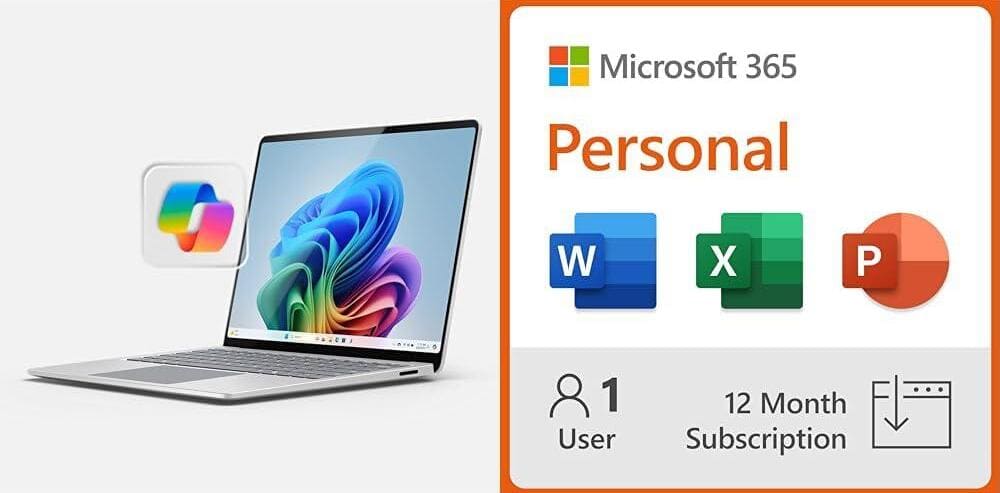
Microsoft 365 Personal is designed for one person who needs access to Office applications across multiple devices.
It can be a practical option for students, freelancers, professionals, and individuals who regularly use Word, Excel, and PowerPoint.
Key features include:
Access for one person.
Word, Excel, PowerPoint, and Outlook.
Use across PCs, Macs, smartphones, and tablets.
Up to 1 TB of OneDrive cloud storage.
Microsoft Copilot features and eligible AI benefits.
Security and productivity features.
Regular Microsoft India pricing:
Billing option | Listed price |
Monthly | ₹689 |
Yearly | ₹6,899 |
A Black Friday discount can make the annual subscription more attractive. However, buyers should compare the final checkout price rather than assuming every Personal subscription receives the same promotional discount.
Who should buy it?
Individual users.
College students.
Freelancers.
Remote workers.
People who use Office applications regularly.
2. Microsoft 365 Family Deals
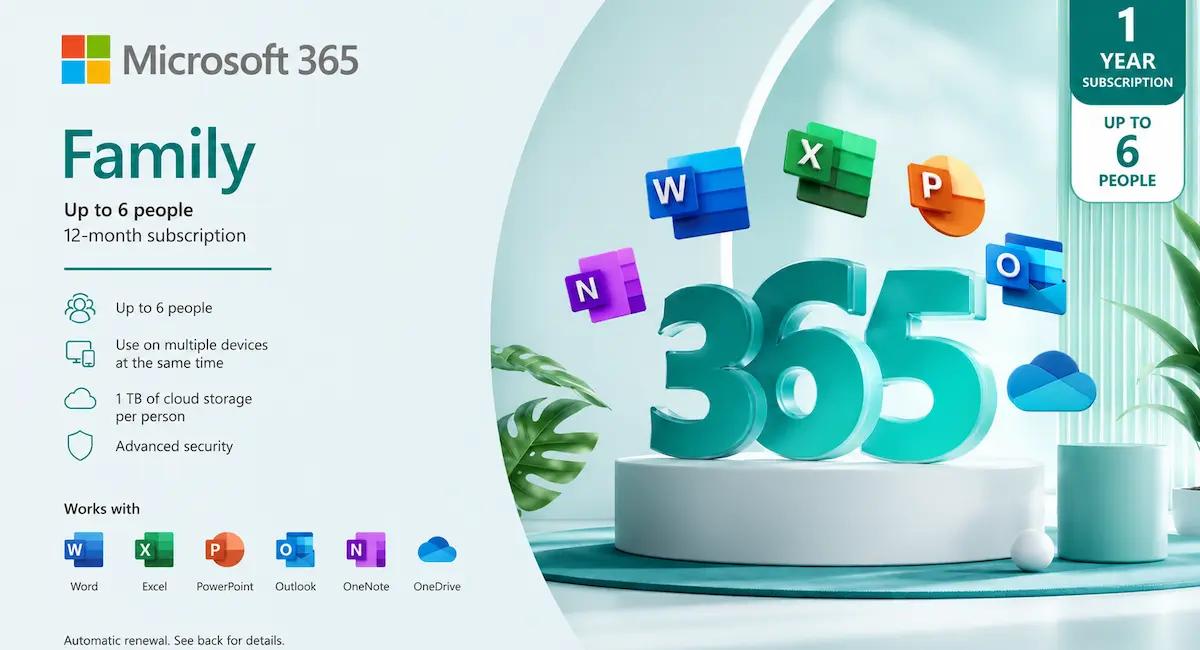
If several people in a household use Microsoft Office, the Family plan may offer better overall value.
Microsoft 365 Family supports between one and six people. Each eligible member gets access to the included productivity applications and their own cloud storage allowance.
Main features:
Subscription sharing with up to six people.
Word, Excel, PowerPoint, and Outlook.
Access across supported devices.
Up to 1 TB of OneDrive storage per person.
A combined storage allowance of up to 6 TB.
Additional productivity and security features.
Regular Microsoft India pricing:
Billing option | Listed price |
Monthly | ₹819 |
Yearly | ₹8,199 |
For households with multiple users, splitting the annual cost can make this plan more economical than purchasing separate Personal subscriptions.
Who should consider it?
Families.
Couples.
Households with multiple students.
People sharing Office subscriptions with family members.
One important detail: Microsoft Copilot AI benefits and usage limits may differ between the subscription owner and other Family members.
3. Microsoft 365 Premium Deals
Microsoft 365 Premium is designed for users who need more extensive AI capabilities and advanced productivity features.
It includes the core benefits of the Family plan, along with higher usage allowances for selected AI features.
Features worth exploring:
Advanced Microsoft Copilot capabilities.
Higher AI usage limits.
Advanced research and analytics features.
AI image creation.
Word, Excel, PowerPoint, and other productivity applications.
Family subscription sharing.
Regular Microsoft India pricing:
Billing option | Listed price |
Monthly | ₹1,999 |
Yearly | ₹19,999 |
This plan is more suitable for people who regularly use advanced AI features. For someone who only needs Word, Excel, and PowerPoint, a less expensive plan may be sufficient.
4. Microsoft 365 Business Plans and Deals
Businesses often need more than basic document editing. They may require professional email, cloud storage, team collaboration, online meetings, and tools to manage everyday operations.
Microsoft 365 Business subscriptions are designed for small and medium-sized organisations that need these additional services.
Popular business plans to compare:
Plan | Best suited for | Main purpose |
Business Basic | Small teams | Online Office apps and business email |
Business Standard | Growing businesses | Desktop Office apps and collaboration |
Business Premium | Security-focused teams | Productivity and advanced security |
Microsoft 365 Apps for Business | Office users | Desktop Office applications and cloud storage |
Features to consider:
Business email and calendar management.
Professional document creation.
Online meetings and collaboration.
Cloud file storage.
Team communication.
Security and device management.
During Black Friday, business owners should check whether discounts apply to new subscriptions, existing customers, or only selected billing commitments.
5. Microsoft Office One-Time Purchase Deals
Not everyone wants to pay for software every month or year. Some users prefer purchasing Office once and using the applications for as long as the licence remains supported.
Microsoft also offers standalone Office products, including Office 2024.
Unlike Microsoft 365, a one-time Office purchase does not include the same continuously updated subscription benefits.
What makes a one-time purchase attractive?
Pay once instead of renewing annually.
Use the applications included with the purchased edition.
Avoid recurring subscription payments.
Suitable for people with basic Office requirements.
However, buyers should remember that one-time purchases may not include all Microsoft 365 features, cloud storage benefits, or future major-version upgrades.
Always check whether the licence supports Windows or Mac and how many devices it covers.
Microsoft 365 vs Office 2024: Which Is Cheaper?
This is one of the most important comparisons to make before purchasing Microsoft Office.
Both options provide productivity applications, but their payment models and features are different.
Feature | Microsoft 365 | Office 2024 |
Payment | Monthly or yearly | One-time |
Subscription renewal | Required | Not required |
Desktop applications | Included in eligible plans | Included in purchased edition |
Cloud storage | Included in eligible plans | Not included as a Microsoft 365 subscription benefit |
Feature updates | Ongoing subscription updates | Primarily security updates |
Best for | Regular Office users | Basic long-term use |
Which option should you choose?
Choose Microsoft 365 if you want cloud storage and continuously updated subscription features.
Choose Office 2024 if you prefer a one-time payment.
Choose Microsoft 365 Family if several household members need Office.
Choose a Business plan if you need professional collaboration and business services.
The cheapest option depends on how long you plan to use the software and which features you actually need.
Best Ways to Buy Microsoft Office at a Lower Price
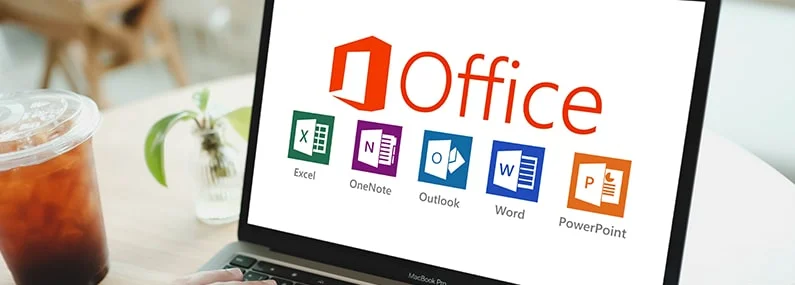
You do not always need to purchase the first Microsoft 365 offer you find. Comparing different buying methods can help you avoid unnecessary expenses.
Here are some practical ways to save money.
1. Compare Annual and Monthly Plans
Annual subscriptions are often more economical for people who use Office throughout the year.
For example, compare the total annual payment with the cost of paying month by month. Do not make a decision based only on the displayed monthly equivalent.
2. Look for Microsoft Black Friday Promotions
Microsoft introduces seasonal promotions during major shopping events.
Check the final subscription price, eligible plans, and promotional conditions before purchasing. Some offers may be limited to selected markets or customer categories.
3. Check Authorised Retailer Discounts
Retailers may offer Microsoft 365 subscription cards, digital activation codes, and software bundles.
Before purchasing, verify that:
The seller is authorised.
The subscription is genuine.
The activation method is clearly explained.
The licence is valid in your country.
The subscription duration is mentioned.
The product is compatible with your device.
Avoid unusually cheap activation keys from unknown sellers.
4. Consider Microsoft 365 Family
If multiple people in your household use Office, a Family subscription can reduce the overall cost per person.
Instead of purchasing individual subscriptions, eligible family members can share one plan.
5. Check Student and Educational Benefits
Students and teachers should check whether their educational institution provides Microsoft 365 access.
Some schools and universities offer eligible students and educators access to Microsoft applications through institutional accounts.
This can be a useful way to access Office without purchasing a separate personal subscription.
6. Explore Workplace Discount Eligibility
Some employees may qualify for Microsoft's Workplace Discount Program through eligible employers.
The programme can provide discounts on selected Microsoft 365 subscriptions. Availability and eligibility depend on the organisation and region.
Free Ways to Use Microsoft Office
If a paid subscription does not fit your budget, there are also free ways to work with Microsoft Office applications.
Microsoft provides web-based versions of several popular applications.
Application | Free Online Use |
Microsoft Word | Create and edit documents |
Microsoft Excel | Work with spreadsheets |
Microsoft PowerPoint | Create presentations |
Microsoft OneNote | Organise notes |
Outlook | Manage email and calendars |
These free options are useful for basic tasks, although some advanced features available in paid desktop applications may not be included.
For example, someone preparing a simple college assignment may find the free Word version sufficient, while a professional working with advanced Excel features may need a paid plan.
Which Microsoft 365 Plan Is Best for Different Users?
Choosing the right subscription becomes easier when you understand your everyday requirements.
User Type | Recommended Option | Reason |
Individual users | Microsoft 365 Personal | Suitable for one person |
Students | Free Education Access or Personal | Supports assignments and projects |
Families | Microsoft 365 Family | Supports multiple members |
Freelancers | Personal | Useful for documents and spreadsheets |
Small businesses | Business Basic or Standard | Business productivity features |
Large organisations | Business or Enterprise plans | Team and administrative requirements |
Occasional users | Free Office Web Apps | No paid subscription needed for basic tasks |
The best subscription is the one that covers your requirements without making you pay for features you rarely use.
Important Things to Check Before Buying Microsoft 365
Black Friday discounts can make subscriptions look attractive, but buyers should always review the details before completing a purchase.
Here are some important things to remember:
Subscription duration: Check whether the offer provides 12 months or another period.
Renewal price: Understand the regular price after the promotional period.
Device compatibility: Confirm that the plan supports your operating system.
Number of users: Check whether the subscription is for one person or multiple people.
Cloud storage: Compare the storage included in different plans.
AI features: Check which Copilot features and usage limits are available.
Activation requirements: Make sure the product can be activated in your country.
Cancellation policy: Understand how automatic renewal works.
A little research before purchasing can prevent unexpected charges later.
Microsoft 365 Black Friday Buying Checklist
Use this checklist before choosing a subscription.
Compare Microsoft 365 Personal and Family prices.
Check available Black Friday discounts.
Compare monthly and annual billing.
Verify the seller and activation code.
Check the subscription renewal price.
Confirm device compatibility.
Review cloud storage benefits.
Check student or workplace eligibility.
Read cancellation and refund conditions.
Is Black Friday the Best Time to Buy Microsoft 365?
Black Friday can be a good time to purchase Microsoft 365, especially if you are planning to renew an existing subscription or start using Office applications.
However, not every subscription receives the same discount. Some retailers may offer better prices than others, while certain promotional deals may be limited to new customers.
It is also worth comparing Cyber Monday offers before making a final decision.
The smartest approach is to compare the actual purchase price, subscription duration, included features, and renewal charges rather than focusing only on the discount percentage.
Microsoft 365 Black Friday Deals 2026 offer an opportunity to explore affordable ways to access popular Office applications. Whether you need Word for assignments, Excel for financial calculations, PowerPoint for presentations, or OneDrive for cloud storage, choosing the right subscription can make everyday work easier.
Microsoft 365 Personal is a suitable choice for individual users, while the Family plan can provide better value for households with multiple members. Businesses can explore dedicated plans, and users who dislike recurring payments can consider standalone Office editions.
Before purchasing, compare the available offers, check authorised sellers, and understand the renewal conditions.
Remember: The cheapest subscription is not always the best one. Choose a plan that offers the features you actually need at a price that fits your budget.
Frequently Asked Questions
Black Friday 2026 falls on November 27. Microsoft and authorised retailers may offer selected software and subscription discounts.
Microsoft 365 Personal, Family, and Business plans may receive promotional offers. Actual discounts depend on the retailer and region.
Microsoft 365 Personal is generally the lower-priced paid option for one person. Free Office web applications are another option.
Microsoft 365 offers subscription benefits and cloud storage, while Office 2024 provides a one-time purchase option for users who prefer not to renew annually.
Eligible students may access Microsoft 365 through their schools or universities. Availability depends on their institution's education programme.
Sources and notes
Links the author listed for this post.
Information is based on Microsoft's official product details, subscription plans, pricing information, and Black Friday promotional announcements from authorised retailers.
- 1microsoft.com (opens in a new tab)
microsoft.com


Discussion
0 comments