Staying connected while travelling has become a normal part of everyday life. Whether someone is working remotely from a hotel, exploring a new country, attending business meetings, or simply enjoying a holiday, having a reliable internet connection makes everything easier. However, connecting multiple devices to hotel Wi-Fi, airport networks, or public hotspots can sometimes become frustrating.
This is where GL.iNet comes into the picture.
GL.iNet is a networking technology brand known for its compact travel routers, Wi-Fi devices, VPN-enabled routers, and networking solutions. Its products are designed to make internet connectivity more flexible, convenient, and manageable, especially for people who travel frequently or work from different locations.
Instead of connecting every phone, laptop, and tablet separately to an unfamiliar Wi-Fi network, users can create their own personal Wi-Fi connection with a compatible GL.iNet router.
But what makes these devices useful? How do travel routers work? And why are VPN features becoming an important part of modern networking?
Let's explore everything you need to know about GL.iNet, its products, features, and practical uses.
1. What Is GL.iNet?
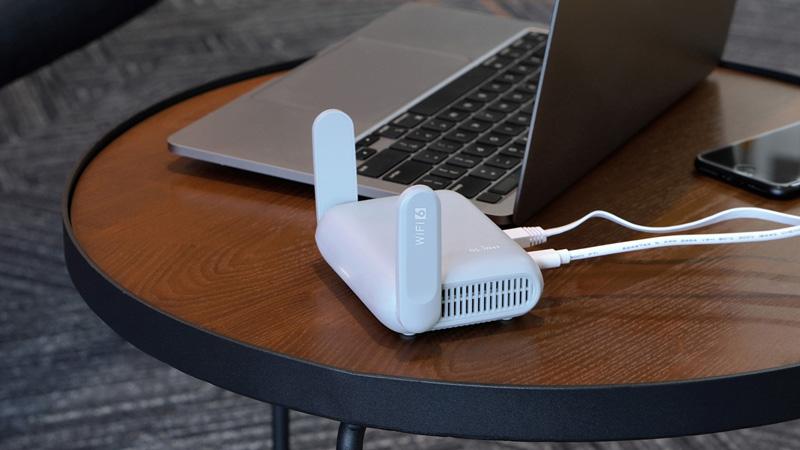
GL.iNet is a networking brand that develops internet connectivity products for travellers, remote workers, businesses, technology enthusiasts, and everyday users.
The brand focuses on making networking more accessible through compact hardware and flexible software. Its product range includes portable travel routers, home Wi-Fi routers, cellular routers, security gateways, and other networking devices.
One interesting thing about GL.iNet is its use of OpenWrt-based firmware across many of its routers. OpenWrt is an open-source operating system designed for networking devices. It offers additional flexibility for users who want more control over their network settings.
What does GL.iNet mainly offer?
Portable travel routers for people who are frequently on the move.
VPN-compatible routers for encrypted network connections.
Wi-Fi routers for home and office environments.
4G and 5G cellular routers for mobile internet access.
Networking solutions with advanced configuration options.
Devices that support different internet connection methods.
The main idea is simple: give people more control over how they connect to the internet, wherever they happen to be.
2. What Are Travel Routers and Why Are They Useful?
A travel router is a small networking device that helps users create their own Wi-Fi network using an available internet connection.
Think about staying in a hotel where the internet works, but every device needs to be connected separately. Some hotels also limit the number of devices that can use one connection.
A travel router can make this experience easier.
You connect the router to the available internet source, configure its Wi-Fi network, and then connect your personal devices to it.
This means you can use one familiar Wi-Fi network for your laptop, smartphone, tablet, and other compatible devices.
Why are travel routers becoming popular?
Convenient connectivity: Connect several personal devices through one router.
Travel-friendly design: Many models are compact enough to fit inside a backpack.
Better network management: Manage connected devices through router settings.
VPN support: Use supported VPN services through the router.
Flexible connections: Connect through Ethernet, existing Wi-Fi, or USB tethering, depending on the model.
Remote working: Maintain a familiar network setup while travelling.
For frequent travellers, a travel router can become a useful addition to their everyday technology kit.
3. Understanding GL.iNet's Main Product Categories
GL.iNet offers different types of networking products because not everyone has the same internet requirements.
Some people need a small router for hotel stays, while others require a more powerful device for remote work, home networking, or mobile connectivity.
Here is a closer look at its main product categories.
Product Category | Main Purpose | Suitable For |
Travel Routers | Create personal Wi-Fi networks while travelling | Tourists and business travellers |
Home Routers | Provide wireless connectivity at home | Families and home users |
Cellular Routers | Use 4G or 5G mobile internet | Remote locations and mobile setups |
Security Gateways | Manage network access and security features | Advanced users and businesses |
Mini Routers | Offer compact networking functionality | Basic connectivity needs |
Let's understand these categories individually.
A. Travel Routers
Travel routers are among the best-known products in the GL.iNet lineup.
They are designed for people who frequently move between hotels, airports, temporary accommodation, and different working locations.
Their main purpose is to help users create a personal wireless network using an existing internet connection.
Popular examples include:
Beryl AX (GL-MT3000)
Slate AX (GL-AXT1800)
Opal (GL-SFT1200)
Slate 7 (GL-BE3600)
Beryl 7 (GL-MT3600BE)
Different models offer different Wi-Fi standards, connection speeds, ports, and VPN capabilities.
B. Home Wi-Fi Routers

GL.iNet also offers routers designed for everyday home networking.
These devices are useful for households that need stable wireless connectivity for smartphones, computers, smart televisions, gaming devices, and other connected equipment.
Home routers can offer features such as:
Wireless network management.
Guest Wi-Fi options.
VPN client and server capabilities on supported models.
Device management.
Advanced network configuration.
The Flint series is one of the brand's home router ranges.
C. Cellular Routers
Cellular routers are designed for situations where mobile network connectivity is important.
Instead of depending entirely on an existing broadband connection, compatible devices can use a supported SIM card and cellular network to access the internet.
Some examples include:
Spitz AX (GL-X3000).
Puli AX (GL-XE3000).
Mudi 7 (GL-E5800).
These devices can be useful for road trips, remote working locations, temporary offices, and areas where wired internet is unavailable.
D. Mini Routers and Security Gateways
GL.iNet also develops smaller networking devices and security-focused gateways.
Mini routers are useful for compact networking requirements, while security gateways provide additional network management options.
These products are generally more suitable for users who understand their connectivity requirements and want greater control over network configuration.
4. How Do GL.iNet VPN Routers Work?
VPN is one of the most interesting features associated with GL.iNet routers.
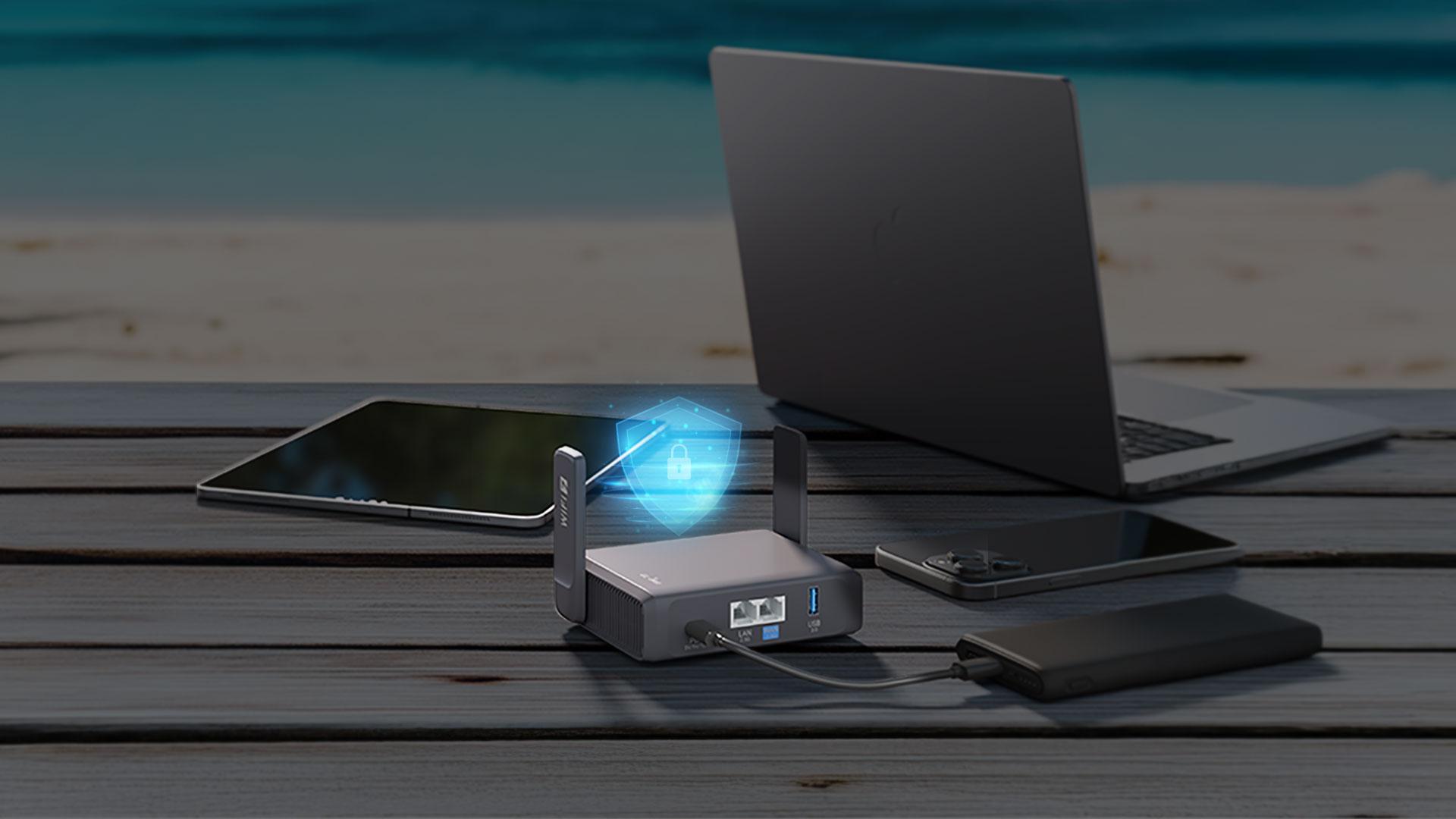
A VPN, or Virtual Private Network, creates an encrypted connection between a device and a VPN server. It can help protect internet traffic from being easily viewed by others on the same local network.
Many GL.iNet routers support popular VPN protocols such as WireGuard and OpenVPN.
But how does this work in everyday life?
Imagine you are staying at a hotel and want to connect your laptop, smartphone, and tablet to the internet. Instead of installing and configuring a VPN application separately on every device, you can configure a compatible VPN connection on your GL.iNet router.
Once connected, supported devices using that router can send their internet traffic through the VPN tunnel.
Key advantages of VPN-enabled routers:
Encrypted connections through supported VPN protocols.
Convenient VPN configuration for multiple connected devices.
Less need to configure individual devices separately.
Access to a chosen VPN server location.
Useful network privacy features when working remotely.
However, remember that a VPN does not make someone completely anonymous online. It also does not protect against every type of cyberattack, phishing website, or malware.
Users should still follow safe browsing practices and keep their router firmware updated.
WireGuard vs OpenVPN: What's the Difference?
Both protocols are supported by many GL.iNet devices, but they work differently.
Feature | WireGuard | OpenVPN |
Performance | Generally lightweight and fast | Can require more processing |
Configuration | Relatively straightforward | Offers extensive configuration options |
Compatibility | Supported by many modern devices and services | Widely established compatibility |
Best For | Users prioritising speed and simplicity | Users needing flexible configurations |
The actual performance depends on the router hardware, VPN server, internet connection, and network configuration.
5. Popular GL.iNet Routers Worth Knowing About
Choosing a router becomes easier when you understand what different models are designed to do.
GL.iNet has products for basic connectivity as well as more advanced networking needs.
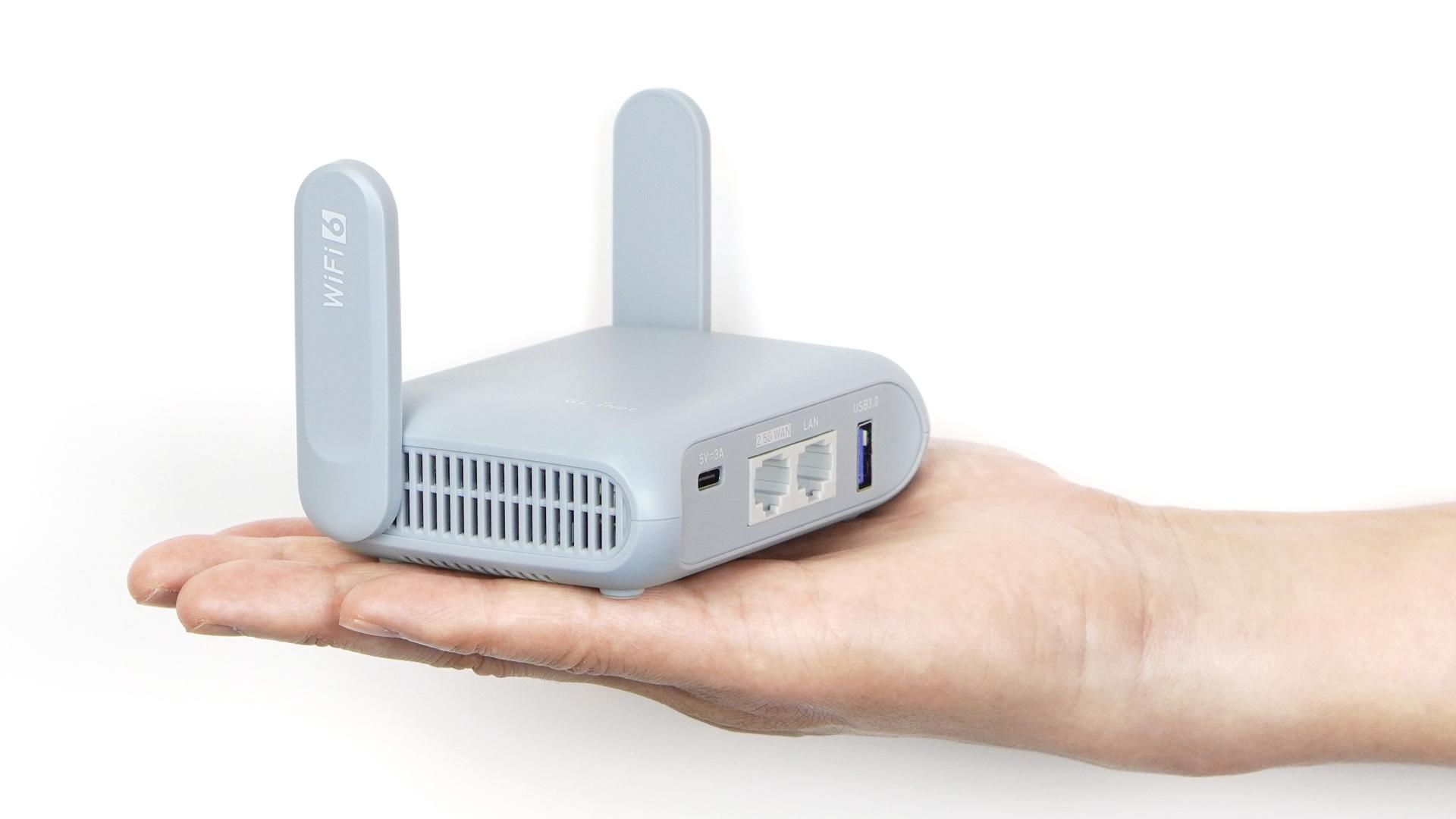
Here are some notable models from its lineup.
A. Beryl AX (GL-MT3000)
Beryl AX is a compact Wi-Fi 6 travel router designed for people who want portable connectivity with modern networking features.
It is a practical option for travellers who need a small device for hotel stays, remote working, and connecting multiple personal devices.
Notable features:
AX3000 Wi-Fi 6 connectivity.
Compact travel-friendly design.
2.5 Gigabit Ethernet port.
WireGuard and OpenVPN support.
OpenWrt-based software.
Multiple internet connection options.
It is particularly interesting for users who want a balance between portability and networking performance.
B. Slate AX (GL-AXT1800)
Slate AX is another Wi-Fi 6 travel router that focuses on reliable connectivity and advanced network controls.
It can be useful for travellers, remote workers, and people who want additional control over their wireless network.
Notable features:
AX1800 Wi-Fi 6 connectivity.
Dual-band wireless networking.
Gigabit Ethernet connectivity.
WireGuard and OpenVPN support.
OpenWrt-based customisation.
File-sharing functionality.
It is worth considering when VPN support and flexible network management are important.
C. Opal (GL-SFT1200)
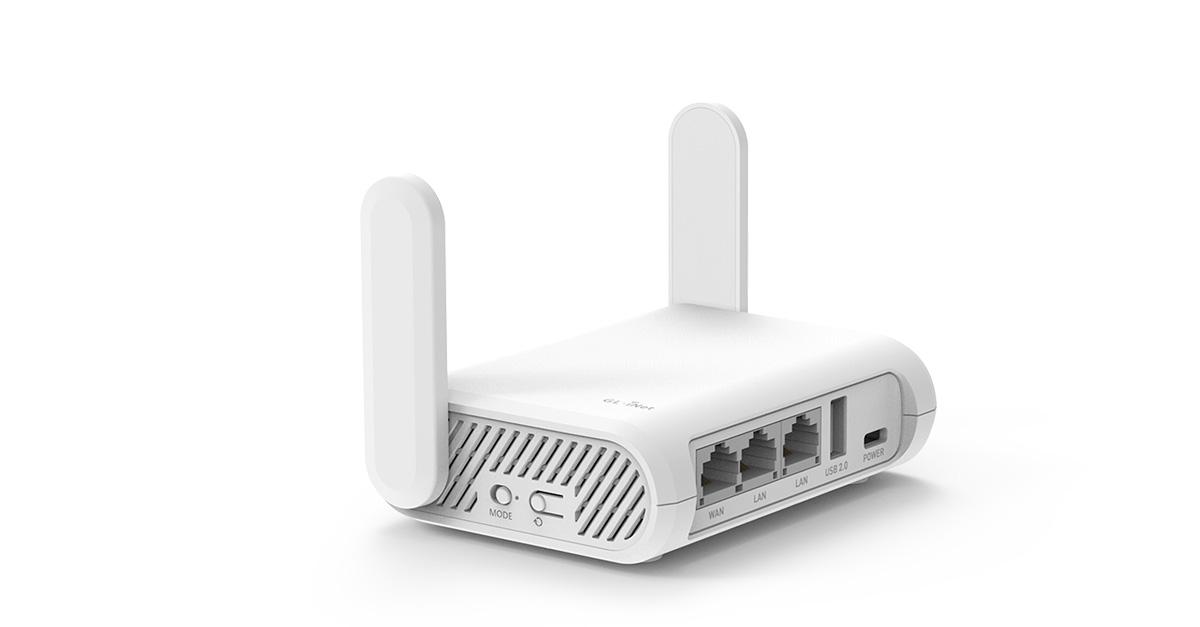
Opal is a compact Wi-Fi 5 travel router designed for everyday travel connectivity.
It is suitable for users who want basic networking features without necessarily needing the latest Wi-Fi technology.
Notable features:
AC1200 dual-band Wi-Fi.
Three Ethernet ports.
Repeater functionality.
VPN client support.
Compact design.
For users with moderate internet requirements, Opal can be an option worth exploring.
D. Slate 7 (GL-BE3600)
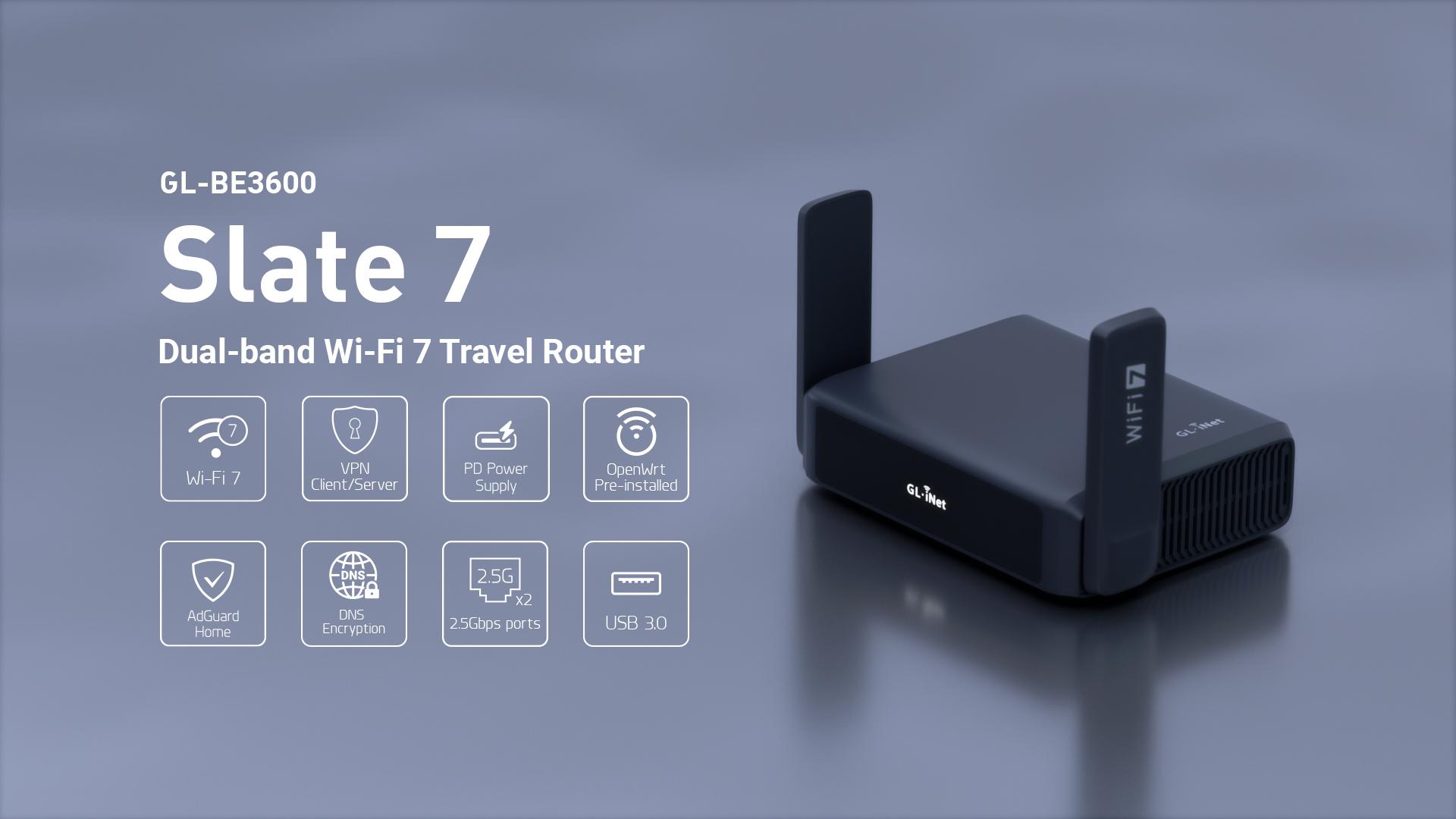
Slate 7 brings Wi-Fi 7 technology into the travel router category.
It is designed for users who want newer wireless technology, flexible networking, and a portable setup.
Notable features:
BE3600 dual-band Wi-Fi 7.
Touchscreen interface.
Dual 2.5 Gigabit Ethernet ports.
Advanced VPN functionality.
Compact travel-oriented design.
It may appeal to people who want a more advanced travel router rather than a basic portable Wi-Fi device.
E. Mudi 7 (GL-E5800)
Mudi 7 is designed for users who want mobile connectivity through cellular networking.
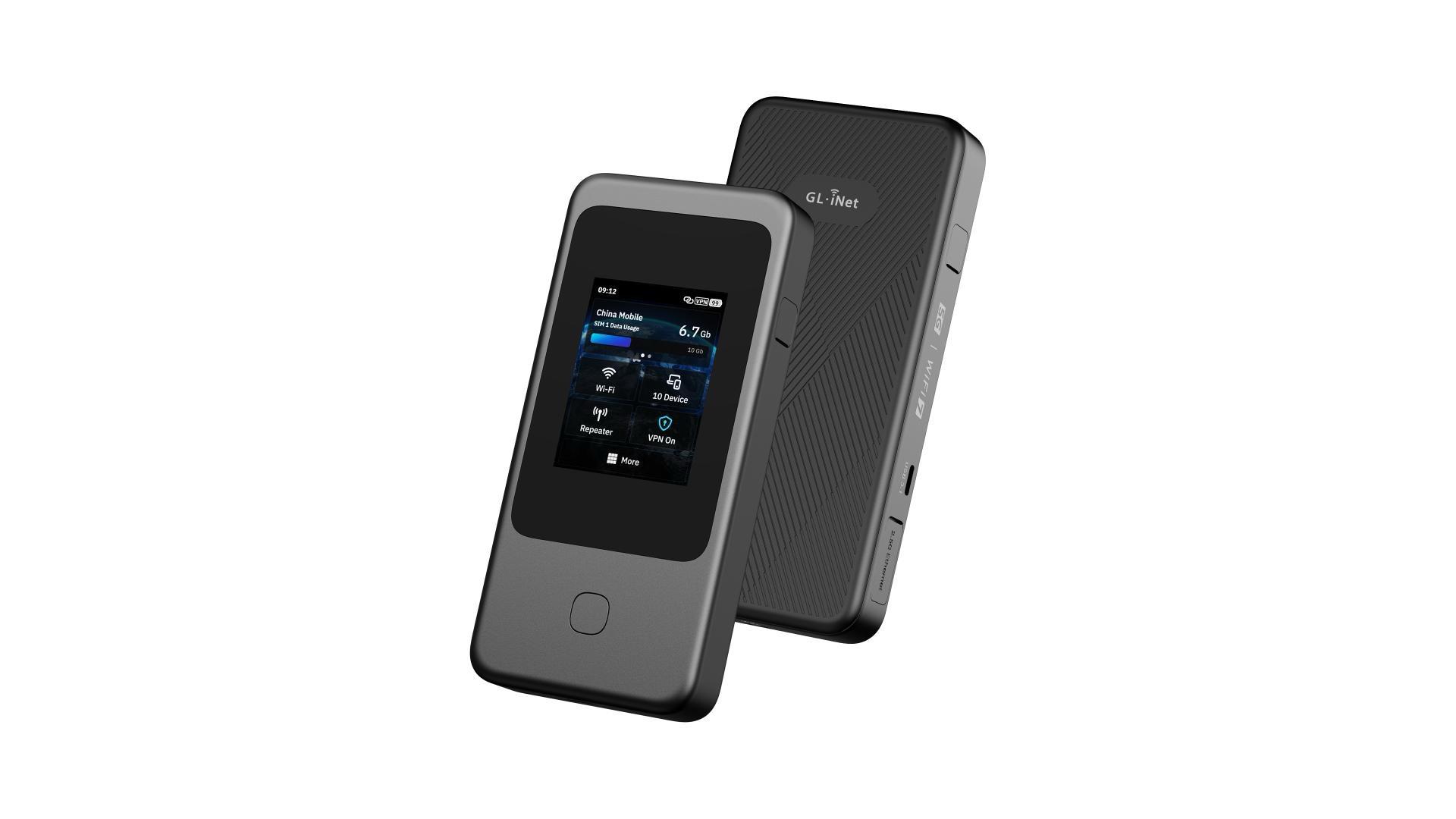
Unlike traditional travel routers that primarily share an existing internet connection, this device combines cellular connectivity with wireless networking.
Notable features:
5G connectivity.
Wi-Fi 7 technology.
Built-in battery.
Portable design.
VPN capabilities.
It can be useful for people who travel frequently and prefer having a dedicated mobile internet connection.
Note: Specifications and supported features vary by model and regional version. Always check the particular device before purchasing.
6. Important Features That Make GL.iNet Interesting
GL.iNet products offer more than just a way to connect to Wi-Fi. Their networking features make them useful for people who want to manage how their internet connection works.
Here are some features worth understanding.
1. OpenWrt-Based Firmware
OpenWrt is an open-source operating system used in networking devices.
Many GL.iNet routers use customised OpenWrt-based firmware, allowing users to access networking settings and additional configuration options.
This is particularly helpful for technology enthusiasts who enjoy experimenting with their network.
2. Multiple Internet Connection Modes
Different GL.iNet models support different ways of receiving internet connectivity.
Connection Mode | How It Works | Common Use |
Repeater | Connects to existing Wi-Fi | Hotel and public Wi-Fi |
Ethernet | Receives internet through a cable | Offices and hotels |
USB Tethering | Shares mobile internet from a compatible phone | Emergency connectivity |
Cellular | Uses a supported SIM connection | Mobile internet access |
Having multiple connection methods makes a router more flexible when travelling.
3. VPN Client and Server Support
Compatible GL.iNet routers can work as VPN clients or servers.
VPN Client: Connects the router to a VPN service.
VPN Server: Allows authorised users to connect remotely to a network.
This can be useful for people who want to access their home network while travelling.
4. Network Management
Users can manage several networking settings through the router's administration interface or supported mobile application.
Depending on the model and firmware, these controls may include:
Wi-Fi network names and passwords.
Connected device management.
VPN configuration.
Guest network settings.
Firewall and routing options.
Parental controls and traffic management.
5. File Sharing
Some GL.iNet routers support USB storage connections.
This allows users to share compatible files across a network, depending on the model and available software features.
It can be useful when multiple devices need access to shared documents or media.
7. How Can You Use GL.iNet in Everyday Life?
The best way to understand a travel router is to look at situations where it can actually make life easier.
Here are some practical examples.
1. During Hotel Stays
Hotel Wi-Fi can sometimes be inconvenient, especially when several devices need internet access.
A travel router can connect to the hotel's Wi-Fi and create a separate personal network for your devices. Some hotels require a browser-based sign-in, known as a captive portal, which may need an additional setup step.
2. While Working Remotely
Remote workers often switch between hotels, cafés, temporary offices, and other locations.
A GL.iNet router can provide a consistent network setup and support a configured VPN connection for compatible work devices.
3. During International Travel
Travelling internationally can mean dealing with unfamiliar Wi-Fi networks and different connectivity arrangements.
A travel router can help create a familiar personal network using available Wi-Fi, Ethernet, or compatible mobile connectivity.
4. For Families
Families often carry several connected devices, including smartphones, tablets, laptops, and entertainment devices.
A compatible travel router can help manage these connections through one network.
5. For Technology Enthusiasts
People interested in networking can explore advanced settings, supported OpenWrt packages, VPN configurations, and other customisation options.
8. GL.iNet vs Traditional Travel Routers
Are GL.iNet routers very different from ordinary travel routers?
The main difference is not simply their size. It is also the level of network management and customisation available.
Comparison | Basic Travel Router | GL.iNet Router |
Wi-Fi Sharing | Available | Available |
VPN Support | Depends on model | Available on compatible models |
Network Controls | Often basic | More advanced options |
Firmware Customisation | Usually limited | OpenWrt-based options |
Connection Modes | Varies | Multiple supported modes |
Advanced Configuration | May be limited | Suitable for technical users |
This does not mean every GL.iNet router is automatically better than every competing device. The right choice depends on internet speed, hardware, features, budget, and personal requirements.
9. What Should You Consider Before Buying a GL.iNet Router?
Buying a router without checking its specifications can lead to disappointment.
A device that works perfectly for a solo traveller may not be the right choice for someone who needs to connect several devices or work with large files.
Before selecting a GL.iNet product, consider the following points.
Check Your Internet Requirements
Think about how you normally use the internet.
Basic browsing and messaging.
Video meetings and remote working.
Streaming movies and entertainment.
Large file transfers.
Connecting multiple devices simultaneously.
Your internet requirements will help determine which router specifications matter most.
Choose the Right Wi-Fi Standard
Different models support different Wi-Fi generations.
Wi-Fi Standard | General Description | Suitable Requirement |
Wi-Fi 5 | Older but still useful wireless technology | Basic connectivity |
Wi-Fi 6 | Improved efficiency and device handling | Modern everyday use |
Wi-Fi 7 | Newer wireless technology | Advanced connectivity needs |
Remember that the actual connection speed also depends on your internet source and connected devices.
Look at VPN Performance
If VPN usage is your main priority, check the supported VPN protocols and the router's processing capabilities.
A router's maximum advertised Wi-Fi speed is not the same as its VPN speed.
Consider Portability
A travel router should be easy to carry.
Check its dimensions, weight, power requirements, and whether it needs a separate power adapter.
If you travel frequently, USB-C charging compatibility may also be useful.
Check Regional Compatibility
For cellular routers, make sure the device supports the mobile network bands and SIM requirements used by your intended carrier.
This is particularly important when travelling internationally.
10. Is GL.iNet Suitable for Beginners?
Yes, many GL.iNet routers can be used by beginners, although some advanced features may require a little technical understanding.
Basic setup generally involves connecting the router to a power source, accessing its administration interface or supported app, choosing an internet source, and configuring the wireless network.
Once the connection is established, users can connect their devices to the newly created Wi-Fi network.
However, advanced tasks such as VPN configuration, custom firewall rules, routing policies, and installing additional software may take more time to understand.
A few beginner-friendly tips:
Start with the default setup instructions.
Change the default administrator password.
Use a strong Wi-Fi password.
Keep the firmware updated.
Configure VPN settings carefully.
Avoid changing advanced settings without understanding their purpose.
Taking a few minutes to configure the router properly can make everyday use much easier.
11. Advantages and Limitations of GL.iNet Devices
Every networking product has strengths and limitations. Understanding both sides helps buyers make more practical decisions.
Advantages | Limitations |
Compact travel-friendly options | Some models require technical setup |
VPN support on compatible devices | VPN speeds depend on hardware and service |
OpenWrt-based flexibility | Advanced configuration can feel complicated |
Multiple internet connection methods | Features vary across models |
Options for home and mobile use | Some devices require external internet sources |
Different Wi-Fi generations | Newer technology may cost more |
One important point is that a travel router does not automatically provide free internet. It needs an available internet source, such as hotel Wi-Fi, Ethernet, USB tethering, or supported cellular connectivity.
Similarly, VPN functionality does not mean every router includes a free VPN subscription. Users may need a separate VPN service or their own VPN server configuration.
12. The Future of Travel Connectivity
The way people access the internet is changing.
Remote working, international travel, online entertainment, smart devices, and cloud-based applications have increased the need for flexible connectivity.
People no longer depend on one fixed location to complete their everyday digital activities. They may attend a video meeting from a hotel, upload files from a temporary workspace, or access personal devices while travelling.
This makes portable networking solutions increasingly relevant.
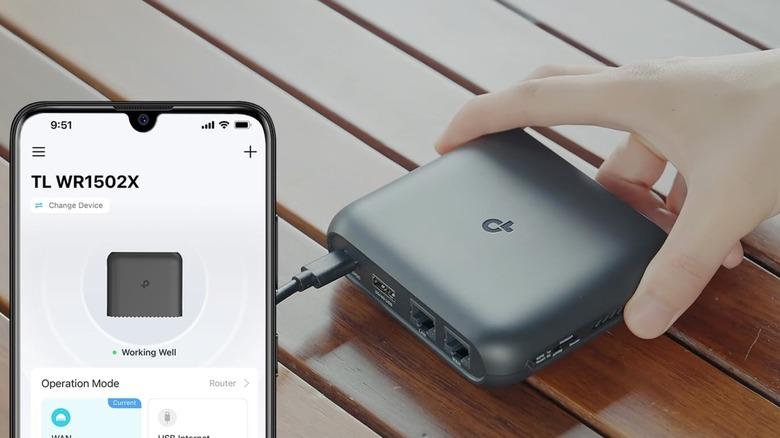
Technologies such as Wi-Fi 7, 5G connectivity, VPN encryption, and advanced network management are helping create more flexible internet experiences.
GL.iNet is part of this changing networking landscape, offering products for people who want more control over their connections.
As networking requirements continue to evolve, compact routers and VPN-enabled devices are likely to remain useful tools for travellers, remote workers, and technology enthusiasts.
A reliable internet connection can make a big difference, particularly when travelling or working away from home. However, depending entirely on unfamiliar public networks is not always the most convenient option.
GL.iNet offers a range of networking devices that help users create personal Wi-Fi networks, manage connected devices, explore VPN functionality, and customise their internet experience.
From compact options like Opal and Beryl AX to more advanced devices such as Slate 7 and cellular routers like Mudi 7, there are different products for different connectivity needs.
The most important thing is to choose a device based on your actual requirements rather than simply selecting the model with the highest advertised speed.
Whether you are a frequent traveller, remote worker, or someone who enjoys exploring networking technology, GL.iNet is a brand worth knowing about.
FAQ’S
GL.iNet provides travel routers, Wi-Fi devices, and VPN-compatible networking solutions for home users, travellers, and remote workers.
Yes, many GL.iNet routers are compact and help travellers create personal Wi-Fi networks using available internet connections.
Many GL.iNet models support WireGuard and OpenVPN, allowing users to configure encrypted internet connections.
Yes, compatible models allow multiple devices, including smartphones, laptops, and tablets, to share one Wi-Fi network.
No, GL.iNet routers need an existing internet source, such as hotel Wi-Fi, Ethernet, USB tethering, or a supported SIM connection.
Who should use Technology & Gadgets
GL.iNet: A Complete Guide to Travel Routers and VPN Devices is built for readers who want a faster way to finish everyday web tasks. The main goal is shorter workflows, clearer outputs, and reusable tool habits, so the guide focuses on practical choices instead of broad theory.
Use it when you need one of these outcomes:
- testing a task before choosing a heavier app
- saving time on a repeated browser workflow
- combining a guide with a related AltFTool utility
How to get a better result
- Read the core use case and decide what output you need.
- Open the related AltFTool utility and test it with a small sample.
- Review the result, adjust settings, and repeat only if needed.
- Continue with related tools or guides for the next step in the workflow.
Start small, check the first output, and only then repeat the workflow with the full file, text, media, or game session. That gives you a quick quality check before you spend more time.
Quality checks before you trust the output
- the input is clean before running the tool
- the output matches the format you need
- private details are removed before sharing or downloading
Do not overcomplicate a simple task. Start with the smallest sample that proves the workflow, then scale up once the output looks right.
Continue your workflow
If you want to try the workflow now, open the related AltFTool tool area. For more reading, continue through the Technology & Gadgets archive or the AltFTool tools directory.
This creates a cleaner path from explanation to action: read the guide, test the tool, compare the output, and move into the next related AltFTool resource only when it helps the task.
Sources and review notes
References used to check facts, freshness, and reader-safe recommendations in this guide.
Information is based on GL.iNet’s official website, product catalogue, and product descriptions.
- 1AltFTool
gl-inet.com
Discussion
0 comments
No comments yet
Discussion will appear here once it loads.