
The internet has become an important part of everyday life. From running a small business to managing an online store or publishing a personal blog, almost everything now has some connection to the digital world. But have you ever wondered what makes a website available whenever someone visits it?
Two important technologies work behind the scenes: web hosting and cloud services.
They help websites store information, handle visitors, manage data, and keep online services running smoothly. Although these terms are often used together, they serve slightly different purposes.
Let's understand how they work, what options are available, and how to choose the right solution.
What Is Web Hosting?

Think of a website as a house. It needs a physical space where all its belongings can stay. Web hosting works in a similar way by providing storage space and server resources for website files.
Whenever someone enters a website address, the hosting server helps deliver the required pages, images, videos, and other content to their browser.
Without hosting, a website cannot be made publicly accessible through the internet.
Web hosting generally provides:
Storage for website files and databases.
Server resources to display website pages.
Support for domain connections.
Security features and backup options.
Email hosting with selected plans.
Technical support and server maintenance.
What Are Cloud Services?
Cloud services allow people and businesses to use computing resources over the internet instead of depending entirely on their own physical computers or servers.
These resources can include storage, databases, software, networking, and processing power.
For example, when you save photos online, access documents from different devices, or use software through a browser, cloud technology may be working in the background.
One major advantage is flexibility. Businesses can increase or decrease their computing resources depending on their requirements.
Common cloud services include:
Cloud storage for documents and media files.
Cloud computing for processing information.
Online databases for managing business data.
Cloud security and backup solutions.
Software applications accessed through the internet.
Types of Web Hosting
Not every website needs the same hosting setup. A personal blog has different requirements from a busy online shopping platform.
Here are the most common types of web hosting.
Types of Web Hosting
Find the right hosting for your website
Shared Hosting
Shared hosting allows multiple websites to use the resources of one physical server. It is generally an affordable option for beginners who want to create a basic website without spending too much.
Best suited for
- Personal blogs
- Small business websites
- Portfolio websites
- New websites with limited traffic
VPS Hosting
Virtual Private Server (VPS) hosting divides a physical server into separate virtual environments. Each website receives allocated resources, offering more control and flexibility than basic shared hosting.
Best suited for
- Growing websites
- Medium-sized businesses
- Developers who need server control
- Websites with increasing traffic
Dedicated Hosting
Dedicated hosting provides an entire physical server to one customer. It offers greater control over server configurations and resources, but it usually costs more than shared or VPS hosting.
Best suited for
- Large business websites
- High-traffic platforms
- Resource-intensive applications
- Businesses with specific server requirements
Cloud Hosting
Cloud hosting uses resources from multiple connected servers rather than depending on just one physical server. This setup can help websites manage changing traffic levels and improve flexibility.
Best suited for
- Growing online businesses
- E-commerce websites
- Applications with changing traffic
- Websites that need scalable resources
1. Shared Hosting
Shared hosting allows multiple websites to use the resources of one physical server.
It is generally an affordable option for beginners who want to create a basic website without spending too much.
Best suited for:
Personal blogs.
Small business websites.
Portfolio websites.
New websites with limited traffic.
2. VPS Hosting
Virtual Private Server (VPS) hosting divides a physical server into separate virtual environments.
Each website receives allocated resources, offering more control and flexibility than basic shared hosting.
Best suited for:
Growing websites.
Medium-sized businesses.
Developers who need server control.
Websites with increasing traffic.
3. Dedicated Hosting
Dedicated hosting provides an entire physical server to one customer.
It offers greater control over server configurations and resources, but it usually costs more than shared or VPS hosting.
Best suited for:
Large business websites.
High-traffic platforms.
Resource-intensive applications.
Businesses with specific server requirements.
4. Cloud Hosting
Cloud hosting uses resources from multiple connected servers rather than depending on just one physical server.
This setup can help websites manage changing traffic levels and improve flexibility.
Best suited for:
Growing online businesses.
E-commerce websites.
Applications with changing traffic.
Websites that need scalable resources.
Types of Cloud Services
Cloud computing is generally divided into three major service models. Each one offers a different level of control and responsibility.
Cloud Service | What It Provides | Common Use |
IaaS | Virtual servers, storage and networking | Building IT infrastructure |
PaaS | Platform for developing applications | Software development |
SaaS | Ready-to-use online software | Business and personal tasks |
Infrastructure as a Service (IaaS)
IaaS provides virtual computing resources through the internet. Instead of purchasing physical servers, businesses can rent infrastructure according to their needs.
It is useful for companies that want control over their operating systems, applications, and computing environments.
Platform as a Service (PaaS)
PaaS provides a platform where developers can build, test, and manage applications without handling every part of the underlying infrastructure.
It can make software development more convenient by reducing server management responsibilities.
Software as a Service (SaaS)
SaaS delivers software through the internet. Users can access applications through a browser or dedicated app without installing and maintaining the entire software infrastructure themselves.
Email platforms, online office tools, and customer management software are common examples.
Web Hosting vs Cloud Services: What's the Difference?
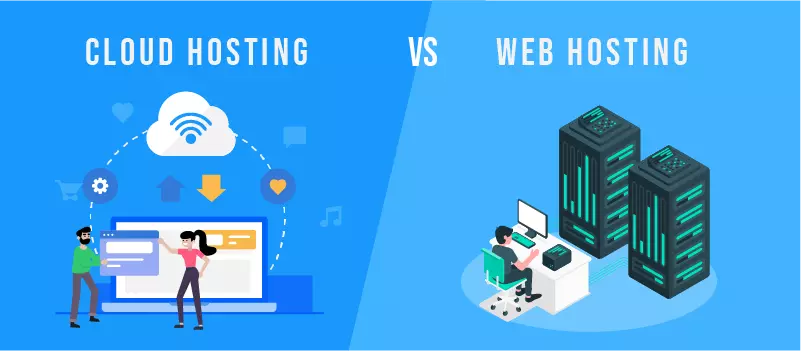
Web hosting and cloud services are connected, but they are not exactly the same.
Web hosting mainly focuses on making websites available online, while cloud services cover a wider range of computing resources and digital applications.
Comparison | Web Hosting | Cloud Services |
Main purpose | Hosting websites | Providing computing resources |
Infrastructure | Shared or dedicated servers | Connected cloud infrastructure |
Flexibility | Depends on the hosting plan | Often highly flexible |
Usage | Websites and blogs | Apps, storage and databases |
Scalability | Depends on the provider | Resources can often scale on demand |
Management | Often provider-managed | Depends on the service model |
Both technologies can work together. For example, an online business may use cloud hosting for its website and cloud storage for its business documents.
Major Benefits of Web Hosting
A reliable hosting service can make website management easier and provide a better experience for visitors.
1. Keeps Your Website Accessible
Hosting makes website files available through the internet, allowing visitors to access pages whenever the server is running properly.
2. Supports Website Performance
Server resources, storage technology, and hosting configurations can influence how quickly website pages load.
A well-chosen hosting plan can help deliver a smoother browsing experience.
3. Provides Security Features
Many hosting providers offer security features such as SSL support, malware scanning, firewalls, and automatic backups.
However, website owners should also follow good security practices.
4. Makes Website Management Easier
Many hosting platforms provide control panels that help users manage domains, databases, files, and email accounts without advanced technical knowledge.
5. Supports Business Growth
As website traffic increases, businesses can upgrade their hosting plans to access additional resources.
Major Benefits of Cloud Services
Cloud services have changed how individuals and businesses manage their digital activities.
Some important benefits include:
Flexible resources: Businesses can adjust computing resources according to demand.
Remote accessibility: Users can access supported services from different locations.
Data storage: Cloud platforms provide online storage options for different types of information.
Collaboration: Teams can work on shared files and applications.
Business continuity: Backup and recovery options can help businesses prepare for unexpected problems.
Cost flexibility: Many services offer usage-based pricing, although actual costs depend on the provider and selected resources.
Popular Uses of Web Hosting and Cloud Services
These technologies are not limited to large technology companies. They support many everyday online activities.
Industry | How These Services Help |
E-commerce | Running online stores and managing orders |
Education | Supporting online learning platforms |
Healthcare | Managing digital systems and applications |
Banking | Supporting online financial services |
Entertainment | Delivering videos and digital content |
Small Businesses | Hosting websites and business applications |
Software Companies | Developing and running online applications |
For example, an online clothing store needs web hosting to display its products and cloud services to manage customer data, storage, and other digital operations.
How to Choose the Right Web Hosting Provider
Choosing a hosting provider should not be based on price alone. A cheap plan may look attractive initially, but it might not offer the resources or support your website needs.
Before selecting a provider, consider these important points.
1. Understand Your Website Requirements
First, decide what kind of website you want to build.
A personal blog, business website, and online store may require different storage, bandwidth, and server resources.
2. Check Server Performance
Look for reliable server infrastructure, suitable resources, and performance features.
You should also check whether the provider offers suitable data centre locations for your target audience.
3. Review Security Options
Check whether the hosting provider offers:
SSL certificates.
Regular backups.
Firewall protection.
Malware scanning.
Security monitoring.
4. Compare Pricing and Renewal Costs
Some hosting plans offer attractive introductory prices but charge higher renewal rates.
Always review the complete pricing structure before purchasing.
5. Look for Customer Support
Technical issues can happen at any time. Choose a provider with accessible support options and helpful documentation.
6. Consider Scalability
If you expect your website to grow, choose a hosting solution that allows you to upgrade resources without unnecessary complications.
Things to Check Before Purchasing Cloud Services
Cloud services offer many possibilities, but businesses should understand their requirements before moving important operations to the cloud.
Factor | What to Check |
Pricing | Storage, usage and additional charges |
Security | Access controls and data protection |
Reliability | Service availability and recovery options |
Scalability | Ability to increase resources |
Compatibility | Support for existing applications |
Data Management | Backup and recovery policies |
It is also important to understand where your data is stored and what responsibilities belong to the service provider and the customer.
Common Mistakes to Avoid
Many beginners focus only on getting their website online and overlook the details that matter in the long run.
Here are some mistakes worth avoiding:
Choosing a hosting plan without checking website requirements.
Ignoring renewal prices and additional charges.
Forgetting to create regular website backups.
Using weak passwords for hosting accounts.
Selecting cloud services without understanding usage-based pricing.
Ignoring security updates and software maintenance.
Paying for resources that the website does not actually need.
A little research before purchasing can save time, money, and unnecessary technical problems later.
Future of Web Hosting and Cloud Services
The demand for online platforms continues to grow, and hosting technologies are developing alongside it.
Businesses are looking for faster infrastructure, better security, and more flexible ways to manage their digital operations.
Some important developments include:
AI-powered infrastructure: Artificial intelligence is helping businesses monitor systems, analyse performance, and automate certain IT operations.
Edge computing: Processing data closer to users can help reduce delays for applications that need faster responses.
Serverless computing: Developers can run application code without directly managing traditional servers.
Green data centres: Technology companies are exploring energy-efficient infrastructure and better cooling systems to reduce environmental impact.
Improved cloud security: Advanced monitoring, identity management, and access controls are becoming important parts of cloud infrastructure.
These developments are making web hosting and cloud services more capable of supporting modern digital businesses.
Future of Web Hosting
and Cloud Services
Key trends shaping how websites and businesses run online
AI-Powered Management
Automation helps with monitoring, security checks and performance tuning.
Edge Computing
Content moves closer to visitors for faster load times.
Green Hosting
Renewable energy and efficient data centers reduce impact.
Stronger Security
Advanced threat detection, encryption and zero-trust become standard.
Hybrid & Multi-Cloud
Businesses mix cloud providers and private servers for reliability.
Serverless Computing
Run apps without managing servers and pay only for what you use.
The future is faster, smarter, and more scalable.
Web hosting and cloud services may sound technical at first, but their purpose is quite simple: they help people and businesses build, manage, and operate their digital presence.
Web hosting gives websites a place to live online, while cloud services provide a broader range of resources for storing information, running applications, and managing digital operations.
The right choice depends on your goals, budget, technical knowledge, and future plans. Take time to compare available options instead of choosing the first affordable plan you find.
A good digital foundation today can make managing and growing an online presence much easier tomorrow.
FAQ’s
What is web hosting?
Web hosting is a service that stores website files on a server and makes them accessible to visitors online.
What are cloud services?
Cloud services provide online storage, computing power, and software that users can access through the internet.
What is the difference between web hosting and cloud hosting?
Web hosting stores website files on servers, while cloud hosting uses connected servers for flexible resources.
Which type of web hosting is best for beginners?
Shared hosting is usually a good starting option for beginners, personal blogs, and small websites.
Are cloud services useful for small businesses?
Yes, cloud services help small businesses manage data, access software, and scale resources as they grow.
Sources and notes
Links the author listed for this post.
This article is based on general information about web hosting, cloud computing, hosting technologies, and digital infrastructure.


Discussion
0 comments
No comments yet
Discussion will appear here once it loads.