Last year, my cousin bought a tablet on Black Friday at 2 a.m. because a banner said "50% off." He was thrilled until he saw the original price had been inflated for two weeks beforehand. The tablet was fine, but the deal wasn't. He paid roughly what it cost in October.
That story is why I like to look at Black Friday with a cooler head. Black Friday is on 27 November this year, and tablets are one of the most popular things people buy. Some deals are genuinely good, some are just average and a few are traps. Here's a practical guide to what's worth your money.
What's Different About Tablet Deals This Year
Before you chase discounts, there's one thing to know. Apple raised prices across the iPad range over the summer, so many "sales" are cutting from a higher starting point. The days of very cheap iPads are mostly behind us, and some early discounts on Pro models appeared and then disappeared.
Discounts are smaller than in past years on the newest models
Older models are where the best percentage savings are hiding
Amazon's Black Friday sale is running for about 12 days, so there's no need to panic-buy
Apple's own Black Friday offer has been announced as well, usually as a gift card with a purchase
So the smart move this year is to look at the actual price you pay, not the percentage on the banner. A smaller discount on a better product can beat a big discount on one you didn't need.
The iPad Lineup in Plain Words


If you're not sure which iPad is which, here's a quick way to think about it. Apple's range is wide, and picking the wrong one is the most expensive mistake you can make.
The everyday iPad
The standard 11-inch iPad is the budget-friendly pick. It handles streaming, browsing, notes, online classes and light games without any fuss. For most families and students, this is all the iPad they'll ever need.
The iPad Air
The M4 iPad Air is the sweet spot for people who want more power without paying Pro prices. It comes in 11-inch and 13-inch sizes, and it's a great fit for drawing, multitasking and editing photos or videos.
The iPad mini
The mini is small enough to carry anywhere, and it's popular with readers, note-takers and travellers. The newer A20 Pro model has just arrived, which means the older A17 Pro model is getting cheaper.
The iPad Pro
The M5 iPad Pro is for creators and professionals who need the best screen and the most speed. It's brilliant, but it's also the one that most people don't actually need.
iPad Model | Best For | Rough Black Friday Price (US) |
|---|---|---|
iPad (11-inch) | Students, families, everyday use | Around 349 to 399 dollars |
iPad mini (A17 Pro, older) | Reading, travel, notes | Around 484 dollars at Amazon |
iPad mini (A20 Pro, newest) | Small size with the latest chip | Around 669 dollars |
iPad Air 11-inch (M4) | Creative work and multitasking | Around 650 dollars |
iPad Pro 13-inch (M5, 256GB) | Professionals and heavy creators | Around 1,400 dollars |
Prices change fast during Black Friday week, so treat these as a guide and check the live price before you buy.
The iPad Deals Worth Buying
A few deals are genuinely strong this year, mainly because they are on models that are already good value.
The older iPad mini with the A17 Pro chip has dropped to about 484 dollars at Amazon, compared with its usual 599 dollars. That's a record-low price for it, and it's a lovely pick for reading, note-taking and travel. If you don't need the very latest chip, this is one of the best deals around.
The 11-inch M4 iPad Air has been seen at about 650 dollars, roughly 99 dollars below its usual 749 dollars. The 13-inch version has seen the same 99 dollar cut. For most people who want a powerful but sensible tablet, the Air is the one to watch.
Quick card: The Older-Model Trick
When a new iPad launches, the previous model often gets the biggest real discounts. If the newer version only adds a small upgrade, the older one is usually the smarter buy.
The standard 11-inch iPad is also worth a look if you see it at or near 349 dollars. It's the cheapest way into the iPad world, and for basic use, it's more than enough.
The iPad Deals You Can Skip
🚫 1. Outdated iPad Models
2. Check the latest iPadOS support.
3. Look for slow processors.
4. Avoid poor battery health.
5. Check app compatibility.
6. Compare newer alternatives.
💸 2. Fake Discount Deals
2. Check the previous selling price.
3. Avoid inflated discounts.
4. Read seller reviews.
5. Verify warranty coverage.
6. Buy from trusted retailers.
📦 3. Low-Storage iPads
2. Avoid tiny storage options if possible.
3. Consider apps and downloads.
4. Think about photos and videos.
5. Check cloud storage costs.
6. Compare higher-storage prices.
🔋 4. Poor-Condition Refurbished iPads
2. Check the screen for damage.
3. Confirm return policies.
4. Ask about repair history.
5. Verify warranty details.
6. Avoid unverified sellers.
Not every discount deserves your attention. Some are too small to matter, and some are for products that don't fit most people.
The newest iPad mini at a small discount. A 30 dollar cut on a 699 dollar tablet isn't much of a deal, especially when the older mini is far cheaper and almost as good for everyday use.
iPad Pro models for casual users. The discounts are modest, and the price is still very high. Unless you edit video, illustrate professionally or need the best display, you won't use what you're paying for.
Maxed-out storage tiers. A 1TB Pro at about 1,700 dollars may look like a saving, but most people use a fraction of that space and can rely on cloud storage.
Bundles stuffed with accessories you don't need. A cheap case and a pencil can be fine, but check whether the bundle price is really lower than buying only what you want.
What About Non-Apple Tablets?
If an iPad is too expensive, there are plenty of good Android options. Samsung's Galaxy Tab range, Lenovo's tablets and Amazon's Fire tablets all go on sale during Black Friday, and some are very good value for streaming, reading and kids' use.
The main difference is the software and app experience. iPads usually have better tablet-optimised apps, longer software support and a more polished feel. Android tablets often give you more screen and storage for the money, and some let you use a more desktop-like layout.
Tablet Type | Strong Point | Watch Out For |
|---|---|---|
Amazon Fire tablets | Very low price, great for kids and reading | Limited app store and slower performance |
Samsung Galaxy Tab | Bright screens, good for media and notes | Higher-end models cost nearly as much as iPads |
Lenovo tablets | Good value for the money | Software updates can be slower |
Older iPad models | Strong performance at a lower price | Fewer years of future updates |
Refurbished iPads | Big savings on good hardware | Buy only from trusted sellers with a warranty |
How to Tell a Real Deal From a Fake One
Black Friday is full of clever marketing, so a little checking goes a long way. A real deal is lower than the typical price over the last few months, not just lower than the "list price."
Use a price tracking tool or simply compare the product on two or three stores. If the price has been the same for weeks and a banner suddenly says "60% off," be suspicious. Also, check that you're comparing the same storage size and the same model, because retailers often compare a basic version to a more expensive one.
Compare the current price with the price from the last 2 or 3 months
Check the exact model, chip and storage size
Look at the return policy before you buy
Make sure the seller is the store itself or an authorised dealer
Watch out for gift-card "savings" that only help if you shop there again
Don't Forget the Extras
The tablet is only part of the cost. Accessories can quietly add a lot, so it's worth planning for them.
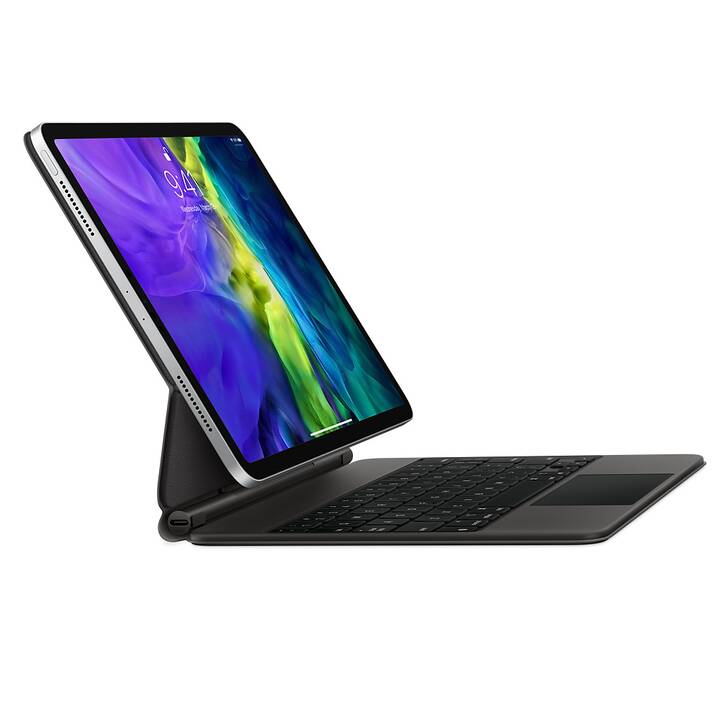
A good case protects your investment, and a screen protector helps if you have kids. If you draw or take notes, an Apple Pencil or a good stylus can change how you use the device. A keyboard case turns the iPad into a mini laptop, but it can cost nearly as much as the tablet itself. Buy only what you'll actually use in the first month, and add the rest later.
A Simple Way to Decide What to Buy
If you're still unsure, ask yourself what you'll do with the tablet most days. Then match it to the right model.
Watching shows and browsing: the standard iPad or a good Android tablet
Reading and travelling: the iPad mini, ideally the older one on sale
Drawing, studying and multitasking: the iPad Air
Professional video, art or heavy work: the iPad Pro, but only if you truly need it
If none of these fits, or the deal isn't clearly good, it's perfectly fine to skip Black Friday. Tablet prices drop again around other sales, and a good deal will come back.
Final Thoughts
Black Friday 2026 is a decent time to buy a tablet, as long as you stay calm and look at real prices. The best deals are on older or mid-range models, like the earlier iPad mini and the M4 iPad Air, while the newest and most expensive models see only small cuts. Decide what you need first, compare a few stores and ignore the countdown timers.
My cousin learned his lesson. This year, he's waiting for the 12-day sale to run its course, comparing three stores and buying only if the price is truly lower than usual. It's a slower approach, but it's far better than paying a "sale price" that isn't a sale at all.
FAQ's
Many retailers start offering discounts before Black Friday.
The best choice depends on your budget and how you plan to use it.
Yes, if they offer good performance, software support, and genuine discounts.
It is useful for professional work, creative tasks, and demanding applications.
Check storage, battery life, display, performance, warranty, and software updates.
Sources and notes
Links the author listed for this post.
Apple Official Website, Tablet Manufacturer Websites, and Retailer Deal Listings.


Discussion
0 comments