Starting a website is exciting, but choosing the right hosting can quickly become confusing. You have to think about storage, website limits, performance, security, backups, domains, email, WordPress, and future growth—all before your site even goes live.
That is where Hostinger comes into the picture. Its web hosting plans are designed for different types of users, from someone launching a first blog to businesses managing multiple websites. Hostinger currently offers shared-style web hosting plans, cloud hosting, WordPress hosting, VPS solutions, website-building tools, AI features, and more.
This guide looks at Hostinger's web hosting plans, major features, pricing, and the practical things to check before choosing a plan.
What Is Hostinger Web Hosting?
Web hosting is the service that stores your website's files and makes them available online. When someone enters your domain name, the hosting server delivers the website to their browser.
Hostinger offers hosting designed for blogs, portfolios, business websites, ecommerce stores, WordPress sites, and other online projects.
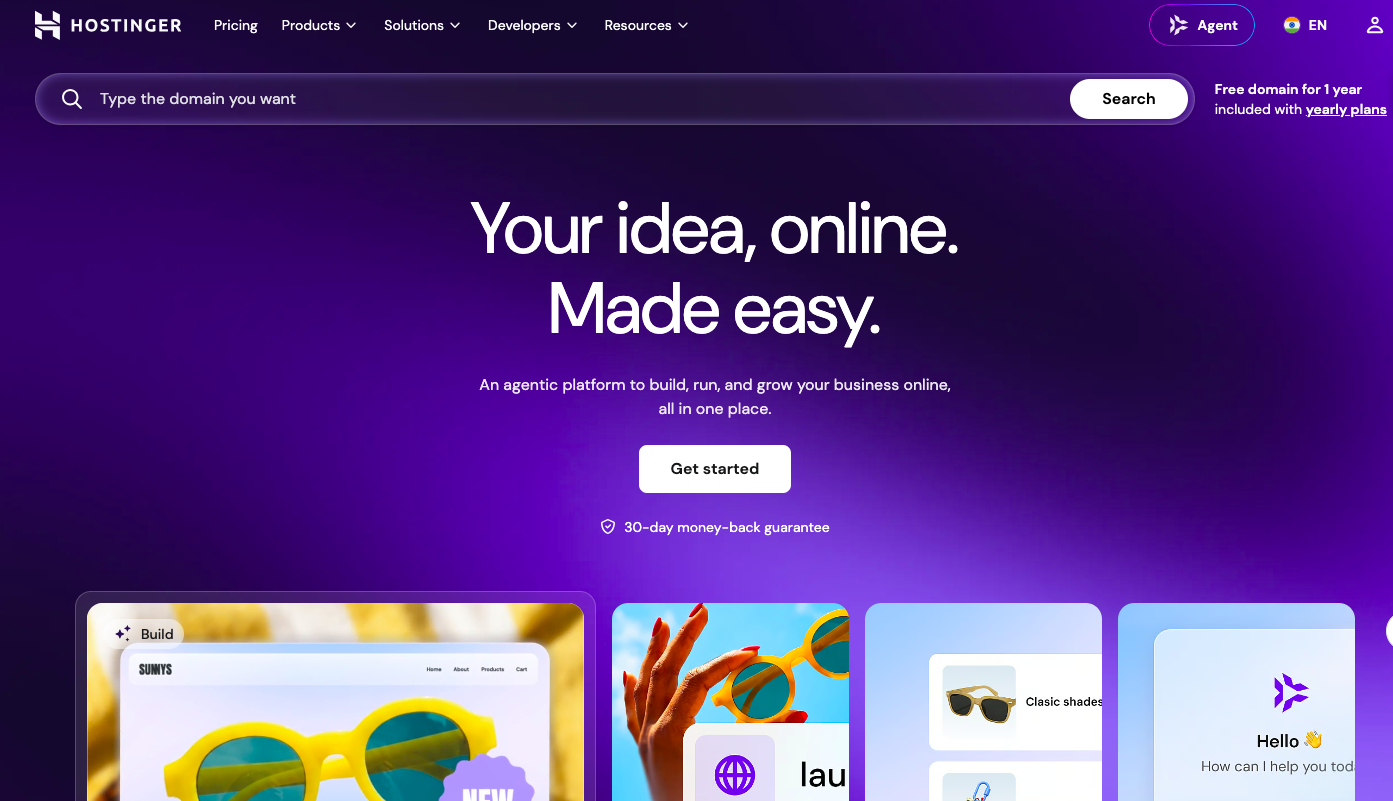
Its current web hosting page highlights features such as free SSL, backups, CDN, AI tools, WordPress support, website-building options, and 24/7 expert support.
For beginners, this can be useful because you do not necessarily need to manage a complicated server environment yourself.
Hostinger Web Hosting: Plans, Features & Pricing Guide
Choosing a hosting plan can feel complicated when every option promises more storage, more websites, and more features. Hostinger keeps its current lineup relatively straightforward, with plans designed for everything from a first website to larger business and high-traffic projects.
For users in India, the current promotional pricing displayed by Hostinger starts at ₹149/month for Premium, followed by ₹249/month for Unlimited and ₹599/month for Cloud Startup when purchased on the 48-month term. These are promotional rates based on paying for the full term upfront, and renewal prices are higher.
Important: Hosting prices, discounts, included features, and renewal rates can change. Always verify the final price and terms on Hostinger's checkout page before purchasing.
Hostinger Plans at a Glance
Plan | Promotional Price* | Websites | Storage | Best For |
|---|---|---|---|---|
Premium | ₹149/month | Up to 3 | 20 GB SSD | Personal sites, blogs & small projects |
Unlimited | ₹249/month | Unlimited | 50 GB NVMe | Multiple or growing websites |
Cloud Startup | ₹599/month | Unlimited | 100 GB NVMe | Businesses, agencies & higher-demand projects |
Based on Hostinger's currently displayed 48-month promotional pricing in India. All plans are paid upfront for the selected term.
Premium: A Practical Starting Point
Premium is positioned for people launching their first website, portfolio, blog, or small online project. It supports up to three websites and currently includes 20 GB SSD storage, a free custom domain for one year under the applicable offer, weekly backups, CDN, AI tools, and priority 24/7 support.
The current promotional price is ₹149/month for 48 months, or ₹7,152 upfront, with renewal currently listed at ₹449/month.
It can be a sensible starting point if you don't need unlimited websites yet. For a portfolio, personal blog, small business website, or similar project, paying for a larger plan may simply give you resources you won't use.

Unlimited: More Room for Multiple Websites
The Unlimited plan is designed for users managing multiple websites or projects that need more room to grow.
It currently includes:
Unlimited websites
50 GB NVMe storage
Daily backups with easy data restore
CDN
AI tools
WordPress support
Node.js
Ecommerce availability
Priority 24/7 expert support
Unlimited mailboxes per website for one year
AI email marketing for one year
The promotional price is currently ₹249/month on the 48-month term, which comes to ₹11,952 upfront. The listed renewal price is ₹649/month.
This plan may be more relevant if you're running several websites, building a small collection of content sites, or expect your online projects to expand.
One detail worth remembering: “Unlimited” doesn't mean unlimited resources without restrictions. Hostinger states that unlimited features are subject to its Fair Usage Policy.
Which Hostinger Plan Fits Your Project?
Instead of choosing the plan with the longest feature list, start with what you're actually building.
Launching one or a few simple websites? Premium provides room for up to three websites.
Managing several websites? Unlimited removes the website-count limitation and increases storage to 50 GB NVMe.
Running a business, agency, ecommerce site, or higher-demand project? Cloud Startup provides 100 GB NVMe storage and additional resources and AI capabilities.
Hostinger also offers managed WordPress hosting with similar plan tiers, so WordPress users should check whether the specific WordPress package better matches their setup.
What to Check Before Choosing a Hosting Plan
A hosting plan may look affordable at first, but the right choice depends on what you actually need from your website. Before signing up, consider:
Number of websites: Make sure the plan supports all the websites you plan to host.
Storage: Check whether the available storage is enough for your website files, images, videos, and databases.
Backups: Look at how often backups are created and how easily you can restore your site.
Renewal cost: Promotional pricing usually applies only to the initial term, so check the renewal price as well.
Email: If you need professional email addresses, check how many mailboxes are included and for how long.
Ecommerce: For an online store, confirm that the plan supports the ecommerce features and resources you need.
Performance: Consider the available resources, especially if you're expecting more visitors as your website grows.
Extra features: AI tools, CDN, SSL, staging, and other included features can be useful, but only if they match your requirements.
Billing term: A lower monthly price may require a longer upfront commitment, so check the total amount you'll pay at checkout.
Hostinger's current pricing is based on paying for the selected term upfront, so the advertised monthly figure should not be treated as a month-to-month subscription price.
Hostinger Web Hosting Plans
Hostinger's current India web hosting page lists four main plans: Single, Premium, Unlimited, and Cloud Startup. The promotional prices below are based on the currently displayed 48-month offers and can change.
Plan | Current advertised price | Websites | Storage | Backup |
|---|---|---|---|---|
Single | ₹69/mo | 1 | 10 GB SSD | Weekly |
Premium | ₹149/mo | 3 | 20 GB SSD | Weekly |
Unlimited | ₹249/mo | Unlimited | 50 GB NVMe | Daily |
Cloud Startup | ₹599/ |
Hostinger Web Hosting: Plans, Features & Pricing Guide often comes down to choosing the right option for the job. Use this comparison to scan the trade-offs before you commit.
Quick comparison
Option | Best use | Watch out for |
|---|---|---|
Fast method | Simple one-time tasks | Limited control over fine details |
Advanced method | Repeatable or professional workflows | More settings to review |
Manual method | High-control edits | Slower and easier to repeat mistakes |
Hostinger's Website Performance Features
Nobody likes waiting for a website to load.
Hostinger highlights NVMe storage, LiteSpeed servers, CDN, and Object Cache as part of its performance approach. Its website also notes that unlimited bandwidth is available on relevant plans.
Performance depends on more than hosting, though.
Your website theme, plugins, images, scripts, database queries, and traffic patterns can all affect loading speed.
So, while good hosting helps, it is not a magic button for making every website instantly fast.
Free SSL and Website Security
Security is another important part of hosting.
Hostinger currently includes a free SSL certificate and says it is installed automatically. Its web hosting pages also list malware scanning, domain privacy, and IP and country blocking among its security features.
For website owners, SSL is particularly important because visitors expect modern websites to use HTTPS.
You should still follow basic security practices:
Keep WordPress and plugins updated.
Use strong passwords.
Enable available security features.
Keep regular backups.
Avoid unnecessary plugins.
Monitor unusual website activity.
Hosting security and website security work together.
Backups: A Feature You Should Not Ignore
Backups may not sound exciting when you are launching a website, but they become extremely valuable when something goes wrong.
Hostinger's current plans offer different backup schedules. Single and Premium list weekly backups, while Unlimited and Cloud Startup list daily backups, with Cloud Startup also offering on-demand backups.
Consider this situation: you update a plugin, change a theme setting, and suddenly your homepage stops working.
A recent backup can make recovery much easier.
Still, for important websites, it is sensible to maintain an additional backup strategy rather than relying on one provider alone.
WordPress Hosting and Website Building
If you want to use WordPress, Hostinger provides WordPress-focused tools and managed hosting options.
Its web hosting plans currently include WordPress support, while Hostinger also provides AI website-building tools and a drag-and-drop approach for people who prefer not to start from code.
This is useful for beginners because you can choose a workflow that matches your technical comfort level.
You can start with:
AI → Generate a website with AI-assisted tools.
WordPress → Use WordPress for content-focused websites.
Website Builder → Build visually without traditional coding.
Code → Use supported development tools when you need more control.
AI Tools on Hostinger
AI has become a major part of website creation, and Hostinger has added several AI-based features.
Its current plans include AI Builder credits, while Hostinger Agent can help with tasks such as creating WordPress websites, setting up hosting and domains, and troubleshooting certain issues through chat.
AI can make the starting process easier, especially for people who know what they want their website to achieve but are not comfortable with technical setup.
However, AI-generated content still needs human editing. A website should sound like a real brand, not like a collection of automatically generated paragraphs.
Final Takeaway
Hostinger's current plans are structured around a simple progression: Premium for smaller projects, Unlimited for multiple websites, and Cloud Startup for projects that need more performance and scalability.
The key is to choose based on your website's actual requirements rather than simply upgrading for additional features. And because promotional pricing and renewal rates can change, check the latest plan details at checkout before committing.
Frequently Asked Questions
Hostinger is a web hosting provider offering web hosting, WordPress hosting, VPS hosting, cloud hosting, domains, website builders, and AI-powered website tools.
The Single plan can be suitable for beginners who need hosting for one simple website. Your choice should depend on your website's storage, traffic, features, and growth requirements.
Hostinger's promotional prices vary by plan and subscription term. Current India promotional pricing includes plans starting from ₹69/month, while renewal prices are higher. Always check the current price before purchasing.
Yes. Hostinger supports WordPress hosting and provides tools designed to make WordPress website setup and management easier.
Who should use E-Commerce
Hostinger Web Hosting: Plans, Features & Pricing Guide is built for readers who want a faster way to finish everyday web tasks. The main goal is shorter workflows, clearer outputs, and reusable tool habits, so the guide focuses on practical choices instead of broad theory.
Use it when you need one of these outcomes:
- testing a task before choosing a heavier app
- saving time on a repeated browser workflow
- combining a guide with a related AltFTool utility
How to get a better result
- Read the core use case and decide what output you need.
- Open the related AltFTool utility and test it with a small sample.
- Review the result, adjust settings, and repeat only if needed.
- Continue with related tools or guides for the next step in the workflow.
Start small, check the first output, and only then repeat the workflow with the full file, text, media, or game session. That gives you a quick quality check before you spend more time.
Quality checks before you trust the output
- the input is clean before running the tool
- the output matches the format you need
- private details are removed before sharing or downloading
Do not overcomplicate a simple task. Start with the smallest sample that proves the workflow, then scale up once the output looks right.
Continue your workflow
If you want to try the workflow now, open the related AltFTool tool area. For more reading, continue through the E-Commerce archive or the AltFTool tools directory.
This creates a cleaner path from explanation to action: read the guide, test the tool, compare the output, and move into the next related AltFTool resource only when it helps the task.
Sources and review notes
References used to check facts, freshness, and reader-safe recommendations in this guide.
TechRadar — The Best Website Builders of 2026 Covers Wix, Hostinger, Squarespace, Shopify, GoDaddy, Webflow and others, including features, pricing and use cases
- 1AltFTool
altftool.com
Discussion
0 comments
No comments yet
Discussion will appear here once it loads.