Finding a good doctor shouldn't feel like a second full-time job. Yet, for most of us, booking a simple medical appointment involves a frustrating cycle of online searches, endless phone calls, confusing insurance jargon, and waiting on hold just to find out the next available slot is three months away. When you are already feeling unwell or stressed about a health issue, these extra hurdles can make you want to give up and put off the visit altogether.
This exact frustration is what Zocdoc was built to solve. If you have ever used an app to book a flight, reserve a dinner table, or order groceries, you already understand the basic idea behind Zocdoc. It is an online healthcare marketplace designed to bring the convenience of modern digital booking into the world of medical appointments.
Instead of juggling ten browser tabs and calling five different clinics, you can use one platform to browse local healthcare providers, check whether they take your insurance, read verified patient reviews, and lock in an appointment time in just a few minutes.
What Exactly Is Zocdoc?
At its core, Zocdoc is a healthcare technology platform—available via both its website and mobile app—that connects patients with doctors, dentists, therapists, and other medical specialists.
Think of Zocdoc as a search engine and scheduling assistant rolled into one. It covers a wide range of medical fields, including:
Primary Care: Annual checkups, flu shots, and general health concerns.
Dentistry: Routine cleanings, fillings, and emergency toothaches.
Dermatology: Skin checks, acne treatments, and rash evaluations.
Mental Health: Therapists, psychiatrists, and counselors.
Eye Care & Specialists: Optometrists, cardiologists, orthopedists, OB-GYNs, and more.
One important distinction to keep in mind is that Zocdoc is a booking marketplace, not a medical provider. Zocdoc does not employ the doctors listed on its site, nor does it provide medical advice or treatment. Its sole job is to give you the tools and transparent information you need to compare local professionals and schedule your visit. Once you walk through the clinic door (or log into your video call), your care is entirely in the hands of that independent medical practice.
How Zocdoc Works: From Search to Scheduled Visit
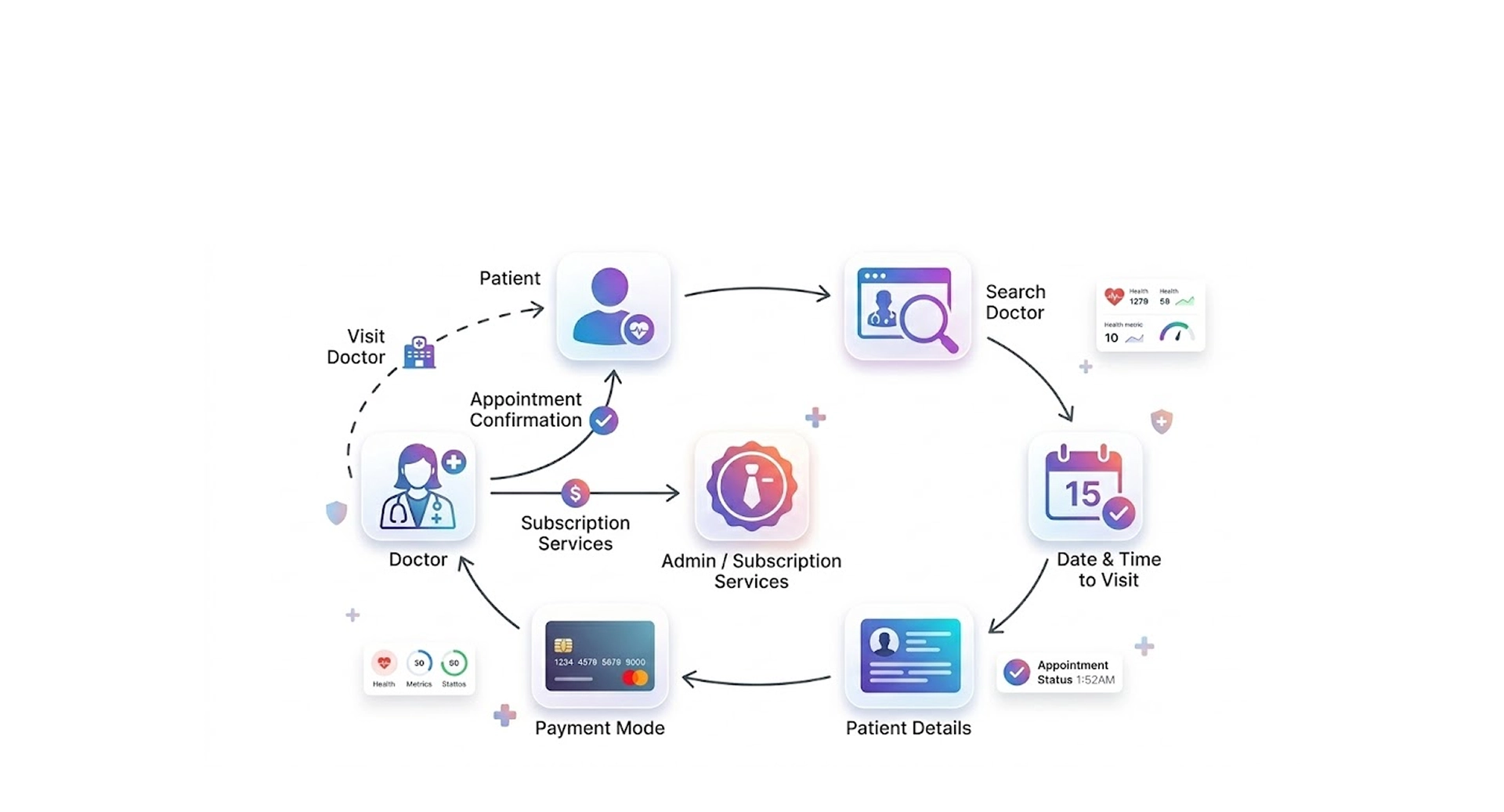
Using Zocdoc is refreshingly straightforward, especially if you are trying to squeeze healthcare planning into a lunch break or late at night after clinics have closed. The process breaks down into four simple steps:
1. Tell the Platform What You Need
You don't need to know complex medical terminology to start your search. On the Zocdoc homepage or app, you can type in a specific doctor's name, a broad specialty (like "dentist" or "dermatologist"), a specific procedure ("root canal" or "annual physical"), or even a plain-English symptom like "back pain" or "earache."
2. Add Your Location and Insurance
Next, you enter your city, neighborhood, or ZIP code so the platform only shows providers within a reasonable distance. You can also select your health insurance carrier and specific plan from a dropdown menu—or even snap a photo of your insurance card using the app to let Zocdoc scan the details automatically.
3. Compare Your Options
Once you hit search, Zocdoc generates a list of matching providers along with their real-time calendar availability. You can filter the results by distance, gender, languages spoken, hospital affiliations, and whether you want an in-person visit or a virtual video consultation. Clicking on a doctor's profile lets you see their educational background, board certifications, office photos, and reviews from previous patients.
4. Book Your Slot Instantly
When you find a doctor and a time slot that works for you, you simply click to book. For most providers on Zocdoc, you don't have to wait for a receptionist to call you back and confirm; your appointment is locked in immediately. You will also have the option to fill out your standard patient intake forms digitally ahead of time, saving you from sitting in the waiting room with a clipboard and a pen.
Standout Features That Make Zocdoc Worth Using
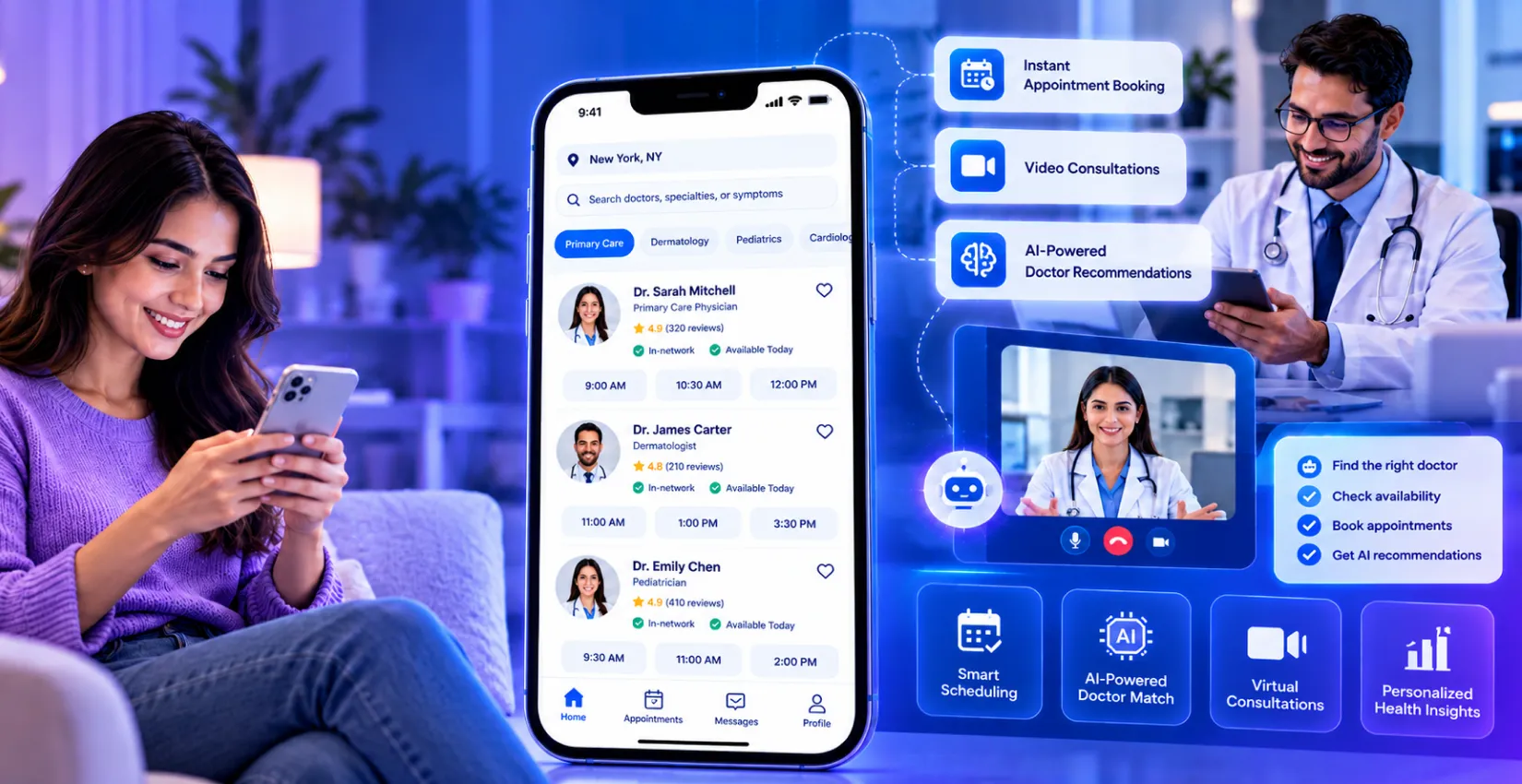
While plenty of healthcare directories exist online, Zocdoc stands out because it solves several real-world headaches at once.
Real-Time Calendar Availability
Nothing is more discouraging than researching a doctor for twenty minutes, calling their office, and hearing, "Our next opening for a new patient is in November." Zocdoc syncs directly with participating clinics' scheduling systems. You see open slots in real time—often including same-day or next-day appointments—allowing you to pick a Tuesday at 2:30 PM without playing phone tag.
Upfront Insurance Filtering
Medical bills can be terrifying, and accidentally visiting an out-of-network doctor is an expensive mistake. Zocdoc's insurance filter helps narrow your search to providers who actively participate in your insurance network. While it is always smart to double-check coverage details directly with the clinic, having that initial filter saves hours of guesswork.
Verified Patient Reviews
Choosing a healthcare provider is deeply personal. You want someone who is clinically skilled, of course, but you also want someone who listens, respects your time, and runs an organized office. Zocdoc only allows reviews from patients who actually booked and attended an appointment through the platform. Reading feedback about wait times, bedside manner, and front-desk friendliness helps you know what to expect before you ever arrive.
In-Person and Virtual Care Options

Sometimes you need a hands-on physical exam; other times, you just need a prescription refill, a follow-up chat, or a therapy session from your living room couch. Zocdoc clearly labels which providers offer telehealth video visits alongside traditional office appointments, giving you flexibility depending on your schedule and how you are feeling.
Automated Reminders and Digital Paperwork
If you juggle appointments for yourself, your kids, or aging parents, keeping track of dates and addresses gets messy fast. Zocdoc stores all your upcoming and past appointments in one dashboard, sends helpful text and email reminders, and lets you reuse your saved medical history and insurance details whenever you book with a new specialist.
Why Online Doctor Booking Matters in Everyday Life
Think about how easily we procrastinate on routine healthcare. You notice a mild toothache, or you realize you are six months overdue for an eye exam. You tell yourself, "I'll call a clinic during my break tomorrow." Tomorrow gets busy, 5:00 PM rolls around, the clinic phones turn off for the night, and another week slips by.
Platforms like Zocdoc remove that friction. Being able to look up a doctor at 10:00 PM on a Sunday, compare three local clinics side by side, check their reviews, and book an appointment for Wednesday morning turns a dreaded chore into a five-minute task.
That said, having all this convenience at your fingertips doesn't mean you should rush blindly into a booking. Online reviews are a great starting point, yet a five-star rating shouldn't be your only metric. A doctor might have glowing reviews for quick visits, while you might prefer someone who takes thirty minutes to discuss complex, chronic symptoms. Combining Zocdoc's convenience with a thoughtful look at each doctor's credentials ensures you get both speed and quality care.
Practical Tips Before You Click "Book"
Even with a streamlined platform like Zocdoc, taking two extra minutes to verify a few details will protect your wallet and ensure a smooth visit:
Double-Check Your Insurance Directly: Insurance networks change frequently, and specific sub-plans (like certain HMO or marketplace tiers) can be tricky. Even if Zocdoc lists a doctor as in-network, call the clinic or check your insurer's official member portal to confirm that both the doctor and the specific procedure you need are covered.
Verify Credentials and Specialties: Look closely at the provider's profile to make sure their board certifications and clinical focus align with your needs. For example, if you have a specific skin condition or sports injury, check if the doctor lists that area as a specialty.
Read Between the Lines in Reviews: Don't get scared off by a single grumpy review about parking, and don't rely solely on a high overall score. Look for consistent patterns across multiple reviews—such as repeated praise for thorough explanations or frequent complaints about two-hour wait times.
Check the Cancellation Policy: Life happens, and sometimes you need to reschedule. Most clinics require 24 to 48 hours' notice to cancel or move an appointment without charging a late fee. Make sure you know the office's rules before confirming.
Choose the Right Visit Type: Virtual visits are fantastic for convenience, but they have limits. If you have severe pain, need blood work, require imaging, or have a condition that needs a physical exam, book an in-person visit right away rather than paying for a video call only to be told you need to come into the office anyway.
Zocdoc vs. Traditional Doctor Booking
To see where Zocdoc shines—and where old-school phone calls still make sense—it helps to compare the two side by side:
Feature | Booking via Zocdoc | Traditional Phone Booking |
When You Can Book | 24/7, including nights and weekends | Strictly during clinic office hours |
Comparing Doctors | Easy side-by-side comparison of reviews, credentials, and locations | Requires visiting multiple websites and calling each office individually |
Seeing Open Times | Instant visual calendar of real-time slots | Must ask the receptionist to read out available dates over the phone |
Insurance Checks | Built-in search filter + insurance card scanner | Must read policy numbers aloud to staff and wait for verification |
Complex Questions | Limited to preset visit reasons and short notes | Best for asking nuanced medical or billing questions directly to staff |
Provider Selection | Limited to doctors and clinics partnered with Zocdoc | Includes every local clinic, hospital system, and independent practice |
Zocdoc makes finding doctors and booking healthcare appointments easier, but managing overall health also involves paying attention to wellness and fitness. For readers interested in exploring useful digital resources related to healthcare, wellness, and fitness, AltFTool is another platform worth discovering. It helps readers explore useful online tools that can support everyday digital tasks. Combining convenient healthcare appointment platforms with helpful digital resources can make everyday routines more organised and support a more informed approach to health and fitness.
Yes, searching for doctors and booking appointments on Zocdoc is completely free for patients, though you still pay your regular clinic fees or insurance copays.
Zocdoc filters doctors by your insurance plan, but you should always double-check directly with the clinic or your insurer before your visit.
Yes, Zocdoc lets you easily filter for providers who offer virtual telehealth visits alongside traditional in-person appointments.
Yes, Zocdoc only allows reviews from verified patients who actually booked and attended an appointment through the platform.
No, Zocdoc currently operates only within the United States and is built specifically around the U.S. healthcare and insurance system.
Sources and notes
Links the author listed for this post.
Information is based on Zocdoc's official website and patient help resources. The article covers its doctor-search process, appointment booking features, insurance filters, and patient experience.
More on AltFTool
- AltFTool (opens in a new tab)
altftool.com


Discussion
0 comments