
YouTube thumbnails play an important role in attracting viewers and making videos stand out. Whether you are a content creator, digital marketer, blogger or regular YouTube user, thumbnails can provide a quick visual preview of video content.
Sometimes, you may want to save a YouTube thumbnail for design inspiration, research, presentation purposes or content planning. Instead of taking screenshots, you can use a YouTube Thumbnail Downloader to retrieve available thumbnail images directly from a video's URL.
In 2026, several free online tools make it easier to download YouTube thumbnails in different resolutions, including HD and Full HD, when those versions are available.
In this guide, we will explain how a YouTube Thumbnail Downloader works, how to download thumbnails step by step, which resolutions are available and what to consider before using someone else's thumbnail.
What Is a YouTube Thumbnail Downloader?

A YouTube Thumbnail Downloader is an online tool that helps users retrieve and save thumbnail images associated with YouTube videos.
Every public YouTube video has a thumbnail that appears in search results, recommendations and video pages. These images are used to give viewers an idea of what a video contains.
A thumbnail downloader typically works by extracting the video's thumbnail image using its YouTube video ID.
Most tools follow a simple process:
Copy the YouTube video URL.
Paste the URL into the downloader.
Let the tool identify the video.
Select an available image resolution.
Preview and save the thumbnail.
You generally do not need to install additional software to use a browser-based downloader.
Why Use a YouTube Thumbnail Downloader?
There are several reasons why people use YouTube thumbnail download tools.
1. Content Research
Creators can study thumbnail designs, colours, layouts and visual presentation to understand how successful channels communicate their video topics.
2. Design Inspiration
Designers can review publicly available thumbnail examples when developing original creative concepts.
3. Save HD Images
Some tools provide access to available thumbnail versions in different resolutions, making it easier to save higher-quality images.
4. Easy Access
You can retrieve a thumbnail through a video link instead of manually taking a screenshot.
5. Content Planning
Bloggers, marketers and video editors can use thumbnail references when planning campaigns, presentations and content strategies.
Best YouTube Thumbnail Downloader Tools in 2026
Several online tools provide ways to retrieve YouTube thumbnail images. Here are some options to explore.
1. YouTube
YouTube itself displays video thumbnails publicly. You can use the video's image address to access available thumbnail files.
2. ThumbnailSave
An online thumbnail retrieval service that lets users enter a YouTube video link and access available thumbnail images.
3. YT5s
An online YouTube utility platform. Check its current features and terms before using it for thumbnail-related tasks.
4. YThumbnail
Another option to explore for retrieving thumbnail images from YouTube video URLs.
How to Download YouTube Thumbnails in HD
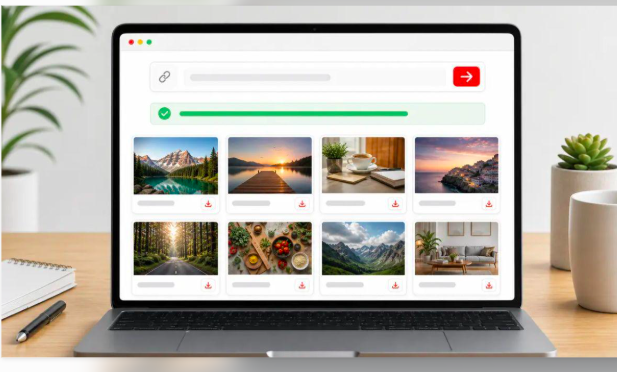
Downloading a YouTube thumbnail is generally a straightforward process. Follow these steps:
Step 1: Open YouTube
Visit YouTube and find the video whose thumbnail you want to save.
Step 2: Copy the Video URL
Open the video and copy its link from the browser's address bar or use the Share option.
Step 3: Open a Thumbnail Downloader
Visit an online YouTube Thumbnail Downloader website in your browser.
Step 4: Paste the Video Link
Find the URL input field and paste the copied YouTube video link.
Step 5: Select the Available Resolution
The tool may display different image sizes. Choose the highest available resolution that meets your requirements.
Step 6: Preview and Save
Preview the image and use the download option if provided. You can also open the image and save it through your browser.
YouTube Thumbnail Sizes and Resolutions Explained
YouTube supports custom video thumbnails with a recommended resolution of 1280 × 720 pixels and a minimum width of 640 pixels. The recommended aspect ratio is 16:9.
Here are some commonly encountered thumbnail image resolutions:
Resolution | Image Quality | Common Use |
|---|---|---|
120 × 90 | Very small | Low-resolution preview |
320 × 180 | Standard preview | Smaller displays |
480 × 360 | Medium | General image preview |
640 × 480 | Higher resolution | Available image variant |
1280 × 720 | HD | Recommended thumbnail dimensions |
Important: Not every video has every resolution available. The actual image dimensions depend on the thumbnail uploaded or generated for that video.
Direct Method to Get a YouTube Thumbnail
You can also access YouTube thumbnails without using a third-party website.
Every YouTube video has a unique video ID. For many standard public videos, the following image pattern can be used:
Direct Method to Get a YouTube Thumbnail
You can also access YouTube thumbnails without using a third-party website.
Every YouTube video has a unique video ID. For many standard public videos, the following image pattern can be used:
https://img.youtube.com/vi/VIDEO_ID/maxresdefault.jpgReplace VIDEO_ID with the actual ID of the YouTube video.
For example, if a video ID is abcdefghijk, the image address becomes:
https://img.youtube.com/vi/abcdefghijk/maxresdefault.jpgOther available image variants may include:
https://img.youtube.com/vi/VIDEO_ID/hqdefault.jpg

https://img.youtube.com/vi/VIDEO_ID/mqdefault.jpg

https://img.youtube.com/vi/VIDEO_ID/default.jpg
If the highest-resolution image is unavailable, try another variant. Availability and dimensions can vary.
Features to Look for in a Free YouTube Thumbnail Downloader
Before choosing a tool, check whether it offers the following features.
1. Free Thumbnail Access
A useful downloader should allow users to retrieve available thumbnails without requiring an expensive subscription.
2. HD Image Support
Look for tools that provide the highest available image resolution rather than limiting downloads to small previews.
3. Simple Interface
A clean interface with a clear URL input field makes the downloading process easier.
4. Mobile Compatibility
A mobile-friendly website allows users to retrieve thumbnails using smartphones and tablets.
5. Multiple Resolution Options
Different resolutions are useful for different purposes, such as reference viewing, presentations and design research.
6. No Unnecessary Software Installation
A browser-based tool is convenient because it does not require downloading an additional application.
Common Problems When Downloading YouTube Thumbnails
Sometimes, a thumbnail downloader may not display the expected image. Here are common reasons and possible solutions.
Problem | Possible Solution |
|---|---|
Invalid video URL | Copy the complete YouTube link again |
Thumbnail not loading | Refresh the page or try another tool |
HD image unavailable | Select another available resolution |
Broken image preview | Check the video ID and image address |
Download not working | Try opening the image directly |
Slow website | Check your internet connection |
Some videos may have limited thumbnail availability because of their visibility, restrictions or image processing.
Is It Legal to Download YouTube Thumbnails?

Downloading or viewing a publicly accessible thumbnail does not automatically give you permission to reuse it.
YouTube thumbnails may be protected by copyright and belong to the video creator or relevant rights holder.
Before using a downloaded thumbnail:
Use it for personal reference or research where appropriate.
Ask the creator for permission before republishing it.
Avoid presenting someone else's thumbnail as your original design.
Check the relevant copyright and platform rules.
Create original thumbnails for your own videos whenever possible.
Using a thumbnail downloader for image access and having permission to commercially reuse that image are two different things.
Conclusion
A YouTube Thumbnail Downloader is a useful online tool for creators, designers, bloggers and marketers who want quick access to video thumbnail images.
Whether you need an image for design research, content planning or personal reference, these tools can simplify the process of retrieving available thumbnails in different resolutions.
Before choosing a downloader, look for a simple interface, HD image support, mobile compatibility and reliable performance. Always respect copyright rules and obtain permission before reusing someone else's thumbnail.
FAQ'S
Copy the YouTube video URL, paste it into a thumbnail downloader and select the highest available image resolution.
Many online thumbnail downloader tools offer free access to available thumbnail images. Features and limitations vary by website.
You can only download the resolution available for the video. A 4K video does not necessarily have a 4K thumbnail.
No. Most browser-based thumbnail downloaders work directly through a website without requiring software installation.
You should obtain permission from the copyright owner before republishing thumbnails. Downloading an image does not automatically grant reuse rights.
Sources and notes
Links the author listed for this post.
Information is based on YouTube's official thumbnail guidelines, image resolution specifications and publicly available online thumbnail downloading tools.


Discussion
0 comments