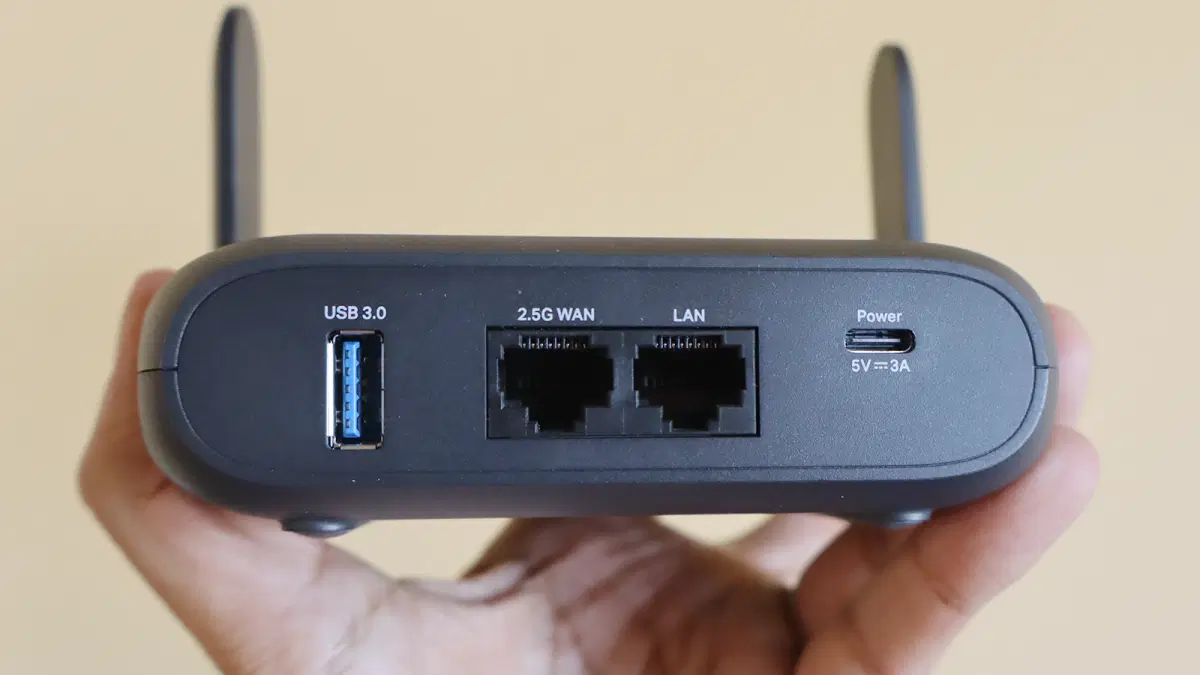
Work is no longer limited to offices, and internet connectivity is no longer something people need only at home. From remote employees and digital nomads to frequent travellers and business professionals, more people are working from different locations than ever before. Whether someone is attending an online meeting from a hotel, checking important emails at an airport, or completing a project from a holiday destination, having a reliable internet connection has become an everyday necessity.
However, connecting to public Wi-Fi is not always convenient or secure. Hotel networks, airport hotspots, and café connections can sometimes be slow, unreliable, or difficult to manage across multiple devices. This is where a portable travel router can make a difference.
A portable router allows users to create their own private Wi-Fi network using a compatible internet connection. It can help connect laptops, smartphones, tablets, and other devices through one central network.
Brands such as GL.iNet are gaining attention in the networking space by offering compact travel routers and portable networking solutions designed for people who need connectivity beyond traditional home and office environments.
But why are portable routers becoming useful tools for modern professionals and travellers? Let's explore their benefits, features, practical uses, and the role they play in connected
1. Why Internet Connectivity Matters for Modern Travellers

Internet access has become an important part of travelling. People use online services to book hotels, navigate unfamiliar destinations, communicate with family, attend meetings, manage finances, and access work documents.
For remote workers, connectivity is even more important. A weak internet connection can interrupt video calls, delay project submissions, and make everyday tasks frustrating.
Consider someone travelling for business. They may need to connect a laptop, smartphone, and tablet while staying in different hotels. Connecting each device separately to unfamiliar Wi-Fi networks can become inconvenient.
A portable router provides another option by allowing compatible devices to connect through one shared network.
Common Connectivity Challenges While Travelling
Unreliable hotel or public Wi-Fi.
Repeatedly entering Wi-Fi passwords.
Difficulty connecting multiple devices.
Inconsistent internet performance.
Concerns about privacy on shared networks.
Limited connectivity options in certain locations.
A portable router cannot eliminate every connectivity problem, but it can make managing internet access more convenient.
2. What Is a Portable Router and How Does It Work?
A portable router is a compact networking device designed to provide Wi-Fi connectivity in different locations. Unlike traditional home routers, which generally remain connected to a fixed broadband connection, travel routers are designed to work with compatible internet sources while users are on the move.
Depending on the model, a portable router may connect through:
Existing hotel or public Wi-Fi.
Ethernet connections.
USB tethering from a compatible smartphone.
A compatible cellular modem.
Other supported internet sources.
Once connected to an internet source, the router can create a separate Wi-Fi network for your devices.
How Does It Work?
The process is relatively simple:
Connect the portable router to a supported internet source.
Configure its network settings.
Create or select a Wi-Fi network name and password.
Connect your laptop, smartphone, or tablet.
Manage connected devices through the router's interface.
This setup can be especially helpful when someone wants to connect several personal devices without configuring each one separately on a public network.
3. Why GL.iNet Is Getting Attention in Portable Networking
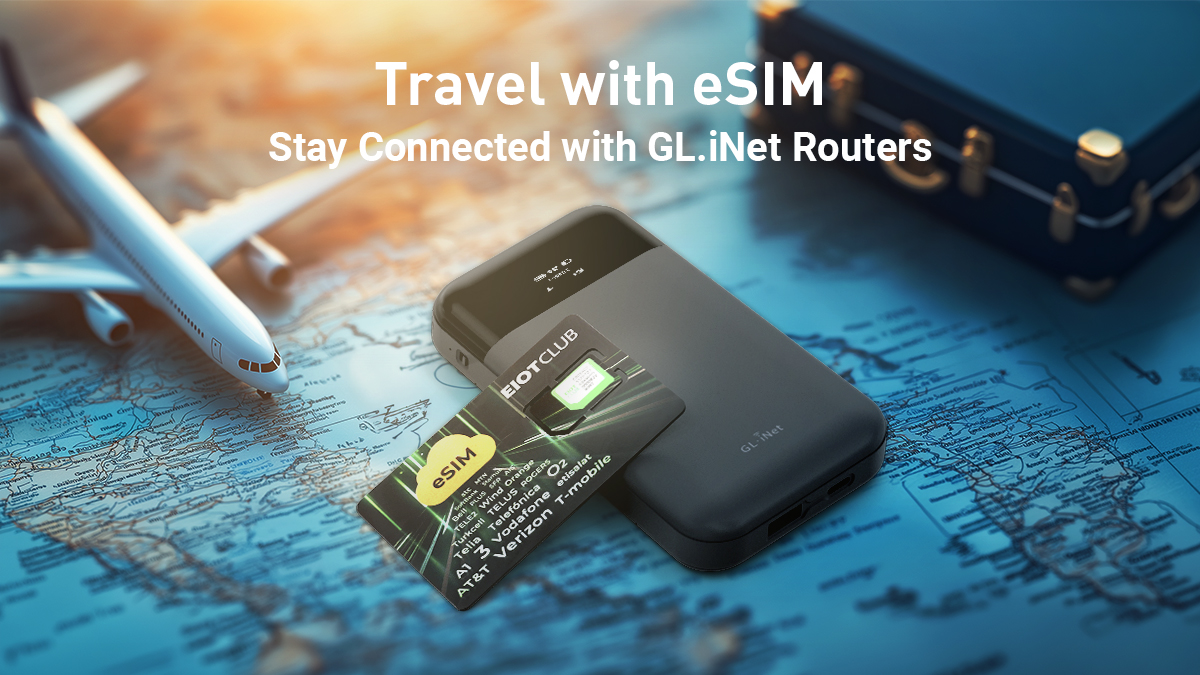
Image reference: Compact travel router design.
GL.iNet is a networking technology brand known for its travel routers, wireless networking devices, and solutions designed for home users, travellers, and technology enthusiasts.
The brand focuses on compact devices that offer networking flexibility and features such as VPN support, Wi-Fi connectivity, and device management.
Its products are particularly relevant to people who want more control over their internet connections while travelling or working remotely.
What Makes GL.iNet Interesting?
Portable designs: Many travel routers are compact enough to fit into a backpack, laptop bag, or travel pouch.
VPN support: Selected models support VPN client and server functionality, allowing users to configure supported VPN services.
Flexible connectivity: Depending on the model, users can access the internet through Wi-Fi, Ethernet, USB tethering, or compatible cellular solutions.
Device management: Router settings allow users to manage network connections and configure different networking features.
Multiple use cases: Travel routers can be useful in hotels, temporary workspaces, shared accommodation, and other locations where flexible connectivity is needed.
These features make portable networking worth exploring for people who regularly move between different internet environments.
4. Portable Routers Make Remote Work More Convenient
Remote work has changed how professionals approach their daily routines. Employees, freelancers, consultants, and entrepreneurs may work from home, cafés, hotels, coworking spaces, or temporary offices.
A portable router can make this experience more organised by providing one network for multiple devices.
Connect Multiple Devices
A remote worker may need internet access on a laptop, smartphone, tablet, and other compatible devices.
Instead of connecting every device individually to a hotel network, a travel router can provide a shared connection through its own Wi-Fi network.
Maintain a Familiar Network Setup
Using the same network name and password across different locations can make reconnecting personal devices easier, depending on router configuration.
Support Online Meetings
A portable router can help organise connectivity for video conferencing and other work activities. However, actual meeting quality still depends on the internet source, signal strength, network congestion, and available bandwidth.
Improve Work Flexibility
With a suitable internet source, professionals can create a more consistent networking setup wherever they work.
5. Better Control Over Public Wi-Fi Connections
Public Wi-Fi is convenient, but users should understand its limitations.
Airport lounges, cafés, hotels, and other public spaces often provide shared internet access. These networks may be used by many people at the same time, and their security arrangements can vary.
A travel router can provide an additional layer of network organisation by creating a private Wi-Fi network for your devices.
However, it is important to understand that a private router network does not automatically make an untrusted internet connection completely secure.
Useful Security Features to Look For
Security feature | Why it matters |
WPA2/WPA3 support | Helps protect wireless connections |
VPN client support | Can encrypt supported internet traffic |
Firewall | Helps manage network traffic |
Firmware updates | Address security issues and improve performance |
Guest network | Separates guest devices from personal devices |
Password protection | Prevents unauthorised Wi-Fi access |
Important security tip: Always use strong passwords, update router firmware, enable appropriate security settings, and use HTTPS websites when handling sensitive information
.
6. VPN Support Is an Important Travel Router Feature
One feature that attracts privacy-conscious users to travel routers is VPN support.
A Virtual Private Network (VPN) creates an encrypted connection between a device and a VPN server. Depending on the configuration, it can help protect internet traffic from being easily viewed by others on the local network.
Some GL.iNet routers support VPN clients and services such as WireGuard and OpenVPN, depending on the device model and firmware.
Why VPN Support Can Be Useful
Helps encrypt supported internet traffic.
Provides an additional privacy layer when using public Wi-Fi.
Allows compatible devices to use one configured VPN connection.
Reduces the need to configure VPN software separately on every device.
Can support secure remote access when properly configured.
However, VPNs do not guarantee complete anonymity or protect against every online threat. Users should choose reputable VPN providers and understand the privacy policies of the services they use.
7. Important Features to Consider Before Buying a Portable Router

Not every travel router offers the same capabilities. Some are designed for basic travel connectivity, while others offer advanced networking features.
Before purchasing a device, consider how you plan to use it.
Feature | What to check |
Wi-Fi standard | Wi-Fi 5, Wi-Fi 6, or newer supported standards |
Portability | Size, weight, and travel convenience |
Connectivity | Wi-Fi, Ethernet, USB tethering |
VPN support | Compatibility with VPN protocols |
Power source | USB power, adapter, or built-in battery |
Ethernet ports | Useful for wired connections |
Security | Encryption, firewall, and firmware support |
Device capacity | Number of devices supported |
Do You Need a Battery-Powered Router?
Not necessarily. Some portable routers require an external USB power source, while others may include built-in batteries.
If you frequently travel by train, work outdoors, or move between locations without convenient power outlets, battery-powered options may be worth considering.
For hotel-based travel, a compact USB-powered model may be sufficient.
8. How Portable Routers Help During Different Types of Travel
Portable routers are not limited to business travellers. They can also be useful for families,
Here are some practical situations where a portable router can be useful.
Business Travel
Business professionals often carry multiple devices and need reliable access to work-related platforms. A travel router can help create a familiar network for laptops and smartphones in hotels or temporary workspaces.
International Travel
International travellers may encounter different Wi-Fi arrangements, language barriers, and network restrictions. A compatible travel router can help simplify connectivity when a supported internet source is available.
Travellers should also check local networking regulations, roaming charges, and VPN rules before using networking equipment abroad.
Family Holidays
Families often carry several internet-connected devices, including phones, tablets, and laptops. A travel router can provide a shared network when the available internet connection and router capacity support multiple users.
Digital Nomad Lifestyle
Digital nomads frequently change accommodation and work locations. A portable router can help them maintain a familiar networking setup instead of configuring every device from scratch.
9. Portable Router vs Traditional Home Router
Both portable and traditional routers provide Wi-Fi connectivity, but they are designed for different situations.
Comparison | Portable router | Traditional router |
Main purpose | Travel and flexible connectivity | Home or office networking |
Size | Usually compact | Generally larger |
Portability | Easy to carry | Usually stationary |
Internet sources | Depends on model | Commonly broadband or Ethernet |
Power | Often USB-powered | Usually wall-powered |
Usage | Hotels, trips, temporary workspaces | Homes and offices |
Features | Vary by model | Vary by model |
A portable router is not necessarily a replacement for a traditional home router. Instead, it provides an additional networking option for people who need internet access in different environments.
10. Popular GL.iNet Travel Router Options to Explore
GL.iNet offers different travel router models designed for different networking requirements. Choosing the right one depends on your budget, internet speed needs, preferred connectivity, and technical experience.
GL.iNet Beryl AX (GL-MT3000)
This compact Wi-Fi 6 travel router is designed for users looking for modern wireless
GL.iNet Slate AX (GL-AXT1800)
A travel router option for people who want Wi-Fi 6 connectivity and additional networking capabilities for remote work and travel.
GL.iNet Opal (GL-SFT1200)
A compact and budget-conscious travel router option for users interested in basic portable networking and everyday connectivity.
Model availability, specifications, and features can vary by region and firmware version. Check the official product pages before purchasing.
11. Is a Portable Router Worth It for Everyone?
Although portable routers offer several advantages, they may not be necessary for every traveller.
If you usually travel for short periods and only use your smartphone, hotel Wi-Fi or mobile data may be sufficient.
However, a dedicated travel router can be worth considering if you:
Frequently work while travelling.
Carry several internet-connected devices.
Stay in hotels and temporary accommodation regularly.
Prefer managing your own Wi-Fi network.
Want configurable VPN and networking features.
Need flexible connectivity options.
There are also some limitations to remember. A portable router needs a compatible internet source, may require external power, and cannot improve an internet connection beyond the quality of its underlying source.
The best choice depends on your actual connectivity requirements rather than the number of features advertised.
12. The Future of Portable Networking for Work and Travel

As remote work, international travel, and digital lifestyles continue to evolve, portable networking devices are becoming an interesting part of the technology market.
Consumers are looking beyond basic Wi-Fi access. They want flexibility, stronger network management, device compatibility, privacy features, and convenient connectivity.
Several developments may influence this market:
Faster wireless standards: Newer Wi-Fi technologies can improve wireless performance when supported by compatible devices.
Advanced security: Users are increasingly interested in VPN support, encryption, and regular firmware updates.
Compact hardware: Smaller networking devices make travel setups easier to carry.
Flexible connectivity: Support for different internet sources can make devices useful in more situations.
Remote work growth: Professionals increasingly need networking solutions that work beyond traditional offices.
For brands like GL.iNet, this creates opportunities to serve users who want more control over their internet connections.
FAQ'S
A portable travel router is a compact networking device that creates a Wi-Fi network using a compatible internet source, such as hotel Wi-Fi, Ethernet, or USB tethering.
It allows remote workers to connect multiple devices through one network and manage their internet connections more conveniently while travelling.
GL.iNet offers compact travel routers with flexible connectivity and VPN features. Users should check model compatibility, local regulations, and available internet sources before travelling.
A travel router can create a separate private Wi-Fi network and some models support VPN connections. However, it does not automatically make an unsafe internet source completely secure.
Not always. Many portable routers connect through existing Wi-Fi, Ethernet, or USB tethering. SIM or cellular connectivity depends on the specific model and supported hardware.
Sources and notes
Links the author listed for this post.
GL.iNet Official Website GL.iNet Travel Routers GL.iNet Documentation Wi-Fi Alliance CISA – Secure Our World
More on AltFTool
- AltFTool (opens in a new tab)
altftool.com


Discussion
0 comments