Artificial intelligence is transforming the way we create content, and video is at the center of this revolution. Just a few years ago, producing high-quality video required expensive equipment, editing skills, and hours of work. Today, with the rise of AI-powered tools, anyone can generate visually stunning videos simply by typing a few lines of text. This is where AI video prompts come into play.
In this guide, we will explore what AI video prompts are, how they work, and how you can use them effectively in 2026 to create engaging, professional-quality videos—even if you have no prior experience.
What Are AI Video Prompts? A Complete Guide for 2026 is easier when the workflow is broken into clear steps. This guide explains what to check first, how to avoid common mistakes, and where AltFTool can speed up the task.
Before you start
Define the result you want from what are ai video prompts? a complete guide for 2026.
Collect the files, links, or details you need before using a tool.
Check the final output before downloading, sharing, or publishing it.
Step-by-step workflow
Choose the right method. Match the tool or process to the exact task.
Review the settings. Look for quality, format, privacy, and output options.
Save the result. Keep the final file or link in a place you can find later.
Key Takeaways
AI video prompts are text instructions that guide AI tools to generate videos based on your ideas.
A strong prompt includes subject, environment, motion, camera movement, lighting, and style.
Adding motion details is essential to make videos look natural and realistic.
Using cinematic language like camera angles and lighting improves video quality significantly.
Clear and specific prompts always produce better results than vague descriptions.
AI video prompting is becoming a key skill for content creators, marketers, and businesses in 2026.
Experimenting and refining prompts helps you achieve more professional and creative outputs.
What Are AI Video Prompts?
AI video prompts are written instructions that you provide to an AI video generation tool to create a video. These prompts describe what you want to see, including the subject, environment, motion, style, and mood.
Think of it like giving directions to a film director. Instead of using a camera yourself, you simply describe the scene, and the AI brings it to life.
For example, instead of filming a sunset at the beach, you can type:
“A cinematic sunset over a calm ocean, waves gently moving, warm golden lighting, camera slowly panning across the horizon.”
Within seconds, the AI generates a video based on that description.
How Do AI Video Prompts Work?
AI video tools use advanced machine learning models trained on massive datasets of images, videos, and motion patterns. When you enter a prompt, the AI analyzes your words and converts them into visual elements and movement.
The process typically involves:
Understanding the subject (what is in the scene)
Interpreting motion (how things move)
Applying style (realistic, animated, cinematic)
Rendering frames into a continuous video
Unlike static image generation, video prompts require an additional layer of complexity—motion consistency. This means the AI must ensure that objects behave naturally across frames.
Why AI Video Prompts Matter in 2026
In 2026, content creation is faster and more competitive than ever. AI video prompts are becoming essential because they:
Save time by eliminating manual editing
Reduce production costs significantly
Allow creators to experiment with ideas quickly
Enable non-experts to produce professional visuals
Whether you are a content creator, marketer, or business owner, learning how to write effective prompts gives you a major advantage.
Key Elements of a Powerful AI Video Prompt

AI VIDEO PROMPTS
COMPLETE GUIDE 2026
Learn how to create cinematic AI videos using powerful prompts, tools, and techniques
To get the best results, your prompts need to be clear and structured. A strong AI video prompt usually includes several important elements.
1. Subject
The subject is the main focus of your video. Be specific rather than vague.
Instead of saying “a person,” say:
“A young woman wearing a red dress walking through a busy street.”
2. Environment
Describe where the scene takes place. The more detail you provide, the more immersive the video will feel.
For example:
“A futuristic city with neon lights and wet streets reflecting the glow.”
3. Action and Motion
Motion is what makes video different from images. Clearly explain what is happening.
Example:
“The camera slowly tracks forward as the character turns and looks at the skyline.”
4. Camera Movement
Using cinematic terms improves output quality. Think like a filmmaker.
Common movements include:
Pan (side-to-side movement)
Zoom (closer or further)
Dolly (smooth forward/backward movement)
Tilt (up or down)
5. Lighting and Mood
Lighting sets the emotional tone of your video.
For example:
“Soft golden hour lighting with a warm and peaceful atmosphere.”
6. Style and Quality
You can define the visual style of the video.
Examples:
Realistic
Animated
Cinematic
Hyper-detailed
Vintage film look
Example: Basic vs Advanced Prompt
Let’s compare two prompts to understand the difference.
Basic prompt:
“A cat walking in a room”
Advanced prompt:
“A fluffy white cat walking slowly across a wooden floor in a sunlit room, soft natural light coming through the window, camera at low angle tracking the cat, cozy and calm atmosphere, highly detailed, realistic motion”
The second prompt produces a much richer and more visually appealing video because it includes detail, motion, and mood.
Types of AI Video Prompts
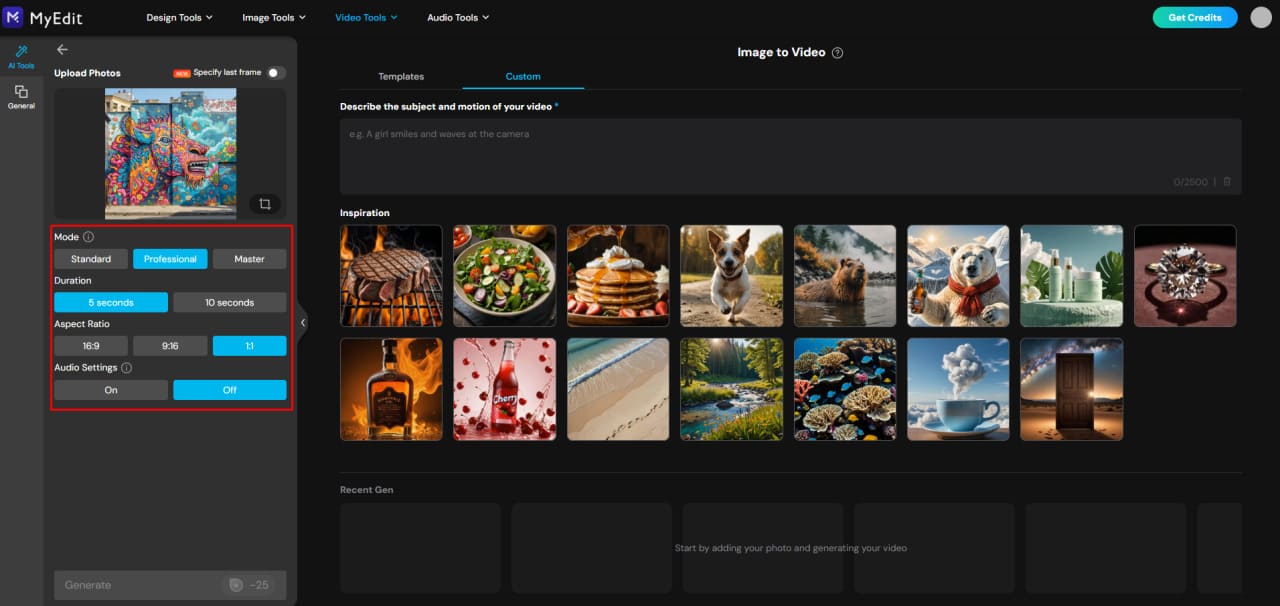
AI video prompts can vary depending on your goal. Here are some common types.
Cinematic Prompts
These are designed to look like scenes from movies. They include dramatic lighting, camera angles, and storytelling elements.
Example:
“A wide cinematic shot of mountains at sunrise, fog rolling through valleys, camera slowly descending”
Animation Prompts
These prompts focus on stylized or cartoon-like visuals.
Example:
“A cute animated character jumping happily in a colorful fantasy world, bright colors and smooth motion”
Story-Based Prompts
These prompts describe a sequence of actions.
Example:
“A man opens an old book, glowing light emerges, camera zooms in as his expression changes to surprise”
Loop Prompts
These are designed for seamless repeating videos, often used for backgrounds or social media.
Example:
“A continuous loop of ocean waves gently hitting the shore, smooth and calming motion”
What we checked in this update
Updated review note
Reviewed the main advice for what are ai video prompts? a complete guide for 2026.
Checked source links, examples, and outdated claims.
Improved reader flow with clearer headings and next steps.
Tips for Writing Better AI Video Prompts
If you want high-quality results, keep these tips in mind.
Be Specific
Vague prompts lead to generic results. Always add details.
Use Natural Language
Write as if you are describing a scene to a person, not a machine.
Avoid Overloading
Too many conflicting details can confuse the AI. Keep your prompt clear and focused.
Think Like a Director
Visualize the scene before writing. Ask yourself:
What is happening?
Where is it happening?
How is it filmed?
Experiment and Refine
You may not get perfect results on the first try. Adjust your prompt and test different variations.
Common Mistakes to Avoid
Even though AI video tools are powerful, mistakes in prompting can reduce quality.
Using unclear descriptions
Ignoring motion details
Adding contradictory elements
Writing overly complex prompts without structure
Learning from these mistakes will significantly improve your results.
Use Cases of AI Video Prompts
Easy Video Creation
Create high-quality videos just by writing simple text prompts without needing editing skills or expensive tools.
Creative Control
Describe scenes, motion, camera angles, and style to fully control how your AI-generated video looks and feels.
Cinematic Output
Use film-style language like lighting, lens, and camera movement to generate professional cinematic visuals.
Time-Saving Process
Generate videos in minutes instead of spending hours on shooting and editing.
Beginner Friendly
No technical skills required—anyone can start creating videos with basic writing and creativity.
Versatile Use Cases
Perfect for YouTube, social media, marketing, storytelling, and educational content creation.
AI video prompts are being used across multiple industries.
Content Creation
YouTubers and social media creators use prompts to generate engaging visuals quickly.
Marketing
Brands use AI videos for ads, product showcases, and storytelling.
Education
Teachers and educators create visual explanations for complex topics.
Entertainment
Short films, animations, and creative storytelling are now easier than ever to produce.
The Future of AI Video Prompting
AI video technology is evolving rapidly. In the near future, we can expect:
Longer and more consistent video generation
Better control over characters and scenes
Real-time video creation
Integration with virtual and augmented reality
As tools improve, prompt writing will become an essential creative skill, much like writing scripts or designing visuals.
Conclusion
AI video prompts are changing the way we create and consume video content. What once required a full production team can now be done with a simple text description. However, the quality of the output depends heavily on how well you write your prompts.
By understanding the structure of a good prompt—subject, environment, motion, camera, lighting, and style—you can unlock the full potential of AI video tools. As we move further into 2026, mastering this skill will not only save time and money but also open up new creative possibilities.
The key is simple: think clearly, describe vividly, and keep experimenting. With practice, your prompts will become more powerful, and your videos will become more impressive.
What is an AI video prompt in simple terms?
An AI video prompt is a text description that tells an AI tool what kind of video to create. It includes details about the scene, action, style, and motion to guide the AI.
Do I need technical skills to use AI video prompts?
No, you don’t need technical skills. Basic writing ability and creativity are enough to get started. Most AI tools are designed for beginners.
How long should an AI video prompt be?
A good AI video prompt is usually one to three sentences long. It should be detailed enough to describe the scene clearly without becoming confusing.
Can AI video prompts create realistic videos?
Yes, modern AI tools can generate highly realistic videos, especially when the prompt includes clear details about lighting, motion, and environment.
This guide was refreshed on Jul 16, 2026 to improve clarity, source quality, internal links, and practical next steps for what are ai video prompts? a complete guide for 2026.
Who should use Digital Tools
What Are AI Video Prompts? A Complete Guide for 2026 is built for readers who want a faster way to finish everyday web tasks. The main goal is shorter workflows, clearer outputs, and reusable tool habits, so the guide focuses on practical choices instead of broad theory.
Use it when you need one of these outcomes:
- testing a task before choosing a heavier app
- saving time on a repeated browser workflow
- combining a guide with a related AltFTool utility
How to get a better result
- Read the core use case and decide what output you need.
- Open the related AltFTool utility and test it with a small sample.
- Review the result, adjust settings, and repeat only if needed.
- Continue with related tools or guides for the next step in the workflow.
Start small, check the first output, and only then repeat the workflow with the full file, text, media, or game session. That gives you a quick quality check before you spend more time.
Quality checks before you trust the output
- the input is clean before running the tool
- the output matches the format you need
- private details are removed before sharing or downloading
Do not overcomplicate a simple task. Start with the smallest sample that proves the workflow, then scale up once the output looks right.
Continue your workflow
If you want to try the workflow now, open the related AltFTool tool area. For more reading, continue through the Digital Tools archive or the AltFTool tools directory.
This creates a cleaner path from explanation to action: read the guide, test the tool, compare the output, and move into the next related AltFTool resource only when it helps the task.
Sources and review notes
References used to check facts, freshness, and reader-safe recommendations in this guide.
This article is provided for informational and educational purposes only. The AI video prompt techniques, tools, features, and best practices discussed are based on publicly available information and industry trends as of 2026. Since AI platforms evolve rapidly, readers should verify the latest features, policies, and usage guidelines on the official websites of their chosen AI video generation tools before relying on them for professional or commercial projects.
- 1
altftool.com
Discussion
0 comments
No comments yet
Discussion will appear here once it loads.