monday.com is a cloud-based work management platform that helps businesses organize projects, tasks, workflows, teams, and business processes in one place. It is designed to make collaboration easier while giving teams better visibility into their work.
What Is monday.com?
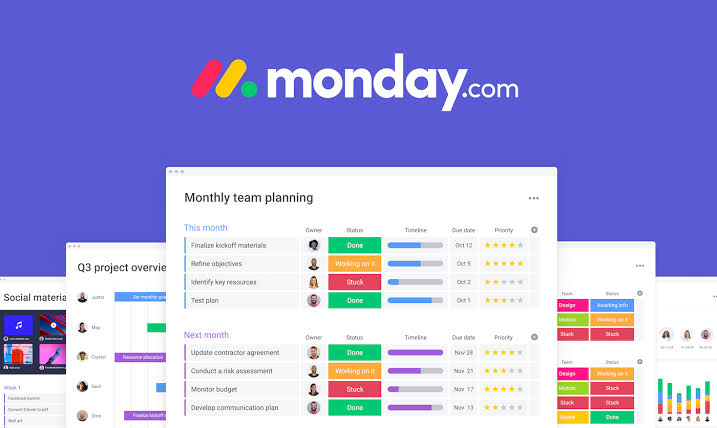
monday.com provides customizable boards where teams can create tasks, assign responsibilities, set deadlines, track progress, and manage workflows. Businesses can use the platform for project management, sales, marketing, HR, software development, and customer service.
Key Features of monday.com
Some of its major features include:
Task & Project Management: Create, assign, and track tasks.
Workflow Automation: Automate repetitive actions and notifications.
Dashboards: Monitor projects, deadlines, workloads, and performance.
CRM: Manage leads, contacts, deals, and sales pipelines.
AI Features: Use AI to assist with workflows, content, analysis, and automation.
Integrations: Connect monday.com with other business tools.
Collaboration: Keep team updates, files, and project information organized.
monday.com Products
monday.com offers solutions for different business needs, including:
monday work management – Projects, tasks, and business workflows.
monday CRM – Sales pipelines and customer relationships.
monday dev – Product and software development.
monday service – Customer and service operations.
Who Can Use monday.com?
monday.com can be useful for startups, small businesses, marketing teams, sales teams, HR departments, product teams, software developers, and larger organizations.
For example, a marketing team can use it to manage a content workflow:
Content Idea → Writing → SEO Review → Design → Approval → Publishing
Each stage can have an assigned owner, deadline, and status.
Benefits of monday.com
The platform can help teams:
Organize work in one place
Improve team collaboration
Track deadlines and responsibilities
Automate repetitive tasks
Monitor project performance
Create customized workflows
Improve visibility across departments
%
Things to Consider
monday.com's flexibility is one of its biggest advantages, but it can also make the platform complicated if teams create too many boards, automations, or unnecessary workflows.
Before choosing a plan, businesses should consider their team size, required features, automation needs, integrations, and budget.
Conclusion
monday.com is more than a basic task-management tool. It provides a flexible environment for managing projects, CRM activities, development, service operations, automation, and AI-powered workflows.
For teams looking for a centralized platform to organize work and improve productivity, monday.com can be a strong option. The right setup, however, depends on the team's specific workflow and business requirements.
monday.com is used to manage projects, tasks, workflows, CRM processes, software development, service operations, and other business processes.
Yes, project management is one of its major use cases. However, monday.com has expanded beyond traditional project management into CRM, development, service management, and AI-powered work execution.
Yes. monday CRM is a dedicated product for managing leads, contacts, deals, pipelines, and customer relationships.
Yes. AI is now a major part of monday.com's platform strategy. The company announced its transition to an AI work platform in May 2026.
It can be. Small businesses can use monday.com for project management, sales, marketing, operations, and team workflows. The key is choosing an appropriate plan and keeping the initial implementation simple.
Who should use Tool Reviews
monday.com: A Complete Guide to Work Management, AI, CRM, Features & Benefits is built for readers who want a faster way to finish everyday web tasks. The main goal is shorter workflows, clearer outputs, and reusable tool habits, so the guide focuses on practical choices instead of broad theory.
Use it when you need one of these outcomes:
- testing a task before choosing a heavier app
- saving time on a repeated browser workflow
- combining a guide with a related AltFTool utility
How to get a better result
- Read the core use case and decide what output you need.
- Open the related AltFTool utility and test it with a small sample.
- Review the result, adjust settings, and repeat only if needed.
- Continue with related tools or guides for the next step in the workflow.
Start small, check the first output, and only then repeat the workflow with the full file, text, media, or game session. That gives you a quick quality check before you spend more time.
Quality checks before you trust the output
- the input is clean before running the tool
- the output matches the format you need
- private details are removed before sharing or downloading
Do not overcomplicate a simple task. Start with the smallest sample that proves the workflow, then scale up once the output looks right.
Continue your workflow
If you want to try the workflow now, open the related AltFTool tool area. For more reading, continue through the Tool Reviews archive or the AltFTool tools directory.
This creates a cleaner path from explanation to action: read the guide, test the tool, compare the output, and move into the next related AltFTool resource only when it helps the task.
Sources and review notes
References used to check facts, freshness, and reader-safe recommendations in this guide.
This article is based primarily on information published by monday.com. Product features, AI capabilities, pricing, availability, and plan limitations can change over time. Readers should verify current product and pricing information on the official monday.com website before making a purchasing decision.
- 1https://monday.com/ Monday.com
monday.com
Discussion
0 comments
No comments yet
Discussion will appear here once it loads.