Running a business is exciting, but managing employees, salaries, tax paperwork, and everyday HR responsibilities can quickly become stressful. For small business owners, these tasks often take up valuable time that could be spent improving products, serving customers, or growing the company.
This is where Gusto comes into the picture.
Gusto is a payroll, human resources, and employee benefits platform designed to make business administration easier. It brings several important workplace tasks together, helping business owners manage their teams without constantly switching between different systems.
Whether a company has a small team or is preparing to hire more employees, having an organized way to handle payroll and HR can make everyday work much smoother.
What Is Gusto and How Does It Work?
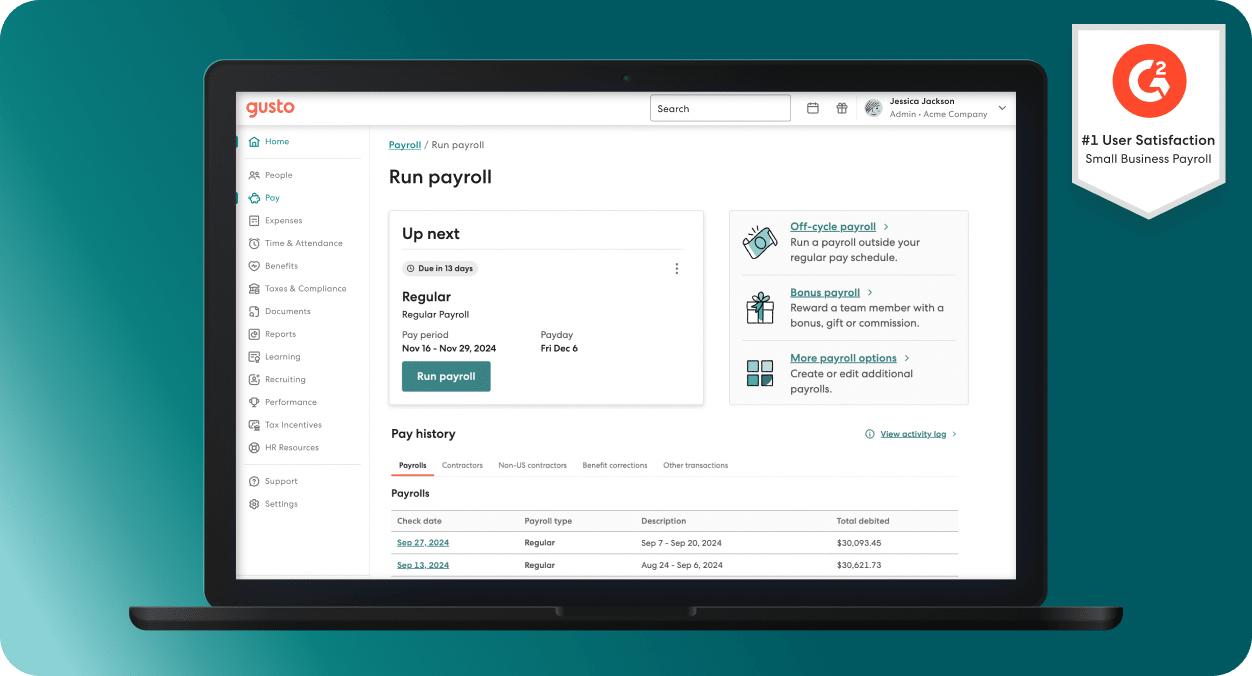
Gusto is a cloud-based business platform that focuses on payroll processing, employee management, HR operations, and workplace benefits. It is primarily designed for businesses operating in the United States.
Think about a small company with ten employees. Every month, the owner needs to calculate salaries, consider working hours, manage deductions, handle payroll taxes, and make sure employees receive their payments on time.
Doing everything manually can become confusing, especially when the business starts hiring more people.
Gusto helps bring these responsibilities into one organized platform. Business owners can manage payroll, maintain employee records, handle onboarding, and explore employee benefits through its available tools.
The idea is simple: spend less time dealing with repetitive administrative work and more time focusing on the business itself.
Why Do Small Businesses Need Payroll and HR Software?
When a business is just starting, managing employees through spreadsheets and paperwork might seem manageable. However, things become different as the team grows.
More employees mean more salary records, tax information, working hours, leave requests, and important documents to maintain.
Here are some common problems businesses face when managing everything manually:
Time-consuming payroll: Calculating salaries and deductions for every employee takes time.
Paperwork overload: Employee documents and tax records can become difficult to organize.
Payroll mistakes: Manual calculations can lead to incorrect payments.
Hiring challenges: Managing applications and onboarding new employees requires proper coordination.
Employee communication: Keeping everyone informed about payments, benefits, and workplace policies can become complicated.
Gusto aims to reduce these everyday difficulties by bringing essential business management activities into a single digital workspace.
Main Features of Gusto That Help Businesses
Gusto offers several tools that support different stages of employee management. Let's look at the major features and understand how they can help businesses in practical situations.
1. Payroll Management Made Easier
Payroll is one of the most important responsibilities of any employer. Employees expect their salaries to arrive correctly and on time, while business owners need to maintain accurate payment records.
Gusto provides payroll tools that help businesses calculate employee payments, manage deductions, and handle payroll tax processes.
Instead of managing every calculation separately, employers can organize payroll information through the platform.

Some useful payroll capabilities include:
Automated payroll calculations.
Employee salary and payment management.
Direct deposit options.
Payroll tax calculations and filings.
Payroll records and reporting.
Support for employee and contractor payments.
Why does this matter?
Imagine running a growing business where employees receive different salaries and work schedules. Keeping every payment detail organized manually can become difficult. Payroll software helps simplify the process and reduces repetitive administrative work.
2. Human Resource Management
Managing people involves much more than paying salaries. Employers also need to maintain employee information, organize workplace documents, manage hiring activities, and support their teams.
Gusto includes HR tools designed to make these responsibilities easier.
Its HR-related capabilities include:
Employee information management.
Digital document storage.
Employee onboarding.
Offer letter preparation.
E-signatures.
Performance management tools.
Employee engagement resources.
For example, when a new employee joins a company, the HR team usually needs to collect personal details, complete documents, and explain workplace policies.
With digital onboarding tools, businesses can organize many of these steps in one place instead of relying entirely on physical paperwork.
3. Employee Benefits Management
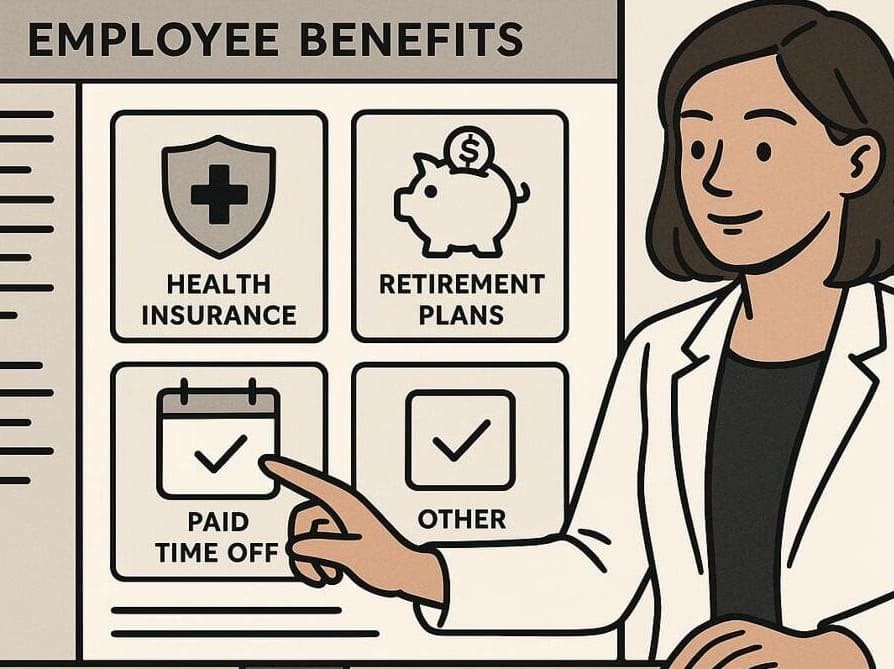
A good workplace is not only about monthly salaries. Employees also appreciate benefits that support their health, financial security, and overall well-being.
Gusto helps eligible businesses explore and manage different employee benefits through its platform.
Some benefits-related options include:
Health insurance.
Dental and vision coverage.
Retirement plans.
Health savings accounts.
Flexible spending accounts.
Commuter benefits.
These options can help businesses build a more supportive workplace.
For small companies, offering organized benefits can also make it easier to compete for talented employees. However, available plans and eligibility depend on the business, location, and applicable requirements.
4. Employee Hiring and Onboarding
Hiring the right people is important for every growing business. But the process does not end when a candidate accepts a job offer.
There are several things to complete before a new employee becomes comfortable in their role.
Gusto provides tools that can help businesses organize parts of the hiring and onboarding process.
Its features include:
Job posting and applicant tracking.
Offer letter templates.
Digital onboarding checklists.
Employee document collection.
E-signature support.
New employee information management.
For example, imagine a small marketing agency hiring a new content writer. The company needs to prepare an offer letter, collect employment documents, explain company policies, and complete the onboarding process.
Having these tasks organized digitally can make the experience easier for both the employer and the new employee.
5. Time Tracking and Paid Time Off
Tracking employee working hours is another important part of workforce management.
Businesses need to understand how many hours employees work, when they take time off, and whether their schedules match company requirements.
Gusto offers time and attendance tools that help eligible businesses manage these activities.

Important capabilities include:
Employee time tracking.
Working-hour records.
Paid time off (PTO) management.
Leave requests and approvals.
Work schedule management.
Time-related payroll information.
For example, if an employee requests a few days off, the manager can use the available time-off management features to keep the request organized.
This makes it easier to maintain clear records and coordinate work schedules.
6. Contractor Payment Management
Many businesses work with freelancers and independent contractors instead of hiring every worker as a full-time employee.
For example, a small company might hire freelance designers, website developers, writers, and marketing specialists for different projects.
Managing these payments separately can create additional administrative work.
Gusto provides contractor payment features that help businesses organize contractor details, payments, and relevant tax documentation.
Some useful capabilities include:
Contractor payment processing.
Payment record management.
Tax document preparation.
Contractor information management.
Support for international contractor payments in eligible countries.
This can be useful for businesses that regularly work with independent professionals.
7. Reporting and Business Insights
Business owners need clear information to understand how their company is performing. Employee costs, payroll records, and workforce information can all help with better planning.
Gusto provides reporting tools that help employers review important business and employee information.
These reports can support activities such as:
Reviewing payroll expenses.
Maintaining employee records.
Understanding workforce costs.
Organizing tax information.
Reviewing available HR data.
Having organized records makes it easier to understand where business resources are going and identify areas that may need attention.
Gusto Features at a Glance
Here is a simple overview of the major areas covered by Gusto.
Feature | What It Helps With | Business Benefit |
Payroll | Salary and payment processing | Organized payments |
HR Management | Employee records and documents | Easier administration |
Benefits | Health and retirement plans | Better employee support |
Hiring | Recruitment and onboarding | Organized hiring |
Time Tracking | Working hours and leave | Better workforce records |
Contractor Payments | Freelancer payments | Simplified administration |
Reporting | Payroll and HR information | Better business planning |
How Gusto Can Help Different Types of Businesses
Not every business has the same employee management requirements. A startup may need basic payroll support, while an established company might need more advanced HR and workforce management tools.
Let's understand how different businesses could use Gusto.
Business Type | Common Challenge | How Gusto Can Help |
Startups | Managing initial employees | Organize payroll and HR |
Marketing Agencies | Handling growing teams | Manage employee information |
Retail Businesses | Tracking employee hours | Support time management |
Consulting Firms | Managing contractors | Organize contractor payments |
Growing Companies | Handling recruitment | Support hiring and onboarding |
Small Offices | Maintaining employee records | Centralize HR information |
Why Startups May Find Gusto Useful
Startups usually operate with limited resources. Founders often manage several responsibilities themselves, including hiring, customer relationships, budgeting, and employee administration.
As the team grows, handling payroll and HR manually can take attention away from important business activities.
Gusto can help startups organize these responsibilities and create a more structured employee management process.
Why Established Small Businesses May Consider It
Small businesses that already have employees may find it useful to bring payroll, benefits, and HR activities together.
Instead of maintaining multiple disconnected records, employers can use a centralized platform for supported tasks.
This can help make everyday administration more consistent.
What Makes Gusto Different From Traditional Payroll Management?
Traditional payroll management often involves spreadsheets, separate employee records, physical documents, and repeated calculations.
Although these methods can work for smaller teams, they may become harder to maintain as a company expands.
Gusto takes a more connected approach by bringing payroll and HR-related tools together.
Here is a simple comparison:
Traditional Approach | Gusto-Based Approach | Main Difference |
Manual salary calculations | Digital payroll tools | Less repetitive work |
Paper employee records | Digital employee records | Easier organization |
Separate onboarding paperwork | Digital onboarding tools | More structured process |
Manually maintained leave records | Available time-off tools | Better recordkeeping |
Separate benefits administration | Integrated benefits options | Connected management |
The main advantage is convenience. Businesses can reduce the number of separate administrative processes they need to manage.
However, software does not remove the employer's responsibility to review payroll information, follow employment laws, and verify important records.
Understanding Gusto's Platform and Ease of Use

One thing that matters when choosing business software is how easy it feels during everyday use.
A platform may offer dozens of features, but if employees and managers find it confusing, it can create more problems than it solves.
Gusto focuses on providing a connected experience where employers can access payroll, employee information, HR tasks, and available benefits.
Employees can also access supported self-service features, such as viewing pay information and managing certain personal employment details.
This type of setup can be helpful because employees do not always need to contact the HR team for basic information.
For example, an employee who wants to check a pay statement may be able to access the relevant information through their employee account.
Similarly, employers can review important payroll and HR tasks through their management dashboard.
Things to Consider Before Choosing Gusto
Although Gusto offers several useful features, it is important to understand whether the platform matches your business requirements.
Choosing software should never be based only on the number of features available.
Here are some important things to review before getting started.
1. Business Location
Gusto is primarily designed for US businesses. Its payroll and tax services are built around US employment and tax requirements. Businesses operating in other countries should check whether the available services meet their local needs.
2. Pricing and Plans
Different plans provide different features. Businesses should compare the available plans and understand the monthly base fee, employee-related charges, and any additional costs.
3. Team Size
Consider how many employees and contractors your business manages. Choose a solution that can support your current workforce and expected growth.
4. Required Features
Some businesses only need payroll, while others require hiring, onboarding, time tracking, benefits, and advanced HR support.
5. Compliance Requirements
Payroll and employment rules can vary depending on location. Businesses should understand their responsibilities and check which compliance tasks the platform supports.
6. Integrations
If your company already uses accounting, scheduling, or other business software, check whether Gusto supports the integrations you need.
How to Decide Whether Gusto Is Right for Your Business
Before choosing Gusto, take a moment to understand your company's everyday requirements.
A useful way to evaluate the platform is to look at the problems you want to solve.
Your Business Need | Gusto's Relevant Tools |
Salary processing | Payroll management |
Employee information | HR management |
New employee setup | Hiring and onboarding |
Workplace benefits | Benefits administration |
Employee attendance | Time tracking |
Freelancer payments | Contractor payments |
Payroll records | Reports and insights |
If your business needs several of these services, having them available through one platform may make administration easier.
On the other hand, if you operate outside the United States, make sure its services are suitable for your country's payroll and employment requirements before considering it.
The Role of Technology in Modern Payroll and HR
Business management has changed significantly over the years. Many companies are moving away from paper-based processes and using digital tools to organize their everyday activities.
Payroll and HR software are becoming important parts of this change because they help businesses manage information more efficiently.
Instead of spending hours organizing employee records, calculating payments, and searching through paperwork, companies can use digital systems to handle supported administrative tasks.
Gusto is one example of this approach. It combines payroll, HR, benefits, and workforce management features in a connected platform.
For growing businesses, this kind of technology can make everyday operations more organized and create a smoother experience for both employers and employees.
Final Thoughts
Managing employees is an important responsibility, but it should not make running a business unnecessarily complicated. Payroll calculations, employee documents, hiring activities, and workplace benefits all require attention and proper organization.
Gusto aims to make these responsibilities easier by bringing several payroll and HR services together.
Its features can be useful for small businesses that want to organize employee payments, manage HR activities, support onboarding, and explore workplace benefits without depending entirely on manual processes.
Of course, every business has different requirements. Before choosing a platform, it is worth comparing its features, pricing, available services, and location-specific support.
The right business software is not necessarily the one with the most features. It is the one that solves everyday problems and makes work easier to manage.
Frequently Asked Questions
Gusto is used for payroll processing, HR management, employee benefits, hiring, onboarding, and workforce administration.
Yes, Gusto is designed to support small businesses with payroll, employee management, and HR-related responsibilities.
Yes, it provides access to options such as health insurance, dental coverage, vision plans, and retirement benefits.
Yes, Gusto supports contractor payments and related tax documentation for eligible domestic and international contractors.
Gusto primarily serves US businesses, although it supports certain international contractor payment services. Its availability varies by service.
Who should use Business & Finance
Gusto: Simplifying Payroll and HR for Small Businesses is built for travelers, shoppers, students, and small teams comparing values across currencies. The main goal is clearer estimates before purchases, invoices, budgets, or travel planning, so the guide focuses on practical choices instead of broad theory.
Use it when you need one of these outcomes:
- checking a price before buying from another country
- estimating travel budgets and daily spending
- comparing invoice or subscription values across currencies
How to get a better result
- Enter the amount and currency pair you want to compare.
- Check when the rate was last refreshed or updated.
- Add expected card, bank, or marketplace fees to the estimate.
- Use the result as guidance, not as a guaranteed final bank rate.
Start small, check the first output, and only then repeat the workflow with the full file, text, media, or game session. That gives you a quick quality check before you spend more time.
Quality checks before you trust the output
- the rate is fresh enough for the decision you are making
- fees, bank margins, and taxes are considered separately
- large transfers are verified with your provider before payment
Do not use a converter result as a final trading, tax, or transfer quote. Real payments can include spreads, delays, and provider-specific fees.
Continue your workflow
If you want to try the workflow now, open the related AltFTool tool area. For more reading, continue through the Business & Finance archive or the AltFTool finance guide archive.
This creates a cleaner path from explanation to action: read the guide, test the tool, compare the output, and move into the next related AltFTool resource only when it helps the task.
Sources and review notes
References used to check facts, freshness, and reader-safe recommendations in this guide.
This article is based on information available on Gusto's official website, including its payroll solutions, HR management features, employee benefits, tax services, and business management tools.
- 1AltFTool
gusto.com
Discussion
0 comments
No comments yet
Discussion will appear here once it loads.