Building software today is very different from how it was a few years ago. Developers no longer have to handle every repetitive task manually. From writing and debugging code to testing applications, generating documentation, managing APIs, and exploring ideas, modern developer tools can make everyday workflows much smoother.
In 2026, artificial intelligence is also becoming a regular part of software development. AI coding assistants can help developers understand unfamiliar code, suggest improvements, create boilerplate, identify potential bugs, and speed up prototyping.
But having hundreds of tools available can create another problem: Which tools are actually useful?
This guide explores the major types of developer tools worth knowing in 2026, including coding utilities, AI development tools, testing platforms, API tools, productivity solutions, and resources for beginners.
What Are Developer Tools?
Developer tools are software applications, online platforms, extensions, and utilities designed to help people build, test, manage, and maintain software.
They can support almost every stage of development, including:
Writing and editing code
Debugging errors
Testing applications
Managing APIs
Working with databases
Version control
Creating websites and applications
Automating repetitive tasks
Generating documentation
Improving development productivity
Some tools are designed for experienced programmers, while others are beginner-friendly and provide visual interfaces or guided workflows.
Why Developer Tools Matter in 2026
Modern development involves much more than simply writing code. Developers often switch between code editors, terminals, repositories, testing environments, documentation, project-management platforms, and deployment services.
The right tools can reduce unnecessary switching and automate repetitive work.
Development Need | Useful Tool Category |
|---|---|
Writing code | Code editors and IDEs |
AI assistance | AI coding assistants |
Finding bugs | Debugging tools |
Testing | Automated testing platforms |
API development | API clients and testing tools |
Collaboration | Git and repository platforms |
Deployment | Cloud and hosting platforms |
Documentation | Documentation tools |
Productivity | Developer workflow tools |
Learning | Coding practice platforms |
The important point is that a developer does not need every tool available. A small collection of reliable tools can often create a more efficient workflow than a complicated collection of software.
Best Coding and Programming Tools
At the foundation of software development are code editors and integrated development environments, commonly called IDEs.
These tools provide features such as syntax highlighting, autocomplete, debugging, extensions, project navigation, and integrated terminals.
Popular development environments can support languages including:
JavaScript
Python
Java
C++
C#
PHP
Go
Rust
TypeScript
This review looks at Developer Tools 2026: Best Free Coding & AI Tools Online from a practical user perspective: what it helps with, where it fits best, and what to check before relying on it.
Best for
Readers who need a quick workflow for developer tools 2026: best free coding & ai tools online.
One-time tasks where speed matters more than heavy setup.
Comparing simple options before choosing a final tool.
Key features to check
Feature | Why it matters | What to test |
|---|---|---|
Ease of use | Reduces setup time | Can a new user finish the task quickly? |
Output quality | Protects the final result | Does the result look clean and accurate? |
Privacy | Keeps sensitive data safer | Does the workflow require uploads or accounts? |
Verdict
Developer Tools 2026: Best Free Coding & AI Tools Online is most useful when the goal is clear and the result can be checked immediately. For repeat work, save the best settings and pair it with related AltFTool utilities.
What Makes a Good Code Editor?
A useful editor should make it easy to navigate a project and quickly understand what is happening in the code.
Look for features such as:
Smart autocomplete: Helps reduce repetitive typing and suggests relevant code.
Extensions: Allow developers to customize their environment for specific languages and frameworks.
Integrated terminal: Lets developers run commands without constantly switching applications.
Debugging support: Makes it easier to identify and fix problems.
Git integration: Helps developers manage changes and collaborate with others.
For beginners, a simple editor can be easier to learn. Experienced developers may prefer highly customizable environments with advanced extensions.
AI Coding Tools Are Changing Development
One of the biggest changes in developer workflows is the rise of AI-assisted programming.
AI coding tools can generate code suggestions, explain functions, create repetitive code, suggest fixes, and help developers explore unfamiliar technologies.
Instead of asking AI to build an entire application without supervision, a more practical approach is to use it as a coding assistant.
Common AI Coding Tasks
Task | How AI Can Help |
|---|---|
Code generation | Create boilerplate and repetitive code |
Debugging | Explain errors and suggest possible fixes |
Learning | Explain unfamiliar programming concepts |
Refactoring | Suggest cleaner code structures |
Documentation | Generate initial documentation |
Testing | Create test-case ideas |
Prototyping | Quickly explore application concepts |
Tools such as GitHub Copilot, Cursor, Replit, Tabnine, and other AI-powered coding platforms demonstrate how AI can become part of the development environment.
However, generated code still needs review. AI can produce incorrect logic, outdated approaches, security problems, or code that technically works but is difficult to maintain.
Important: Treat AI-generated code as a starting point, not an automatic approval. Test it, understand it, and review it before using it in production.
Developer Tools for Debugging
Every developer eventually encounters an error that seems to make no sense.
Debugging tools help identify what is happening inside an application and where a problem may be occurring.
Browser developer tools are especially useful for web developers. They can help inspect HTML and CSS, monitor network requests, examine JavaScript errors, test responsive layouts, and review performance.
A Simple Debugging Process
Reproduce the problem.
Read the error message carefully.
Identify the file or function involved.
Check recent changes.
Use logs or debugging tools.
Test the suspected solution.
Re-test the application after making changes.
AI can assist with understanding error messages, but developers should still verify the actual cause rather than accepting the first suggested solution.
API Tools for Developers
APIs allow different applications and services to communicate with each other. They are essential for modern websites, mobile applications, SaaS platforms, and integrations.
API development tools can help developers send requests, inspect responses, test endpoints, manage authentication, and document APIs.
For example, when developing an application that connects to a payment service, weather API, AI platform, or database service, an API testing tool can make it easier to understand whether requests and responses are working correctly.
What to Check When Choosing an API Tool
HTTP request support
Authentication options
Environment variables
Request history
Response inspection
Team collaboration
API documentation
Automation capabilities
A good API workflow can save considerable time when building and troubleshooting integrations.
Testing Tools for Better Software
Writing code is only one part of development. Testing is essential for finding problems before users encounter them.
Developers can use different testing approaches depending on the application.
Unit testing checks individual functions or components.
Integration testing checks whether different parts of an application work together.
End-to-end testing evaluates complete user workflows.
Performance testing examines how an application behaves under different workloads.
Testing Type | Main Purpose |
|---|---|
Unit | Test individual components |
Integration | Test connected components |
End-to-end | Test complete workflows |
Performance | Measure speed and stability |
Security | Identify potential vulnerabilities |
Automated testing becomes particularly valuable as applications grow because manually repeating the same checks can consume a lot of time.
Version Control and Collaboration
Working on software often means making frequent changes. Version-control tools help developers track those changes and collaborate without constantly overwriting each other's work.
Git-based workflows are widely used for managing source code.
With version control, developers can:
Create branches
Review changes
Compare versions
Restore previous code
Collaborate with teammates
Manage feature development
Review pull requests
For teams, version control is not just about storing code. It provides a structured way to manage the development process.
Developer Productivity Tools
Development can involve many small tasks that are not directly related to writing code.
Productivity tools can help developers manage notes, tasks, documentation, meetings, project information, and repetitive workflows.
A developer might use one tool for project management, another for documentation, and automation tools to connect different services.
Small Improvements Can Add Up
Imagine saving only 10 minutes each day by automating repetitive tasks. Over weeks and months, those small savings can become significant.
Useful productivity improvements include:
Automated project updates
Reusable code snippets
Templates
Command-line shortcuts
Automated testing
AI-assisted documentation
Task automation
Centralized project notes
The goal is not to automate everything. It is to remove unnecessary repetitive work so developers can spend more time solving meaningful problems.
Developer Tools for Beginners
New developers often make the mistake of installing too many tools at once.
You do not need an advanced setup to start learning programming.
A beginner-friendly setup could include:
Requirement | Starting Point |
|---|---|
Code editor | Simple IDE or editor |
Version control | Git |
Practice | Coding exercises |
Documentation | Official language documentation |
Debugging | Browser or IDE debugger |
AI assistance | Optional AI coding assistant |
Project hosting | Repository platform |
Start with the fundamentals first. Once you understand the basics of programming, you can gradually add tools that solve specific problems.
How AI and Traditional Developer Tools Work Together
AI does not necessarily replace traditional developer tools. Instead, the two can complement each other.
For example, a developer might use an AI assistant to understand an error, an IDE to edit the code, Git to track the change, an API client to test an integration, and automated testing to verify the result.
A modern workflow can look like:
Plan → Code → AI Assistance → Test → Debug → Review → Commit → Deploy
Each tool has a specific role.
This combination can be more practical than expecting one AI platform to handle the entire software-development process.
How to Choose the Right Developer Tools
With so many options available, selecting tools can feel overwhelming.
Start by identifying your actual requirement.
Ask:
What programming language am I using?
Am I working alone or with a team?
Do I need AI assistance?
Is the project web, mobile, desktop, or backend?
Do I need API testing?
How much automation do I need?
Is a free plan sufficient?
Does the tool integrate with my existing workflow?
Free vs Paid Developer Tools
Many developer tools offer free versions, open-source editions, or free tiers.
Feature | Free Tools | Paid Tools |
|---|---|---|
Cost | No subscription | Subscription or license |
Features | Basic/core features | Advanced features |
Usage | May have limits | Usually higher limits |
Collaboration | Often limited | More team features |
Best for | Learning and smaller projects | Professional workflows |
Free tools are particularly useful for students, beginners, independent developers, and people experimenting with new technologies.
Before paying for a tool, test its free version when available and determine whether it actually improves your workflow.
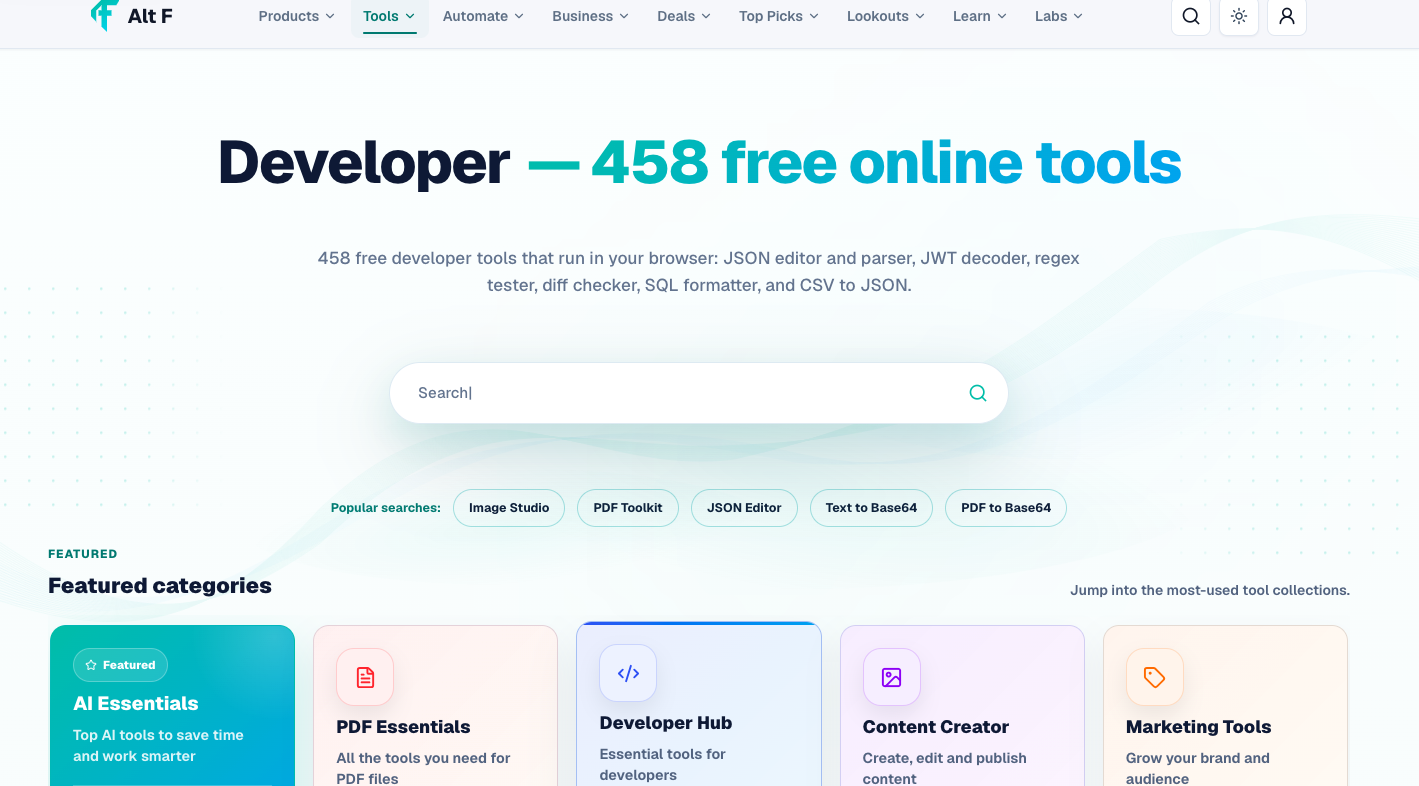
Developer Tools Available Through AltFTool
Finding the right online utility can sometimes take almost as much time as completing the actual task. AltFTool brings together a range of digital and AI-powered utilities designed for different online workflows.
Its developer-focused tools can be useful for people working with coding, programming, development tasks, and related digital activities.
Instead of treating a tool directory as a collection of software to try randomly, use it as a starting point when you already know the type of task you want to complete.
Practical Tips for Developers in 2026
The best developer workflow is not necessarily the one with the most tools. It is the one that helps you solve problems efficiently.
Keep these points in mind:
Learn the fundamentals: Tools are more useful when you understand the underlying concepts.
Use AI thoughtfully: Verify generated code instead of blindly copying it.
Keep your toolkit focused: Avoid installing tools simply because they are popular.
Read official documentation: It is often the most reliable source for technical details.
Test before deployment: Small testing habits can prevent bigger problems.
Protect sensitive data: Be careful when sending source code or credentials to online services.
Keep learning: Developer tools change quickly, so staying curious is valuable.
Quick checklist
Confirm the main goal for developer tools 2026: best free coding & ai tools online.
Compare the available options before choosing one workflow.
Use the related AltFTool utilities to finish the task faster.
Developer tools are software applications and online utilities that help programmers write, test, debug, manage, and deploy software.
Yes. Many coding editors, Git tools, testing frameworks, API tools, and AI development platforms offer free versions or free tiers.
They can be useful for explanations, examples, debugging help, and learning. Beginners should still understand the code rather than relying entirely on generated answers.
AI can generate substantial amounts of code, but complex applications still require human planning, testing, security review, debugging, and maintenance.
Who should use Tools
Developer Tools 2026: Best Free Coding & AI Tools Online is built for readers who want a faster way to finish everyday web tasks. The main goal is shorter workflows, clearer outputs, and reusable tool habits, so the guide focuses on practical choices instead of broad theory.
Use it when you need one of these outcomes:
- testing a task before choosing a heavier app
- saving time on a repeated browser workflow
- combining a guide with a related AltFTool utility
How to get a better result
- Read the core use case and decide what output you need.
- Open the related AltFTool utility and test it with a small sample.
- Review the result, adjust settings, and repeat only if needed.
- Continue with related tools or guides for the next step in the workflow.
Start small, check the first output, and only then repeat the workflow with the full file, text, media, or game session. That gives you a quick quality check before you spend more time.
Quality checks before you trust the output
- the input is clean before running the tool
- the output matches the format you need
- private details are removed before sharing or downloading
Do not overcomplicate a simple task. Start with the smallest sample that proves the workflow, then scale up once the output looks right.
Continue your workflow
If you want to try the workflow now, open the related AltFTool tool area. For more reading, continue through the Tools archive or the AltFTool tools directory.
This creates a cleaner path from explanation to action: read the guide, test the tool, compare the output, and move into the next related AltFTool resource only when it helps the task.
Sources and review notes
References used to check facts, freshness, and reader-safe recommendations in this guide.
Information is based on publicly available details from official developer-tool websites and product documentation. Features, availability, pricing, and free-plan limits may change over time, so users should verify the latest information directly with each tool provider.
- 1AltFTool
altftool.com
Discussion
0 comments
No comments yet
Discussion will appear here once it loads.