keeping track of your digital life feels like a full-time job these days. Between online banking, shopping apps, food delivery, work accounts, and cloud storage, your personal data is scattered across dozens of platforms. Most of the time, everything works smoothly—until a company you used three years ago suffers a data breach, and suddenly your email, password, or bank details end up floating around on the dark web.
That is where identity theft protection services come in. Instead of waiting until your bank account is drained or a mysterious credit card shows up in your name, these tools watch your personal details around the clock and alert you when something looks off.
When you start researching the best options in 2026, two names show up almost everywhere: Aura and LifeLock.
On paper, they sound pretty similar. Both monitor your personal information, send alerts if your data is exposed, and help you recover if someone steals your identity. Once you look closer, though, they are built for two very different types of people.
Aura is like a digital Swiss Army knife. It bundles identity theft protection together with everyday cybersecurity tools like antivirus software, a VPN, and a password manager.
LifeLock (owned by Gen Digital, the company behind Norton) is a heavy-duty financial watchdog. It focuses much more intensely on deep financial account monitoring, credit locks, scam reimbursement, and hands-on recovery support.
Choosing between them isn’t about picking the one with the longest list of buzzwords. It comes down to what tools you already pay for, how worried you are about financial fraud, and how much support you want if things go sideways. Let’s break down how Aura and LifeLock stack up in 2026 so you can pick the right one without wasting money.
Understanding the Core Difference: All-in-One Security vs. Financial Defense
Before getting lost in pricing tiers and feature charts, it helps to understand the philosophy behind each service.
What Is Aura?
Aura is designed to be the only digital safety subscription you need. Instead of buying an antivirus program from one company, a VPN from another, and identity monitoring from a third, Aura puts everything under one roof and one dashboard.
Suppose your email address and password show up in a leaked database. Aura will ping you about the breach, help you generate a stronger password using its built-in password manager, and check whether your credit files have been touched. If you are someone who wants to set up a single app across your family’s phones and laptops and forget about it, Aura makes that process refreshingly simple.
What Is LifeLock?
LifeLock has been in the identity protection space for decades, and its biggest strength is pure financial defense. While you can bundle it with Norton 360 to get device security tools, standalone LifeLock is laser-focused on your money, credit, and legal identity.
Identity theft isn't just about someone guessing your Netflix password. Serious identity theft happens when criminals use your Social Security number to open new lines of credit, take out loans, file fake tax returns, or hijack your investment accounts. LifeLock is built to catch those financial red flags early and give you dedicated specialists to clean up the mess if fraud happens.
Aura vs. LifeLock: Side-by-Side Comparison (2026)
Feature | Aura | LifeLock |
Primary Focus | All-in-one digital security & privacy | Deep financial monitoring & recovery |
Credit Bureau Monitoring | All 3 bureaus (Experian, Equifax, TransUnion) on standard plans | 1 bureau on entry plan; 3 bureaus on higher tiers |
Antivirus Protection | Included in all plans | Only included in Norton bundles |
VPN (Virtual Private Network) | Included in all plans | Only included in Norton bundles |
Password Manager | Included in all plans | Available (via Norton bundles or standalone add-ons) |
Data Broker Removal | Included | Available on select plans |
Identity Theft Insurance | Up to $1 million per adult | Up to $1M to $3M per adult (depending on tier) |
Scam Reimbursement | Included on eligible plans | Up to $10,000 on top-tier plans |
Family Plans | Very strong (includes parental controls) | Available (covers adults and children) |
A Closer Look at Aura’s Key Features
Aura’s biggest selling point is convenience. You don't have to guess which tier unlocks basic cybersecurity tools—they come baked right into the experience.
1. Three-Bureau Credit Monitoring
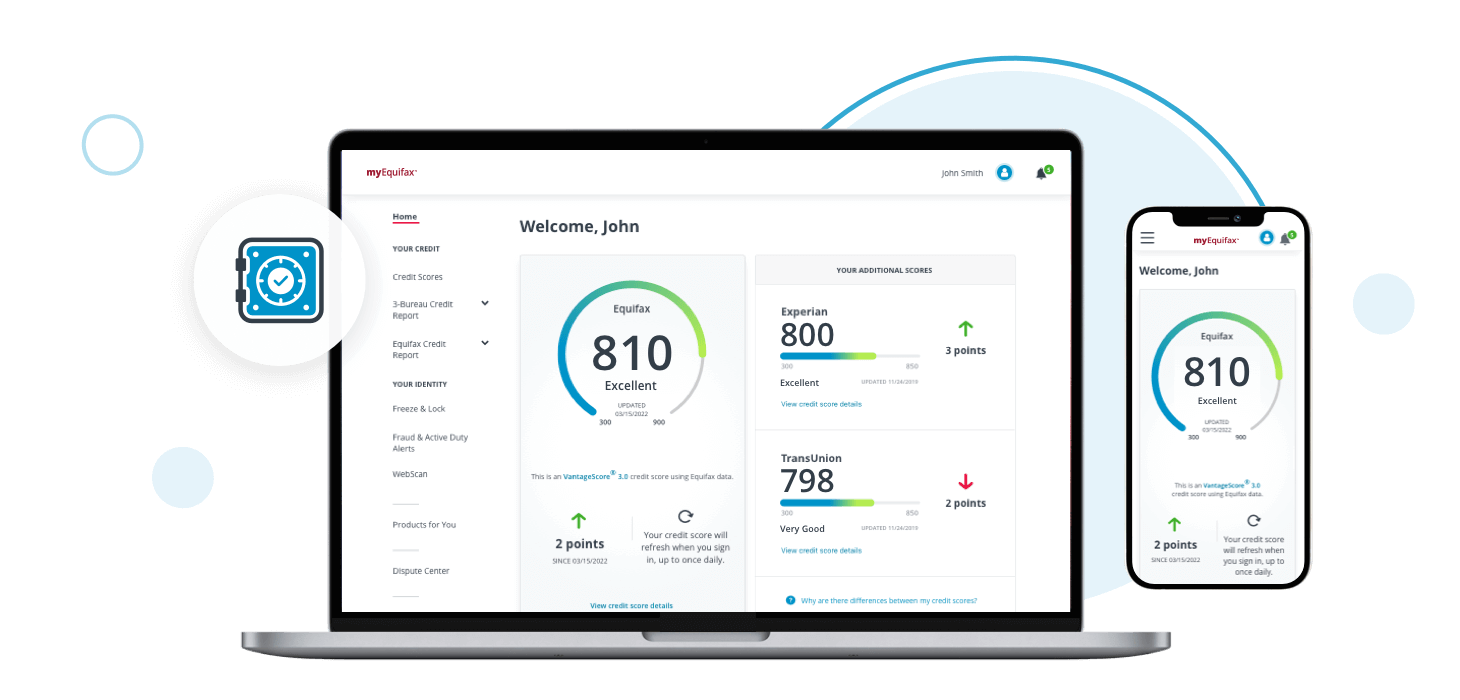
Unlike some competitors that only watch one credit bureau unless you pay extra, Aura monitors Experian, Equifax, and TransUnion right out of the gate. If someone tries to run a credit check or open a new account in your name, you get an alert quickly enough to freeze things before real damage happens.
2. Built-In Antivirus and VPN
Most identity theft starts with a simple mistake—clicking a convincing phishing link, downloading a bad attachment, or logging into your bank on unsecured airport Wi-Fi.
Aura’s antivirus blocks malware and spyware from quietly recording your keystrokes.
Its VPN encrypts your internet connection on public networks so snoops on the same café Wi-Fi can’t intercept your data.
(A quick reality check: A VPN is great for public Wi-Fi privacy, though it won’t stop you from getting tricked by a fake website if you willingly type your password into it. Good habits still matter.)
3. Password Manager and Data Broker Removal
Reusing the same password across ten websites is one of the easiest ways to get hacked. Aura includes a solid password manager that saves and autofills unique logins across your devices.
On top of that, Aura automatically sends opt-out requests to data brokers—those shady websites that scrape your home address, phone number, and relatives' names and sell them online. Removing your info from those sites cuts down on spam calls and makes it harder for scammers to build a profile on you.
4. Family Safety and Parental Controls
If you have kids, Aura’s family plan is hard to beat. Alongside covering up to five adults with individual insurance policies, it gives parents tools to filter inappropriate websites, pause internet access at bedtime, and monitor cyberbullying or unsafe behavior in online games.
A Closer Look at LifeLock’s Key Features
LifeLock doesn’t try to be everything at once on its base plans. Instead, it goes much deeper into financial tracking and post-theft recovery.
1. Extensive Financial Account Alerts
Beyond watching your credit reports, LifeLock keeps tabs on suspicious activity across your checking, savings, investment, and 401(k) accounts (depending on the plan you pick). If someone tries to add a new payee to your bank account, request a large transfer, or take over an existing account, LifeLock flags it fast.
2. Credit Locks and File Monitoring
LifeLock makes it easy to lock and unlock your credit files directly from its app. While a "credit lock" isn't legally identical to a formal government-mandated credit freeze, it works nearly instantaneously and stops most lenders from pulling your credit report without your say-so.
3. Dedicated U.S.-Based Identity Restoration Specialists
Getting an alert that your identity was stolen is terrifying—especially when you realize you now have to spend forty hours on hold with banks, collection agencies, and government offices proving you are who you say you are. LifeLock assigns a dedicated restoration specialist to handle the paperwork, make calls on your behalf, and walk you through every step until your records are cleared.
4. High Reimbursement Limits and Scam Protection
Recovering from severe identity theft can get expensive fast, especially if you need to hire a lawyer or take unpaid time off work.
LifeLock’s top-tier Total plan offers up to $3 million in combined identity theft reimbursement per adult (split across stolen funds, personal expenses, and legal/expert fees).
It also includes scam protection reimbursement (up to $10,000 on the Total plan). Because modern scammers rely heavily on fake texts, impersonation calls, and deceptive websites to trick people into sending money willingly, having a safety net for scams is a huge plus in 2026.
Pricing in 2026: Watch Out for the Renewal Jump
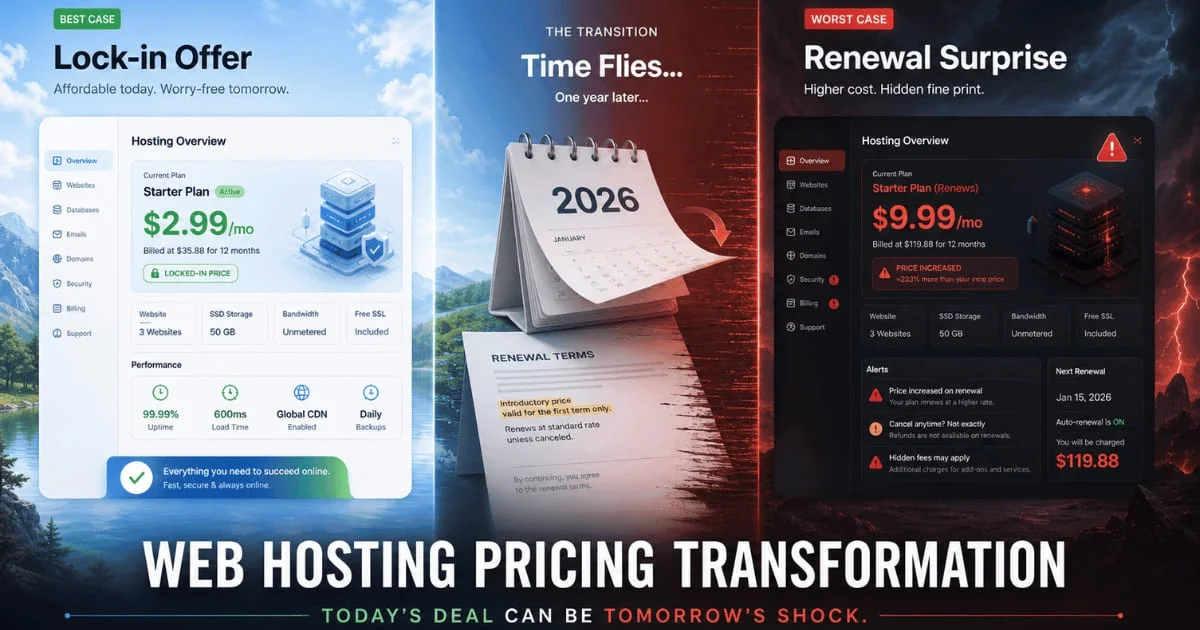
Both companies rely on introductory discounts to get you in the door, so it pays to look closely at both the first-year price and what happens when your subscription renews.
Aura Pricing
Aura keeps its pricing structure fairly straightforward, breaking plans down by Individual, Couple, and Family (with a separate Kids-only option).
Plans start around $10 to $12 per month when billed annually for an individual, scaling up to around $25 to $32 per month for a full family plan.
Because antivirus, VPN, and three-bureau credit monitoring are included across the board, you don't feel pressured to buy expensive add-ons just to get core features.
LifeLock Pricing
LifeLock divides its plans by protection depth—Core, Advanced, and Total—and prices them per adult:
Core: Starts around $10.42/month ($124.99 billed annually for the first year). Good for basic alerts, though it only monitors one credit bureau.
Advanced: Starts around $16.67/month for the first year. Adds broader financial alerts and higher reimbursement limits.
Total: Starts around $29.17/month ($349.99 billed annually for the first year). Unlocks three-bureau credit monitoring, bank and investment alerts, and the $3 million reimbursement package.
Pro Tip Before You Buy: Both services—especially LifeLock—raise their rates noticeably after the first 12 months. Always check the renewal price on the checkout screen, and set a calendar reminder 11 months from today so you can decide whether to renew, downgrade, or call customer support for a loyalty discount.
Pros and Cons at a Glance
Aura
What We Like:
Best value if you don't already pay for an antivirus, VPN, or password manager.
Three-bureau credit monitoring is included without needing the most expensive tier.
Clean, modern mobile app that is very easy to navigate.
Outstanding family plan with built-in parental controls.
What Could Be Better:
Less flexible if you already own Norton, Bitdefender, or 1Password and don't want duplicate tools.
Standard identity theft insurance caps at $1 million per adult (lower than LifeLock's top tier).
LifeLock
What We Like:
Unmatched financial monitoring for bank, investment, and retirement accounts.
Higher reimbursement caps (up to $3 million) and dedicated scam reimbursement on upper tiers.
Top-notch human recovery specialists when serious fraud occurs.
Seamless integration if you already use Norton 360.
What Could Be Better:
Gets expensive quickly—you have to pay for the top tier to get three-bureau credit monitoring.
Standalone plans don't include antivirus or VPN unless you buy a Norton bundle.
Important Note for Readers Outside the US (Especially in India)

Before hitting "subscribe," there is one critical detail you need to know: both Aura and LifeLock are built around the US financial and legal system.
Their credit monitoring relies on American credit bureaus (Equifax, Experian, TransUnion) and US Social Security numbers. Their identity theft insurance policies are also written for US residents.
If you live in India, neither Aura nor LifeLock will monitor your CIBIL score, protect your PAN card, or send alerts if someone misuses your Aadhaar details. While Aura’s antivirus, VPN, and password manager will still work on your devices anywhere in the world, paying full price for US credit monitoring won't protect your Indian financial records. In India, you are much better off combining a solid cybersecurity suite (like Bitdefender or Norton), enabling two-factor authentication on your bank accounts, locking your Aadhaar biometrics directly through the official UIDAI portal, and checking your CIBIL report periodically.
Which One Should You Choose?
Still on the fence? Use this simple rule of thumb:
Go with Aura if you want an easy, all-in-one digital safety net. If you currently don't use a password manager, antivirus, or VPN—or if you want to protect your whole household under one simple subscription—Aura gives you the most bang for your buck.
Go with LifeLock if your top priority is protecting substantial savings, retirement accounts, and credit lines. If you already have device security covered and want maximum financial alerts, dedicated recovery specialists, and high reimbursement limits, LifeLock (specifically its Advanced or Total tier) is worth the extra cost.
A Quick Reality Check on Online Safety

No matter which service you choose, remember that identity theft protection acts like a smoke detector, not a fireproof wall. It alerts you when something goes wrong and helps you clean up afterward, but your daily habits are still your strongest defense.
Even with Aura or LifeLock running in the background, make sure you:
Turn on two-factor authentication (2FA) on your email, banking, and social media accounts (use an authenticator app rather than SMS when possible).
Freeze your credit directly with the major bureaus—it’s completely free and stops new credit accounts from being opened in your name.
Never click links in unexpected text messages or emails claiming your bank account is locked or a package couldn't be delivered.
Pair smart everyday habits with the right monitoring tool, and you will make yourself a much harder target for cybercriminals in 2026.
Aura is better for all-in-one protection because it includes an antivirus, VPN, and password manager in every plan.
LifeLock provides deeper bank and investment alerts alongside up to $3 million in identity theft reimbursement on its top tier.
No, standalone LifeLock plans do not include device security unless you purchase a bundled Norton 360 package.
While Aura’s antivirus and VPN work globally, both services rely on US credit bureaus and do not monitor Indian CIBIL scores or Aadhaar details.
Both platforms offer heavily discounted introductory rates for your first 12 months before automatically renewing at their standard annual prices.
Sources and notes
Links the author listed for this post.
Information is based on official Aura and LifeLock websites, including their protection plans, features, and subscription details. Additional comparisons and industry reviews are used to provide a balanced overview.
More on AltFTool
- AltFTool (opens in a new tab)
altftool.com

Discussion
0 comments