The mobile industry continues to evolve rapidly, offering a wide range of plans to suit every budget and lifestyle. Whether you’re a heavy data user, a casual browser, or someone who relies on calls and texts, finding the right plan can make a huge difference. This guide covers the top mobile plans and deals to watch out for this year, helping you choose the best option without getting overwhelmed by confusing jargon.
Understanding Mobile Service Providers
Before diving into plans, it’s important to understand what mobile service providers offer. These companies typically provide:
- Voice and Text Services: Standard calling and SMS services.
- Data Plans: Internet access through 4G/5G networks.
- Value-Added Services: Extras like streaming subscriptions, international roaming, or device discounts.
Mobile service providers differ in coverage, pricing, and customer support, so comparing them is essential to make an informed decision.
Types of Mobile Plans Available

Mobile plans generally fall into three categories:
1. Prepaid Plans
Prepaid plans are ideal for users who prefer flexibility and don’t want to be locked into long-term contracts. You pay in advance for a set amount of calls, texts, and data.
Pros:
- No credit checks
- Flexible top-ups
- Easy to control spending
Cons:
- Higher rates for data overages
- Limited perks compared to postpaid plans
2. Postpaid Plans
Postpaid plans are billed monthly and often come with bundled features such as higher data limits, device financing, and additional benefits.
Pros:
- Often includes unlimited calls and texts
- Easier to get premium devices on installment
- Added perks like streaming services or roaming
Cons:
- Requires a credit check
- Contract commitments may last 12–24 months
3. SIM-Only Plans

SIM-only plans are perfect if you already own a phone and don’t want to invest in a new device. They usually come with flexible data, call, and text limits at lower prices.
Pros:
- Affordable monthly fees
- No device contracts
- Easy to switch providers
Cons:
- No new device included
Limited promotional offers
| Feature | Prepaid Plans | Postpaid Plans | SIM-Only Plans |
| Payment Type | Pay before usage | Pay after monthly billing | Monthly billing (no device cost) |
| Contract | No contract | Usually 12–24 months | Flexible or short-term contracts |
| Cost | Budget-friendly | Higher monthly cost | Cost-effective |
| Device Included | No | Yes (often with installments) | No |
| Flexibility | High | Limited | High |
| Data Allowance | Limited or fixed | Higher or unlimited options | Flexible data options |
| Best For | Light users, budget-conscious users | Heavy users, families | Users who already own a phone |
| Perks & Benefits | Minimal | Streaming, roaming, add-ons | Basic perks, sometimes discounts |
| Credit Check | Not required | Required | Sometimes required |
| Switching Ease | Very easy | May involve contract exit fees | Easy switching |
Top Mobile Plan Features to Look For
When comparing plans, consider these features to get the best value:
- Data Allowance: How much internet you need for browsing, streaming, and gaming.
- Coverage: Ensure strong network coverage in your area.
- Roaming: Check international roaming rates if you travel frequently.
- Customer Support: Responsive service can save a lot of headaches.
- Extra Perks: Some plans include streaming subscriptions, device discounts, or cashback.
Best Deals to Watch Out For This Year
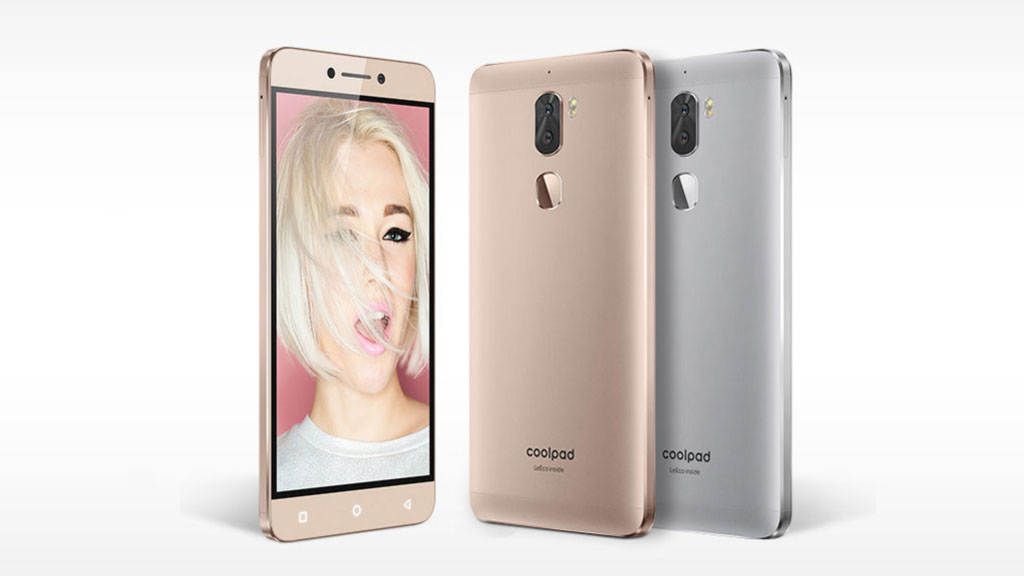
Mobile service providers are constantly updating their offers. Here are some deals and trends to look out for this year:
1. Unlimited Data Plans
Unlimited data plans have become increasingly popular, especially with more people working and learning from home. Look for plans that truly offer unlimited data without throttling speeds after a certain limit.
2. Family and Shared Plans
Family plans allow multiple users to share a pool of data, calls, and texts. These plans are perfect for households and often come with discounts per additional line.
3. Bundled Offers
Some mobile service providers bundle their plans with devices or streaming subscriptions. These can include free access to popular apps or discounts on the latest smartphones, giving extra value.
4. Short-Term Promotional Plans
Many providers offer promotional plans for a limited period to attract new customers. These may include double data, discounted rates, or bonus perks. Keeping an eye on these promotions can save a significant amount of money.
5. 5G Plans

With 5G networks expanding, several providers are offering specialized 5G plans. These plans provide faster speeds and improved connectivity but often come at a slightly higher cost.
How to Choose the Right Plan

Choosing the right plan requires analyzing your usage patterns and budget. Follow these steps:
- Track Your Usage: Review your previous bills to understand your data, call, and text needs.
- Compare Providers: Use online tools or provider websites to compare plans based on features, coverage, and price.
- Check Fine Print: Look for hidden charges, contract terms, or limits on usage.
- Consider Flexibility: Opt for plans that allow upgrades, top-ups, or easy switching if your needs change.
Tips to Save Money on Mobile Plans
- Opt for annual plans instead of monthly plans if you’re a long-term user.
- Look for student or senior discounts if applicable.
- Bundle with other services such as internet or TV for additional savings.
Take advantage of cashback and referral programs offered by providers.
Who should use Technology & Gadgets
Top Mobile Plans and Deals to Watch Out for This Year is built for readers who want a faster way to finish everyday web tasks. The main goal is shorter workflows, clearer outputs, and reusable tool habits, so the guide focuses on practical choices instead of broad theory.
Use it when you need one of these outcomes:
- testing a task before choosing a heavier app
- saving time on a repeated browser workflow
- combining a guide with a related AltFTool utility
How to get a better result
- Read the core use case and decide what output you need.
- Open the related AltFTool utility and test it with a small sample.
- Review the result, adjust settings, and repeat only if needed.
- Continue with related tools or guides for the next step in the workflow.
Start small, check the first output, and only then repeat the workflow with the full file, text, media, or game session. That gives you a quick quality check before you spend more time.
Quality checks before you trust the output
- the input is clean before running the tool
- the output matches the format you need
- private details are removed before sharing or downloading
Do not overcomplicate a simple task. Start with the smallest sample that proves the workflow, then scale up once the output looks right.
Continue your workflow
If you want to try the workflow now, open the related AltFTool tool area. For more reading, continue through the Technology & Gadgets archive or the AltFTool tools directory.
This creates a cleaner path from explanation to action: read the guide, test the tool, compare the output, and move into the next related AltFTool resource only when it helps the task.
Reader questions
Quick answers
What is Top Mobile Plans and Deals to Watch Out for This Year about?
The mobile industry continues to evolve rapidly, offering a wide range of plans to suit every budget and lifestyle. Whether you’re a heavy data user, a.
When should I use Technology & Gadgets?
Use Technology & Gadgets when you need testing a task before choosing a heavier app or saving time on a repeated browser workflow. It is best for shorter workflows, clearer outputs, and reusable tool habits.
How do I get better results from Technology & Gadgets?
Start with a small sample, then check that the input is clean before running the tool and the output matches the format you need. Review the output before using it in a final workflow.
Where can I find more Technology & Gadgets guides?
Use the AltFTool blog archive, AltFTool tools directory, and related links on this page to explore more Technology & Gadgets tutorials, tool workflows, and practical recommendations.
Sources and review notes
References used to check facts, freshness, and reader-safe recommendations in this guide.
Reviewed against AltFTool editorial guidance, related site archives, and linked tool pages for freshness and reader usefulness.
- 1
- 2AltFTool tools directory
AltFTool
Discussion
0 comments
No comments yet
Discussion will appear here once it loads.