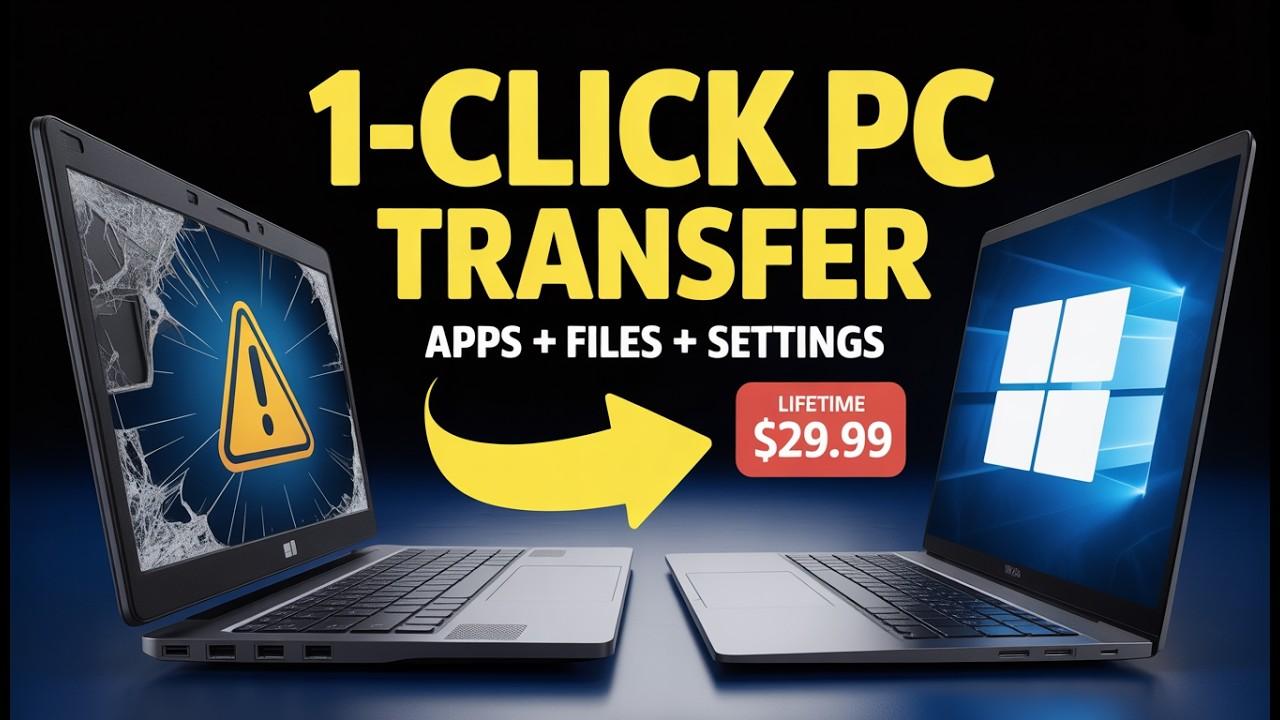
In today's digital world, managing files, protecting important data, and keeping devices running smoothly have become essential parts of everyday life. Whether someone uses a computer for work, studies, business, or personal activities, losing important files or experiencing technical problems can be frustrating. This is where reliable software solutions can make a real difference.
EaseUS is a software brand that focuses on making digital tasks easier through practical tools for data recovery, backup, disk management, and multimedia editing. Its products are designed to help individuals and businesses manage their digital information, solve common computer problems, and work more efficiently.
From recovering accidentally deleted documents to creating backups and managing storage space, EaseUS offers a collection of software solutions for different technology needs. Its emphasis on accessible interfaces and practical features makes it a brand worth exploring for everyday computer users.
About EaseUS
Founded in 2004, EaseUS develops software focused on data recovery, backup, storage management, and other digital utilities. The company aims to make technical tasks more accessible through tools designed for home users, professionals, and businesses.
Instead of concentrating on just one type of software, the brand offers solutions for several common technology challenges. Users can explore tools for recovering deleted information, transferring files between devices, managing hard drives, and recording their computer screens.
Its product range is useful for people who want practical software without having to navigate complicated technical processes.
What Does EaseUS Offer?
Explore EaseUS Software Solutions
Smart digital tools designed to simplify your everyday technology needs.
Data Recovery Software
Restore access to important lost files and digital memories.
EaseUS Data Recovery Wizard helps scan storage devices and attempt to recover deleted or lost files.
- Recover deleted files and folders.
- Scan hard drives, SSDs and memory cards.
- Find photos, videos and documents.
- Preview supported files before recovery.
Data Backup & Protection
Keep valuable information protected with regular backups.
EaseUS Todo Backup provides tools for backing up and restoring important information.
- File and folder backups.
- System and disk backups.
- Scheduled backup options.
- Restoration and disk cloning features.
Partition Management
Organise storage space and manage disk partitions efficiently.
EaseUS Partition Master offers disk partition management tools for supported systems.
- Create and delete partitions.
- Resize and move partitions.
- Format storage partitions.
- Clone disks and manage storage.
Data Transfer & Device Management
Move important information between compatible devices.
EaseUS MobiMover and Todo PCTrans support different file transfer and migration tasks.
- Transfer supported files between devices.
- Move photos and videos.
- Migrate selected PC data.
- Manage supported smartphone information.
Multimedia & Productivity Tools
Create, record, edit and manage digital content.
EaseUS offers a range of multimedia and productivity utilities.
- RecExperts – Screen recording.
- Video Editor – Video editing.
- Vocal Remover – Audio separation.
- Fixo – File repair utilities.
EaseUS Products at a Glance
Here is a quick comparison of some popular EaseUS products and their primary purposes.
Product | Main Purpose | Suitable For |
Data Recovery Wizard | Recovering lost files | Everyday users |
Todo Backup | Backing up important information | Home and business users |
Partition Master | Managing disk partitions | PC users |
Disk Copy | Cloning storage drives | Computer upgrades |
MobiMover | Transferring supported mobile data | Smartphone users |
Todo PCTrans | Moving data between PCs | People upgrading computers |
RecExperts | Recording screens | Educators and creators |
Fixo | Repairing corrupted files | Digital media users |
Why Do People Choose EaseUS?
Choosing software is not only about the number of features available. Users also want tools that are understandable, practical, and suitable for their everyday requirements.
Here are some reasons people may consider exploring EaseUS.
1. Multiple Solutions in One Brand
One of the brand's main advantages is its variety of software categories.
Instead of searching for separate providers for every computer-related task, users can explore data recovery, backup, disk management, and multimedia solutions within the same software ecosystem.
2. Beginner-Friendly Approach
Technical operations such as recovering deleted files or managing partitions can seem complicated to inexperienced users.
EaseUS products are designed with graphical interfaces and guided workflows that help users understand available operations.
This can make certain technical tasks more approachable.
3. Solutions for Different Users
The brand caters to different types of customers.
Students: Can explore data recovery and backup tools to manage academic documents and projects.
Professionals: Can use backup, file transfer, and productivity software to support everyday work.
Content Creators: Can explore screen recording, video editing, and audio tools.
Businesses: Can consider professional backup, recovery, and IT management solutions depending on their requirements.
4. Free and Paid Software Options
EaseUS offers free and paid editions across several product categories.
Free versions can help users explore basic features before deciding whether an upgrade is necessary.
Paid editions may provide additional functionality, higher usage limits, or professional capabilities.
However, free features and limitations vary by product. Users should review the current licensing information before purchasing.
Key Features That Make EaseUS Worth Exploring
The following capabilities help explain the brand's broader appeal.
Feature | How It Helps |
File recovery | Helps attempt to retrieve deleted or lost information |
Data backup | Creates additional copies of important files |
Disk management | Helps organise storage space |
Disk cloning | Supports transferring data to another drive |
File transfer | Makes moving selected information easier |
Screen recording | Captures tutorials, presentations, and demonstrations |
File repair | Helps address certain corrupted media files |
Practical Software for Everyday Problems
Many computer problems do not require advanced technical knowledge to understand, but they can still be difficult to solve.
For instance, someone might accidentally delete an important presentation before a meeting. Another person may want to upgrade their computer's hard drive without reinstalling everything.
EaseUS offers tools designed around these everyday situations.
Its approach focuses on providing dedicated software for specific tasks rather than expecting users to manage every problem manually.
How to Get Started with EaseUS
Get Started with EaseUS in 6 Simple Steps
Follow this easy guide to explore and use EaseUS software.
Visit the Official Website
Visit the EaseUS official website and explore its available software categories.
Identify Your Requirement
Choose the right tool for your needs, such as Data Recovery Wizard or Todo Backup.
Check Compatibility
Review operating system support, device requirements, and available software features.
Download the Software
Select your preferred product edition and download it directly from the official website.
Install and Explore
Complete the installation process and become familiar with the software dashboard.
Choose the Right Operation
Select the required feature, follow the on-screen instructions, and review important settings before proceeding.
EaseUS Pricing: Free vs Paid Options
EaseUS offers different pricing models depending on the product. Some applications provide free editions, while others offer monthly, yearly, or lifetime licensing options.
The exact price and included features can change, so it is important to check the official product page before making a purchase.
Purchase EaseUS Software Online.+1
Software Option | What to Expect |
Free Edition | Basic features with product-specific limitations |
Pro Edition | Additional features for individual users |
Technician Edition | Professional capabilities for technical service providers |
Business Edition | Features designed for organisational requirements |
Is the Free Version Enough?
For users who only need occasional access to basic features, a free edition may be a reasonable starting point.
However, someone recovering a large amount of data or requiring advanced backup functionality may need a paid edition.
Before purchasing, consider:
How frequently you will use the software.
Whether the free version meets your requirements.
Whether the required feature is available in your selected edition.
Whether you need a personal or commercial licence.
Whether the subscription or lifetime option offers better value for your usage.
Smart Tip: Do not purchase a premium version simply because it offers more features. Choose the edition that addresses your actual requirements.
Advantages and Limitations of EaseUS
Every software brand has strengths and areas users should consider before choosing it.
Advantages
Wide Product Selection: Covers recovery, backup, storage management, and multimedia tasks.
Accessible Interfaces: Provides graphical workflows for many common operations.
Multiple Operating System Options: Selected products support Windows and Mac.
Free Editions: Some tools offer free versions for exploring basic capabilities.
Personal and Professional Solutions: Offers different editions for individual users and businesses.
Dedicated Utilities: Provides separate tools for specific technical requirements.
Limitations
Free Version Restrictions: Some products limit the amount of data or number of operations available without payment.
Premium Costs: Advanced features may require a paid licence.
Different Compatibility Requirements: Not every product supports every operating system or device.
Recovery Is Not Guaranteed: Deleted files may be permanently unrecoverable, especially after being overwritten.
Learning Curve: Some advanced disk-management and backup operations require technical understanding.
These points are worth considering before selecting any data management software.
Who Should Consider Using EaseUS?
Students
Manage assignments, presentations, research documents, and academic files with useful backup and data recovery solutions.
Explore More →Office Professionals
Organise important work documents, transfer files, and support computer upgrades with practical digital tools.
Explore More →Content Creators
Discover screen recording, video editing, and audio utilities for creating and managing engaging digital projects.
Explore More →Small Businesses
Support business operations with professional backup, data protection, and migration solutions for everyday technology needs.
Explore More →Tips for Using Data Management Software Safely
Before using any recovery, backup, or disk-management application, it is important to follow a few basic precautions.
Create Backups Regularly: Keep additional copies of important documents and photographs.
Download from Official Sources: Avoid suspicious third-party download websites.
Check Storage Compatibility: Confirm that the software supports your device and operating system.
Avoid Overwriting Lost Data: If you accidentally delete something, minimise activity on the affected storage device.
Review Operations Carefully: Check the selected drive and settings before formatting, cloning, or modifying partitions.
Understand Licence Conditions: Read the product's terms, renewal details, and refund policy before purchasing.
These habits can help reduce unnecessary risks while managing digital information.
Is EaseUS Worth Exploring?
EaseUS is worth exploring for people looking for dedicated software to manage common computer and digital storage challenges.
Its product collection covers several useful areas, including data recovery, backup, disk partitioning, file transfer, and multimedia productivity.
One of its biggest advantages is the variety of solutions available under a single brand. Users can select individual products according to their requirements instead of paying for features they may never use.
However, choosing the right product is important. Someone who needs to recover deleted photographs has different requirements from a business looking for a regular backup solution.
It is also worth remembering that software cannot eliminate every risk associated with data loss. Regular backups, safe storage practices, and careful device management remain essential.
Overall, EaseUS provides a broad collection of digital utilities that can help individuals and organisations manage their everyday technology needs more conveniently.
FAQ'S
EaseUS provides software solutions for data recovery, file management, backup, disk partitioning, and multimedia editing.
Yes, EaseUS offers data recovery software that can help retrieve deleted, lost, or formatted files from supported storage devices.
Yes, EaseUS offers free versions or trials of selected tools, although some features may require a paid subscription.
Yes, many EaseUS tools feature user-friendly interfaces and guided steps, making them accessible to beginners and everyday users.
EaseUS is an established software provider. Users should download its applications from the official website and follow recommended instructions to protect their data.
Sources and notes
Links the author listed for this post.
Information for this article has been referenced from the official EaseUS website, including its company profile, product descriptions, download centre, and product categories. - EaseUS Official Website - EaseUS All Products - About EaseUS - EaseUS Download Centre
More on AltFTool
- AltFTool (opens in a new tab)
altftool.com

Discussion
0 comments
No comments yet
Discussion will appear here once it loads.