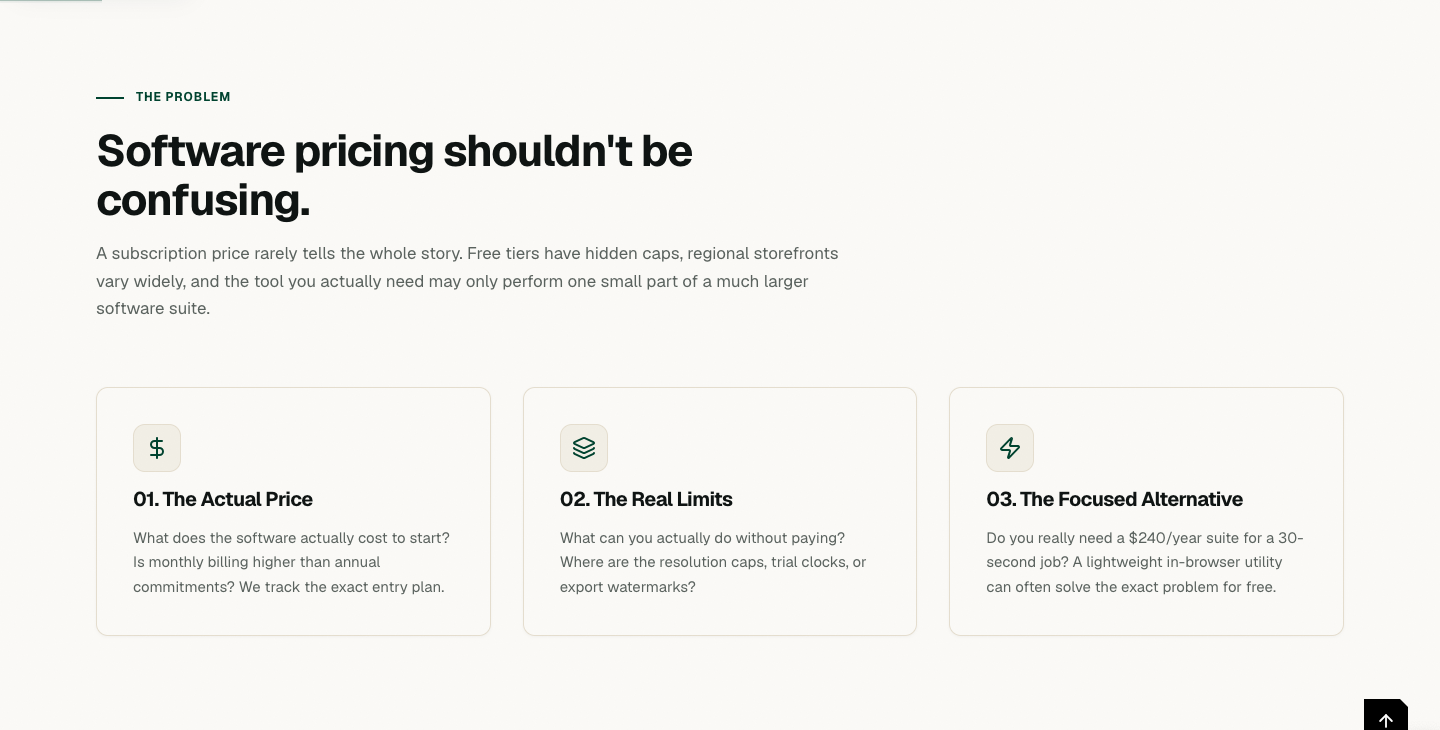
While exploring the AltFTool Deals page, I started with the idea that software pricing shouldn't be confusing.The page focuses on software prices, free-tier limits, and free browser-based alternatives. It explains that a subscription price does not always tell the whole story. Free tiers can have limits, regional storefronts can vary, and sometimes the tool needed may only perform one small part of a much larger software suite.
The page breaks this problem into three areas: the actual price, the real limits, and the focused alternative.
The actual price focuses on what software costs to start and whether monthly billing is higher than annual commitments.
The real limits focus on what can actually be done without paying, including resolution caps, trial periods, and export watermarks.
The focused alternative asks whether a complete software suite is really necessary for a small task that could instead be handled by a browser-based utility.
See What You're Actually Paying For
The next section I explored was “See what you're actually paying for.”
The page explains that it documents starting prices, free-tier limitations, usage caps, and underlying capabilities directly from vendor documentation.
It also highlights entry prices from official checkout storefronts, free-tier caps written in plain language, and direct links to vendor pricing pages for independent checking.
One verified record shown on the page was checked on 2026-07-28.
The example shown was Adobe Photoshop, with a starting price of US$22.99 per month and free access listed as a 7-day trial only that auto-renews.
Alongside this paid software example, the page presents individual browser-based utilities including Remove BG, Merge PDFs, Compress Video, Create Invoice, Edit Image, and Generate QR.
Sometimes You Only Need One Feature
Another section I explored was “Sometimes you only need one feature.”
The page explains that a user may not need a large software suite for a small task.
The examples shown include merging three PDF contracts, cutting out a product background, or generating a client invoice.
AltFTool presents individual software tasks as separate browser-based utilities.
The page describes these utilities as instant browser-based tools that launch with zero setup.
This section focuses on separating one specific task from the larger software suite.
Instead of using an entire application for one small requirement, the page presents an individual utility for that particular job.
This list highlights practical options for Deals Guide: Real Software Prices, Limits & Free Options, with a focus on speed, usefulness, and how easy each option is to apply.
Top picks
Best overall: Choose this when you want the simplest reliable workflow.
Best for speed: Choose this when the task is urgent and low-risk.
Best for control: Choose this when formatting, privacy, or accuracy matters most.
Selection criteria
Useful result without unnecessary setup.
Clear output that readers can check quickly.
Good fit with related AltFTool tools and guides.
Final recommendation
Pick the option that matches your task size and risk level. When in doubt, start with the simplest workflow and move up only if you need more control.
Find the Free Tool for the Job
The next section I explored was “Find the free tool for the job.”
The page explains that every comparison connects a specific intent to the exact AltFTool page created for that task.
It also states that all tools run on client-side memory, meaning files, photos, and documents never leave the device.
One comparison shown on the page is for merging several PDF documents.
The comparison presents Adobe Acrobat Pro at US$19.99 per month, with one transaction free for 30 days.
Against this, the page presents AltFTool PDF Merger, showing $0 / Free with unlimited client-side merges.
Honest Technical Boundaries
While exploring the page, I also found the section about Honest Technical Boundaries.
The page explains that there are areas where commercial desktop software remains the benchmark.
For Enterprise OCR & Print Standards, it mentions CMYK 16-bit color separation and complex OCR table preservation.
For Team Collaboration & Cloud Sync, it mentions centralized brand kits, shared workspace assets, and multi-user permissions as features that belong in paid services.
This section is directly connected to the page's explanation of where browser-based utilities have boundaries.
Know Where Free Is Enough
The next section I explored was “Know where free is enough.”
The page states that AltFTool does not claim to replace every aspect of professional desktop software.
It describes browser utilities as useful for fast, focused, private utility jobs, while professional software remains important for enterprise workflows.
The page also explains that understanding this boundary can help users spend their software budget where it matters.
What Are You Trying to Do?
The page then presents an Interactive Comparison section titled “What are you trying to do?”
It asks users to start with the job rather than the software.
The available tasks shown include:
Background Remover
PDF Merger
Image Editor
Invoice Generator
Video Trimmer
Excel to Chart
Flow Chart Maker
Meeting Action Extractor
Text Behind Image
The comparison is therefore organized around specific jobs.
Removing the Background From a Photo
One specific job shown on the page is removing the background from a photo.
The paid software route shown is remove.bg.
The page lists its India pricing as Lite ₹539.10/month, with ₹6,469.20 billed yearly.
Its free tier is described as a 0.25-megapixel website preview, while the full-resolution file requires one credit.
The page also explains that remove.bg's cutout model performs better on difficult cases involving hair, fur, motion blur, and semi-transparent edges.
The AltFTool route shown is AltFTool Background Remover, listed at $0 / 100% Free.
The page says it cuts out the subject and provides a transparent PNG at the size uploaded.
It also states that the tool runs in the browser tab, so the photo is never uploaded to AltFTool.
The page clearly identifies the boundary as well: hair, fur, fine fabric, and motion blur are areas where remove.bg's model is described as better than in-browser segmentation.
Explore Software Costs by Category
Another section I explored was “Explore software costs by category.”
The page says there are 16 verified research comparisons across 6 core productivity domains.
Images & Design
The Images & Design section includes:
Background Remover
Image Editor
Image Compressor
Text Behind Image
Meme Generator
Color Palette from Image
These are presented around specific image-related tasks.
PDF & Documents
The PDF & Documents section includes:
PDF Merger
The task shown is merging several PDFs into one document.
Video
The Video section includes:
Video Trimmer
Video to GIF
These are presented for trimming a video clip and converting a short video clip into a GIF.
Data & Business
The Data & Business section includes:
Invoice Generator
Excel to Chart
Flow Chart Maker
These cover creating an itemized invoice, turning a spreadsheet or CSV into a chart, and drawing a flowchart or process diagram.
Developer & Text
The Developer & Text section includes:
JSON Editor
Diff Checker
Markdown Preview
These are presented for validating and formatting JSON, comparing text, and writing Markdown with a live preview.
Meetings & AI
The Meetings & AI section includes:
Meeting Action Extractor
The page describes this as pulling action items and decisions out of a meeting transcript.
We Don't Always Recommend the Free Option
Another section I explored was “We don't always recommend the free option.”
The page explains that a comparison tool that always pushes its own free product would be an advertisement.
Instead, it presents a framework for deciding when to use a free option and when paid software may be appropriate.
Free Is Enough
The page presents Occasional Tasks as one situation where free can be enough.
The examples include merging or compressing PDFs for an email, extracting a single photo cutout, and formatting JSON or Markdown.
AltFTool Is a Great Fit
The page presents Private & Local Tasks as another situation.
It focuses on data privacy, speed, and clean zero-setup browser workflows.
The examples include sensitive documents that must not leave the device, zero account registration or password hassle, and instant launches without heavy installations.
Paid Software Wins
The page presents Enterprise Workflows as an area where paid software wins.
The examples include non-destructive Photoshop layers and masks, Canva Brand Kits and shared team workspaces, and Acrobat Pro multi-page OCR and form signing.
Every Number Has a Source
The Integrity & Sourcing section explains how the pricing information is handled.
The first principle is Direct Source. The page says every price is read from the vendor's own live storefront and is never estimated.
The second is Explicit Date. Each record carries the exact date on which it was verified.
The third is True Currency. Non-USD storefront prices are published as quoted and labelled without artificial foreign-exchange conversion.
The fourth is Real Free Tier, where resolution caps, trial days, and usage limits are stated in plain language.
The fifth is No Fake Savings, meaning the page does not total subscriptions that users were not already buying to create savings claims.
Verified Product Prices vs Free Alternatives
The Master Database section contains 28 paid software products across 16 tasks.
Each product is mapped to its entry price, free-tier limits, and corresponding free AltFTool tool.
The table includes paid products such as remove.bg, Adobe Acrobat, Smallpdf, Adobe Photoshop, Canva Pro, FreshBooks, Zoho Invoice, and Camtasia.
The information is organized around what users pay for, entry prices, free-tier details, and the related AltFTool page for the same job.
Quick comparison
Option | Best use | What to check |
|---|---|---|
Fast method | Quick one-time tasks | Accuracy and output quality |
Advanced method | Repeatable workflows | Settings, limits, and saved results |
AltFTool Deals compares software prices, free-tier limits, and browser-based alternatives for specific digital tasks.
Prices are taken directly from vendors’ official pricing storefronts and recorded with the date they were verified.
No. Prices from non-USD storefronts are shown in their quoted currency rather than being artificially converted.
It refers to occasional or focused tasks where a free browser utility may handle the specific job without requiring a subscription.
The page presents its browser-based utilities as 100% free alternatives for the listed tasks.
Who should use Customer Deals
Deals Guide: Real Software Prices, Limits & Free Options is built for readers who want a faster way to finish everyday web tasks. The main goal is shorter workflows, clearer outputs, and reusable tool habits, so the guide focuses on practical choices instead of broad theory.
Use it when you need one of these outcomes:
- testing a task before choosing a heavier app
- saving time on a repeated browser workflow
- combining a guide with a related AltFTool utility
How to get a better result
- Read the core use case and decide what output you need.
- Open the related AltFTool utility and test it with a small sample.
- Review the result, adjust settings, and repeat only if needed.
- Continue with related tools or guides for the next step in the workflow.
Start small, check the first output, and only then repeat the workflow with the full file, text, media, or game session. That gives you a quick quality check before you spend more time.
Quality checks before you trust the output
- the input is clean before running the tool
- the output matches the format you need
- private details are removed before sharing or downloading
Do not overcomplicate a simple task. Start with the smallest sample that proves the workflow, then scale up once the output looks right.
Continue your workflow
If you want to try the workflow now, open the related AltFTool tool area. For more reading, continue through the Customer Deals archive or the AltFTool tools directory.
This creates a cleaner path from explanation to action: read the guide, test the tool, compare the output, and move into the next related AltFTool resource only when it helps the task.
Sources and review notes
References used to check facts, freshness, and reader-safe recommendations in this guide.
Based on my personal exploration of the AltFTool Deals page, including its software pricing comparisons, free-tier limits, verified vendor pricing, and browser-based alternatives.
- 1AltFTool
altftool.com
Discussion
0 comments
No comments yet
Discussion will appear here once it loads.