The internet has become an essential part of everyday life. People use it to communicate, shop, work, study, manage finances, stream entertainment, and store personal information. While digital technology has made these activities more convenient, it has also created new privacy and security challenges.
Every time someone browses a website, connects to public Wi-Fi, downloads an application, or shares personal information online, there may be opportunities for cybercriminals, advertisers, or other third parties to collect data.
This is why cybersecurity and VPN software have become increasingly important. From protecting internet connections to detecting malicious files and monitoring potential data breaches, modern security tools help people manage different aspects of their digital lives.
A Virtual Private Network (VPN) is one of the most widely used privacy tools. It creates an encrypted connection between a user's device and a VPN server, helping protect internet traffic from certain types of monitoring. Cybersecurity platforms may also offer antivirus protection, phishing prevention, identity monitoring, password tools, and other security features.
Platforms such as Surfshark demonstrate how VPN services are expanding into broader digital security packages. Alongside VPN protection, its product range includes tools such as Antivirus, Alert, Search, Alternative ID, and Clean Web, depending on the subscription and platform.
However, choosing security software involves more than looking at the number of features included in a subscription. Users need to understand what each tool actually protects, what its limitations are, and how it fits into their everyday online activities.
This guide explores cybersecurity and VPN software in 2026, including how these tools work, their benefits, essential features, common threats, privacy considerations, and practical tips for choosing suitable protection.
What Is Cybersecurity Software?
Cybersecurity software refers to applications and digital tools designed to protect devices, networks, accounts, and information from online threats.
These threats can include viruses, malware, ransomware, phishing attacks, spyware, unauthorized access, and identity theft.
Cybersecurity tools work in different ways. Some monitor files and applications for suspicious activity, while others encrypt internet connections, block harmful websites, or notify users when personal information appears in known data breaches.
Common types of cybersecurity software include:
Antivirus and anti-malware applications.
Virtual Private Network (VPN) software.
Firewall and network protection tools.
Password managers.
Phishing and scam protection.
Identity and data breach monitoring.
Secure browsing tools.
Device and network monitoring systems.
No single application can protect against every online threat. A stronger security approach combines appropriate software with safe browsing habits, updated devices, strong passwords, and careful handling of personal information.
What Is a VPN and How Does It Work?
A Virtual Private Network, commonly called a VPN, creates an encrypted connection between a user's device and a VPN server through the internet.
When someone connects to a VPN, their internet traffic travels through this protected connection before reaching its destination.
Without a VPN, websites and online services generally see the public IP address assigned by the user's internet connection. With a VPN, websites usually see the VPN server's IP address instead.
This can help improve online privacy and reduce the exposure of internet traffic to certain observers, particularly when using networks that are not fully trusted.
How Does a VPN Connection Work?
The process can be understood through a few simple steps.
1. Open the VPN Application
Users install a VPN application on a compatible device, such as a smartphone, laptop, desktop computer, or tablet.
2. Choose a VPN Server
The application provides a list of available server locations. Users can select a location based on their privacy, connectivity, or other requirements.
3. Establish an Encrypted Connection
The VPN application creates an encrypted tunnel between the device and the VPN server. The encryption helps prevent people on the same local network from easily reading the protected traffic.
4. Internet Traffic Travels Through the VPN Server
The VPN server forwards the user's internet requests to their intended destinations. Websites generally see the server's IP address rather than the user's original public IP address.
5. Data Returns Through the Protected Connection
Information travels back through the VPN connection to the device, where the VPN application processes it.
The exact protection depends on the VPN provider, connection protocol, application settings, and whether the destination website also uses HTTPS.
Why Is Cybersecurity Important in 2026?

Online threats are not limited to large companies or government organizations. Everyday internet users can also become targets of scams, account theft, malicious downloads, and data exposure.
A single compromised email account may expose personal conversations, password reset links, shopping accounts, and other private information.
Cybersecurity helps reduce these risks by providing tools and practices that protect digital activities.
1. Protection Against Malware
Malware is malicious software designed to damage devices, steal information, monitor activity, or gain unauthorized access.
Examples include viruses, spyware, ransomware, and trojans.
Antivirus software can scan files, monitor suspicious activity, and help detect known or emerging threats. However, its effectiveness depends on the software's detection capabilities, updates, and configuration.
2. Safer Online Banking and Shopping
Online banking and shopping involve sensitive information, including login credentials, payment details, and personal data.
Secure websites, strong passwords, multi-factor authentication, and device protection can help reduce the risk of unauthorized access.
A VPN can add encryption to the connection between a device and its VPN server, but it does not replace the security measures used by banks, payment providers, or shopping websites.
3. Better Protection on Public Wi-Fi
Public Wi-Fi is available in airports, hotels, restaurants, cafés, libraries, and other shared spaces.
These networks can be convenient, but users may not know how they are managed or whether other connected devices are trustworthy.
A VPN can encrypt supported internet traffic, adding protection when using an unfamiliar network. Users should still avoid suspicious websites, keep software updated, and use HTTPS wherever available.
Federal Trade Commission+1
4. Reduced Exposure of Personal Information
Many websites and online services collect information about users through cookies, account activity, advertising systems, and other tracking technologies.
Privacy tools can help limit certain forms of tracking, reduce unnecessary data exposure, and give users more control over their online activities.
However, a VPN does not prevent every form of tracking. Websites may still recognize logged-in users, browser characteristics, cookies, and information voluntarily shared through online forms.
5. Protection for Remote Work
Remote employees frequently access company applications, documents, communication tools, and internal systems from outside the office.
Organizations may use VPNs or other secure remote-access solutions to protect connections between employees and business networks.
Businesses should also consider access permissions, multi-factor authentication, device security, network segmentation, and regular software updates. A VPN alone does not guarantee that a company network is secure.
Important Features of Modern Cybersecurity and VPN Software
Cybersecurity platforms now combine multiple features to support different privacy and protection needs.
1. Strong Encryption
Encryption converts readable information into a protected format that cannot easily be understood without the appropriate key.
VPN applications use encryption to protect traffic travelling between the device and the VPN server.
When comparing VPN services, users should review the encryption standards and protocols supported by the provider.
2. VPN Protocols
VPN protocols determine how a secure connection is established and how information travels between a device and a VPN server.
Common protocols include:
WireGuard: A modern protocol designed with a relatively simple codebase and efficient performance.
OpenVPN: An established, open-source VPN protocol with flexible configuration options.
IKEv2/IPsec: A protocol combination often used for secure connections, including on mobile devices.
Different protocols may perform differently depending on the device, network, and provider. Users should choose a reputable service that supports well-established security standards.
3. Kill Switch
A VPN kill switch is designed to block internet traffic if the VPN connection unexpectedly disconnects.
This can help prevent supported traffic from continuing over the regular internet connection without VPN protection.
Its availability and behaviour can vary across operating systems and applications, so users should understand how the feature works on their devices.
4. No-Logs Policy
A no-logs policy describes a VPN provider's approach to collecting and retaining information about user activity.
Some providers state that they do not store browsing activity or connection records that could identify specific users. However, privacy claims should be evaluated carefully.
Independent audits, transparency reports, privacy policies, and the provider's legal jurisdiction can help users assess these claims.
5. Antivirus and Malware Protection
Antivirus software scans files, applications, and system activity for potentially harmful behaviour.
Depending on the product, it may provide:
Real-time threat detection.
Scheduled device scans.
Malware removal.
Suspicious file alerts.
Protection against malicious downloads.
Quarantine options.
Antivirus software should be regularly updated because new threats appear continuously.
6. Ad and Tracker Blocking
Some cybersecurity applications include tools that block advertisements, tracking technologies, malicious domains, and suspicious website elements.
These features can improve the browsing experience and reduce exposure to certain online threats.
For example, Surfshark's Clean Web feature is designed to block ads, trackers, malware, and phishing attempts on supported platforms.
7. Data Breach Monitoring
Data breach monitoring tools check whether certain personal information appears in databases associated with known data breaches.
Depending on the service, monitored information may include email addresses, passwords, identification details, or payment-related information.
If a match is detected, users may receive an alert so they can take appropriate steps, such as changing exposed passwords and enabling multi-factor authentication.
8. Multi-Device Protection
Many people use multiple connected devices every day.
A security subscription may support smartphones, laptops, desktop computers, and tablets under one account.
Before purchasing, check the supported operating systems, simultaneous connection limits, device restrictions, and whether all features are available on every platform.
Benefits of Using VPN and Cybersecurity Software
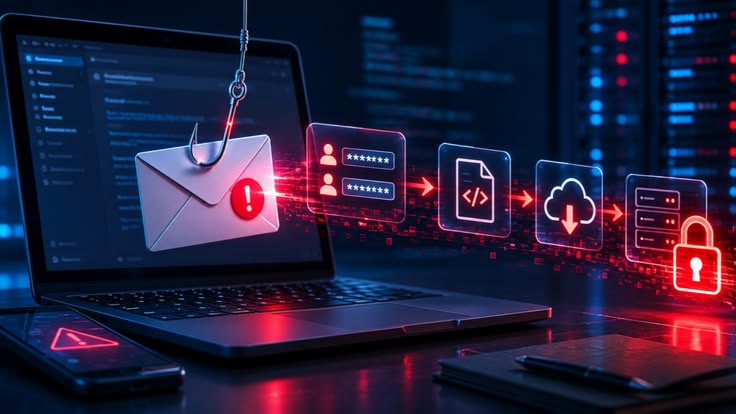
Cybersecurity tools can provide several practical advantages when selected and configured correctly.
Improved Online Privacy
A VPN can hide a user's original public IP address from websites and encrypt traffic between the device and the VPN server.
This may reduce exposure to certain types of network monitoring, although it does not make users completely anonymous.
Added Protection on Untrusted Networks
Using a VPN on public Wi-Fi can provide an additional layer of protection for supported internet traffic.
This is particularly useful for people who frequently work or browse while travelling.
Better Awareness of Online Threats
Antivirus, phishing protection, and security alerts can help users recognize suspicious files, websites, and potential data exposure.
More Convenient Security Management
All-in-one cybersecurity subscriptions can bring multiple tools together in a single account.
This may make it easier to manage VPN connections, device scans, privacy settings, and security notifications.
Flexible Internet Connections
VPN services offer servers in different locations, allowing users to connect through alternative IP addresses.
This may be useful for privacy and certain network-access situations. However, using a VPN does not guarantee access to every website or streaming service, and users must follow applicable laws and service terms.
Support for Everyday Digital Activities
Whether someone is working remotely, browsing online, travelling, or shopping, cybersecurity tools can contribute to a safer digital environment.
Common Cybersecurity Threats Every Internet User Should Know
Understanding common threats is just as important as installing security software. Many attacks succeed because people are tricked into sharing information or opening something they believe is legitimate.
1. Phishing Attacks
Phishing involves fraudulent messages or websites designed to trick users into revealing sensitive information.
For example, someone might receive an email claiming that their bank account has been suspended. The message may include a link to a fake login page that collects passwords.
Always verify the sender and website address before sharing personal information.
2. Ransomware
Ransomware is malicious software that can encrypt files or prevent access to a device until a payment is demanded.
Regular backups, security updates, restricted account permissions, and careful handling of attachments can reduce the risk and impact of ransomware attacks.
3. Identity Theft
Identity theft occurs when someone uses another person's personal information without permission.
Stolen information may be used to open accounts, attempt financial fraud, or impersonate the victim.
Avoid sharing sensitive information unnecessarily, and monitor important accounts for suspicious activity.
4. Spyware
Spyware is designed to collect information from a device without the user's knowledge or consent.
It may monitor browsing activity, capture information, or interfere with normal device operations.
Downloading applications only from trusted sources and maintaining updated security software can help reduce exposure.
5. Fake Websites and Online Scams
Fraudulent websites may imitate banks, shopping stores, delivery companies, or popular digital services.
They may use misleading offers or urgent warnings to encourage users to make payments or share login details.
Check website addresses carefully and avoid clicking suspicious links.
6. Password Attacks
Weak or reused passwords can make multiple accounts vulnerable if one service experiences a breach.
Use unique passwords for important accounts and consider a reputable password manager to store them securely.
How to Choose the Right VPN Software
Not every VPN provider offers the same level of privacy, performance, and reliability.
Before choosing a service, consider the following factors.
Selection Factor | What to Check |
|---|---|
Encryption | Does the provider use established encryption standards? |
VPN protocols | Are reliable protocols such as WireGuard or OpenVPN supported? |
Privacy policy | What user information is collected and retained? |
Independent audits | Have important privacy or security claims been independently assessed? |
Server network | Are suitable server locations available? |
Connection speed | Does the service provide acceptable performance for your needs? |
Kill switch | Is connection protection available if the VPN disconnects? |
Device support | Does it work on your phones, computers, and tablets? |
Customer support | Can users access useful technical assistance? |
Pricing | Are subscription costs, renewal terms, and additional fees clear? |
A provider should not be selected only because it advertises the largest server network or the lowest introductory price. Privacy practices and technical reliability deserve equal attention.
VPN Software vs Antivirus Software: What Is the Difference?
VPN and antivirus software are both useful security tools, but they solve different problems.
Feature | VPN Software | Antivirus Software |
|---|---|---|
Main purpose | Protects supported internet traffic through an encrypted connection | Detects and helps remove malicious software |
IP address | Usually replaces the visible public IP with a VPN server IP | Does not normally change the IP address |
Malware detection | Not its primary function | One of its main functions |
Public Wi-Fi | Adds encryption to the VPN connection | Helps detect threats on the device |
Online privacy | Helps limit certain network-level exposure | May include privacy-related features |
File scanning | Generally not a core feature | Commonly supported |
Best use | Connection privacy and secure network access | Device and file protection |
Some cybersecurity subscriptions combine both services. However, combining them does not mean every online threat is automatically blocked.
For stronger protection, users should understand what each feature covers and use additional security practices where necessary.
How to Use a VPN Safely and Effectively
Installing a VPN is usually straightforward, but a few good practices can make the experience more reliable.
1. Download from an Official Source: Install the application through the provider's official website or a trusted app store.
2. Choose a Suitable Protocol: Use a reputable protocol supported by the provider and your device.
3. Enable the Kill Switch: If available, activate it to reduce the chance of unprotected traffic when a connection drops.
4. Connect Before Using Public Wi-Fi: Establish the VPN connection before carrying out sensitive online activities.
5. Keep the Application Updated: Updates can address security issues and improve performance.
6. Review Privacy Settings: Understand what information the application collects and which optional features are enabled.
7. Test Your Connection: Check whether the VPN is working properly and whether your real IP address is being exposed.
8. Use HTTPS Websites: A VPN does not replace website encryption. Look for HTTPS when entering passwords or payment details.
What Are the Limitations of VPN Software?
Although VPNs offer useful privacy benefits, they are not a complete cybersecurity solution.
Understanding their limitations helps users avoid unrealistic expectations.
A VPN Does Not Make You Completely Anonymous
Websites may still identify visitors through account logins, cookies, browser fingerprinting, and personal information shared voluntarily.
It Cannot Stop Every Cyberattack
A VPN does not automatically prevent phishing, ransomware, malicious downloads, or weak-password attacks.
Additional security tools and careful online behaviour remain important.
Connection Speeds May Change
Traffic routed through a VPN server may experience slower speeds depending on server distance, congestion, internet quality, and encryption overhead.
VPN Providers Require Trust
A VPN provider handles an important part of the user's internet connection. Users should examine its privacy policy, security practices, ownership, and independent assessments before subscribing.
The Federal Trade Commission also advises consumers to examine VPN permissions and privacy policies instead of assuming that every VPN application provides strong protection.
VPNs Are Not a Replacement for Business Network Security
Organizations should not rely on VPN access alone to protect internal systems. Misconfiguration, vulnerable software, compromised devices, and excessive access permissions can create security risks.
Cybersecurity and VPN Software Trends in 2026

Cybersecurity technology continues to evolve as online services become more connected and cyber threats become more sophisticated.
1. AI-Assisted Threat Detection
Artificial intelligence is increasingly used to analyze suspicious activity, identify unusual behaviour, and support security monitoring.
These tools may help security teams recognize potential threats more quickly, although automated systems can still produce false alerts or miss certain attacks.
2. All-in-One Digital Security Platforms
Security providers are combining VPN services with antivirus protection, data breach monitoring, identity tools, and secure browsing features.
This approach gives users access to multiple security functions through a connected subscription.
3. Zero Trust Security
Zero Trust is a security approach based on the principle that access should not be automatically trusted simply because a user or device is connected to a network.
Organizations increasingly evaluate identity, device condition, access permissions, and other factors before granting access to sensitive resources.
4. Stronger Identity Protection
As more personal information is stored online, identity protection tools are becoming an important part of digital security.
Services may include data breach alerts, identity monitoring, masked email addresses, and data removal assistance.
5. Greater Focus on Mobile Security
Smartphones are used for banking, shopping, communication, payments, and work. This makes mobile device security an important part of personal cybersecurity.
Mobile protection tools, application permissions, device updates, and account security all contribute to reducing risks.
6. More Attention to Privacy Transparency
Consumers increasingly want to understand how companies collect, process, store, and share personal information.
Clear privacy policies, independent security assessments, and transparent reporting can help users evaluate whether a provider deserves their trust.
Is Surfshark an Example of an All-in-One Cybersecurity Platform?
Surfshark is an example of a provider that combines VPN services with additional privacy and security products.
Its offering extends beyond basic VPN connectivity, with features that vary depending on the selected plan.
Some of its major products include:
Surfshark VPN: Encrypts supported internet traffic and changes the public IP address visible to websites.
Surfshark Antivirus: Provides device scanning and protection against malicious software on supported platforms.
Surfshark Alert: Monitors selected personal information for exposure in known data breaches and provides notifications.
Surfshark Search: Offers a search experience designed around privacy.
Alternative ID: Creates an alternative online identity and email address for situations where users do not want to share their primary details.
Clean Web: Helps block advertisements, trackers, malware, and phishing attempts on supported platforms.
These products are offered through different subscription combinations. Surfshark's published plan information describes Starter, One, and One+ packages, with feature availability depending on the plan.
The platform also describes a no-logs policy supported by independent assurance reports, unlimited simultaneous device protection, and a global server network. These are provider-published claims that readers should evaluate alongside the relevant audit information and privacy documentation.
Anyone considering the service should review the current subscription details, supported devices, renewal terms, and privacy policies before purchasing.
Final Thoughts
Cybersecurity and VPN software have become important tools for people who depend on the internet for everyday activities. From browsing and online shopping to remote work and digital communication, protecting personal information is an essential part of maintaining a safer online experience.
VPNs can help encrypt internet traffic and reduce certain types of network-level exposure, while antivirus software, password managers, phishing protection, and data breach monitoring address other security concerns.
However, no single application can eliminate every digital risk. Strong passwords, multi-factor authentication, regular software updates, secure backups, and careful browsing habits remain essential.
Before choosing a cybersecurity platform, compare its features, privacy practices, independent assessments, device support, and subscription terms. The right solution should match your actual needs rather than simply offering the largest number of advertised features.
As cybersecurity technology continues to develop in 2026, the most effective approach will be a combination of reliable security tools, informed decisions, and responsible online behaviour.
FAQ's
Cybersecurity software helps protect devices, networks, and personal information from online threats such as malware, viruses, and cyberattacks.
A VPN creates an encrypted connection between your device and a VPN server, helping protect your internet traffic and hide your IP address from websites.
No, a VPN improves privacy but cannot guarantee complete anonymity or protect against every online threat.
Yes, a VPN protects internet traffic, while antivirus software detects, blocks, and removes malicious programs.
Compare encryption standards, privacy policies, server locations, connection speed, security features, device compatibility, and pricing.
Sources and review notes
References used to check facts, freshness, and reader-safe recommendations in this guide.
This article is based on information from trusted cybersecurity and digital safety resources, including the Cybersecurity and Infrastructure Security Agency (CISA), the Federal Trade Commission (FTC), the National Institute of Standards and Technology (NIST), and the Cyber Security Agency of Singapore.
- 1
- 2
Discussion
0 comments
No comments yet
Discussion will appear here once it loads.