Good design is not only about choosing attractive images or adding stylish elements. Color, spacing, typography, contrast, and visual consistency all play an important role in making a design look professional. Whether you are creating social media posts, websites, presentations, logos, advertisements, or marketing materials, the right design and color tools can make the creative process much easier.
In 2026, creators have access to a wide range of online tools that can help with everything from generating color palettes to finding matching colors, improving visual combinations, and creating polished designs. Many of these tools are browser-based, making them useful for beginners as well as experienced designers.
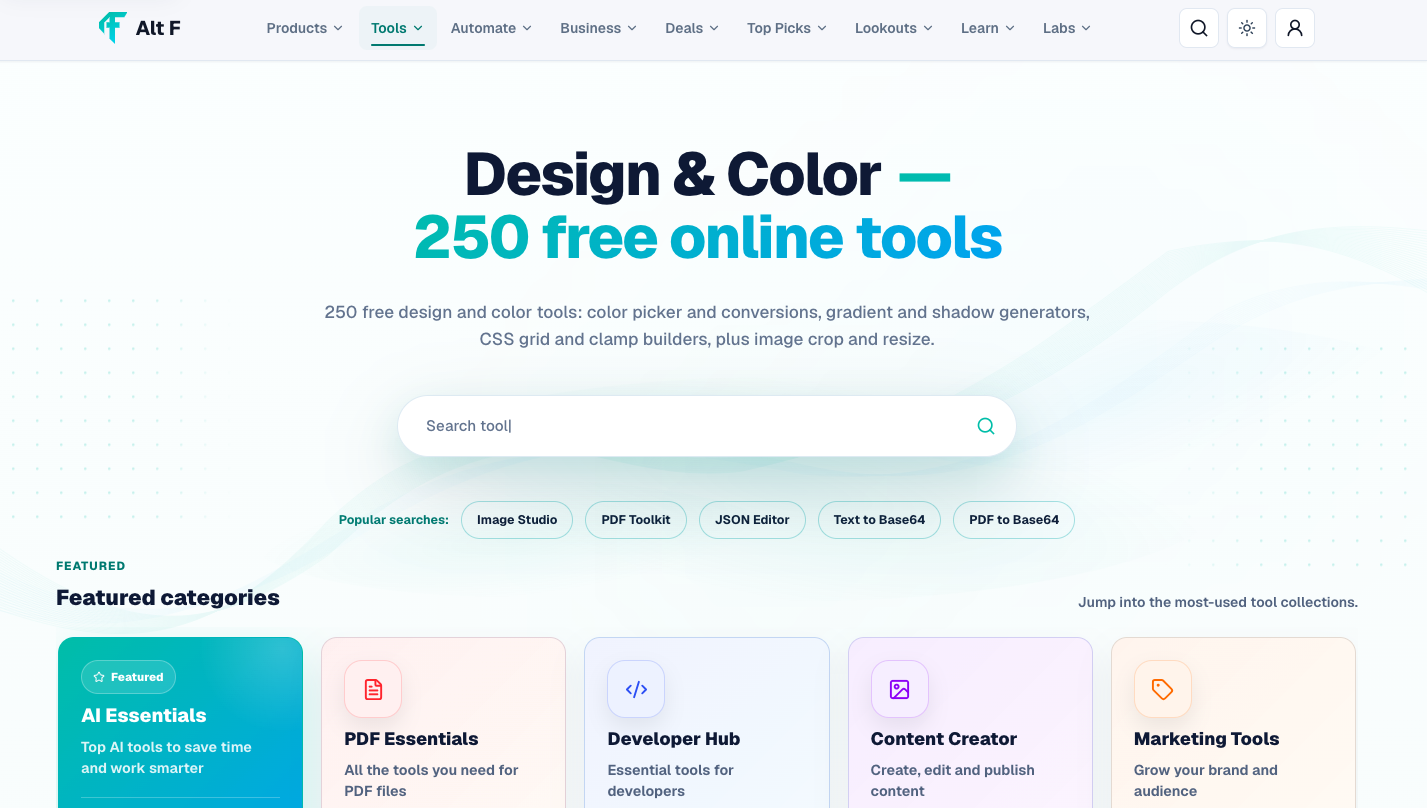
AltFTool brings different types of design and color resources together, making it easier to explore tools based on a specific creative requirement rather than searching for individual solutions every time.
Why Design and Color Tools Matter in 2026
A strong visual design can influence how people understand and remember content. The right color combination can make a website feel trustworthy, a social media post more noticeable, or a brand identity more consistent.
However, selecting colors manually is not always easy. A color that looks good on its own may not work well when combined with another shade. Designers also need to consider contrast, readability, accessibility, background colors, and brand consistency.
This is where online design and color tools become useful.
Design Requirement | Useful Tool Type |
|---|---|
Finding matching colors | Color palette tools |
Creating brand colors | Branding and color tools |
Choosing complementary shades | Color harmony tools |
Designing social posts | Graphic design tools |
Website color selection | Web design color tools |
Finding HEX/RGB values | Color converter tools |
Improving readability | Contrast checker tools |
Creating creative visuals | Online design tools |
These tools can reduce repetitive work and give creators a better starting point for their projects.
What Are Design and Color Tools?
Design and color tools are online resources created to help users plan, create, customize, and improve visual content.
Some focus specifically on colors, while others provide broader design features. For example, a color tool may help you create a five-color palette, while a design platform may allow you to use those colors in a social media graphic.
The biggest advantage is convenience. Instead of experimenting with hundreds of combinations manually, creators can use digital tools to explore ideas quickly.
Best Uses of Color Tools
Color is one of the first things people notice in a visual. A carefully selected palette can make a design feel balanced and intentional.
Create Better Color Palettes
Palette generators can help users create combinations based on a particular color, image, mood, or design requirement.
For example, if your primary brand color is blue, a palette tool can help you find complementary or contrasting shades for backgrounds, buttons, text, and supporting graphics.
Best Design & Color Tools 2026: Free Online Tools for is easier when the workflow is broken into clear steps. This guide explains what to check first, how to avoid common mistakes, and where AltFTool can speed up the task.
Before you start
Define the result you want from best design & color tools 2026: free online tools for.
Collect the files, links, or details you need before using a tool.
Check the final output before downloading, sharing, or publishing it.
Step-by-step workflow
Choose the right method. Match the tool or process to the exact task.
Review the settings. Look for quality, format, privacy, and output options.
Save the result. Keep the final file or link in a place you can find later.
Final thoughts
Use this process when you need a fast but careful way to handle best design & color tools 2026: free online tools for. Keep the steps simple, check the source details, and use related AltFTool resources when the task needs a dedicated utility.
Find Matching Colors
Not every color combination works equally well. Matching-color tools can help identify shades that work together visually.
This can be particularly useful for:
Website interfaces
Social media templates
Presentations
Posters
Logos
Marketing campaigns
Product graphics
Explore Color Harmonies
Color harmony refers to combinations that create a visually balanced appearance. Tools can help users explore complementary, analogous, triadic, monochromatic, and other combinations.
This is useful for people who understand basic design principles but want to experiment faster.
Design Tools for Social Media Creators
Social media has become highly visual. A simple post needs to compete with dozens of other pieces of content in a user's feed.
Design tools can help creators develop graphics without starting everything from scratch.
You can use them for Instagram posts, stories, thumbnails, promotional graphics, announcements, quote posts, and other visual content.
A consistent color palette is particularly important when creating content for a brand or creator account. Using the same core colors across posts can make content easier to recognize.
Important Pointer: Before creating multiple social media designs, select a small group of primary and secondary colors. This can make your content look more consistent without requiring complicated design skills.
Design and Color Tools for Branding
Branding is another area where color choices matter significantly. A business may use specific colors across its website, logo, packaging, advertisements, and social profiles.
A useful color toolkit can help maintain consistency.
Branding Element | Color Consideration |
|---|---|
Logo | Primary brand colors |
Website | Background and accent colors |
Social Media | Consistent visual palette |
Marketing Materials | Supporting brand shades |
Buttons | Contrast and visibility |
Text | Readability against backgrounds |
A good brand palette does not necessarily need dozens of colors. In many cases, a small and well-planned palette is easier to maintain.
Tools for Web Design
Website design requires more than selecting attractive colors. Colors need to work with text, buttons, navigation elements, cards, backgrounds, and interactive components.
For example, a light-gray background may look clean, but light-gray text on the same background can become difficult to read.
Design and color tools can help web creators experiment with:
Background colors
Text colors
Button colors
Accent colors
Borders
Hover states
Navigation elements
Highlight colors
When choosing colors for websites, always consider readability across different screens and lighting conditions.
Color Contrast and Accessibility
A visually attractive color combination is not automatically an accessible one.
Contrast is especially important when designing websites, dashboards, applications, and documents. Users need enough difference between text and its background to read information comfortably.
Contrast-checking tools can help identify combinations that may be difficult to read.
A Simple Contrast Checklist
Before publishing a design, check:
Is the main text easy to read?
Does text remain visible against the background?
Are buttons clearly distinguishable?
Can important information be identified quickly?
Does the design still work when viewed on a smaller screen?
Accessibility should be considered from the beginning rather than treated as an afterthought.
HEX, RGB, HSL and Other Color Formats
Designers often work with different color formats depending on the project.
Format | Common Use |
|---|---|
HEX | Websites and digital design |
RGB | Screens and digital graphics |
HSL | Adjusting hue, saturation, and lightness |
CMYK | Print design |
Color Names | Simple design references |
Color conversion tools can be helpful when moving a design between different platforms or preparing graphics for different purposes.
For example, a web designer may primarily work with HEX values, while someone preparing a printed brochure may need CMYK values.
Design Tools for Beginners
You do not need to be a professional designer to benefit from design tools.
Beginners can use online tools to learn through experimentation. Instead of worrying about every technical detail, they can start with templates, suggested color combinations, visual references, and simple editing features.
A beginner-friendly workflow might look like this:
Choose a project → Select a color palette → Create a basic layout → Add typography → Check contrast → Review the final design
This approach keeps the process simple while still encouraging users to understand why certain design choices work.
How AI Is Changing Design in 2026
Artificial intelligence is becoming an increasingly common part of creative workflows. AI-powered design tools can help users generate ideas, suggest visual combinations, create images, remove backgrounds, resize content, and speed up repetitive tasks.
AI does not eliminate the need for creative judgment. Instead, it can reduce the amount of manual work involved in getting from an initial idea to a usable design.
For example, a marketer might use AI to generate several creative concepts and then manually adjust the selected design to match the company's branding.
This combination of automation and human creativity can make design workflows more efficient.
Design Tools for Content Creators
Content creators often need to produce visuals quickly. A single creator may work on thumbnails, social posts, banners, promotional graphics, presentations, and short-form video assets in the same week.
Instead of using a complicated professional design application for every small task, online tools can provide quicker solutions.
Common Creator Tasks
Task | Helpful Tool Category |
|---|---|
Social media graphics | Design tools |
Thumbnail creation | Graphic design tools |
Color selection | Palette generators |
Brand visuals | Branding tools |
Image editing | Image design tools |
Website visuals | Web design tools |
Marketing graphics | Creative tools |
The goal is not to use the most advanced tool available. The goal is to find a tool that fits the task without making the workflow unnecessarily complicated.
How to Choose the Right Design Tool
With so many online options available, choosing a tool can sometimes become harder than doing the actual task.
Start by identifying what you need.
If your main requirement is color selection, a specialized palette generator may be enough. If you need to create complete graphics, a broader design platform may be more appropriate.
Consider these factors before choosing a tool:
Ease of use
Available features
Export options
File formats
Templates
Customization
Free-plan limitations
Browser compatibility
Privacy and file handling
Integration with your existing workflow
Important Pointer: Avoid choosing a tool simply because it has the largest number of features. A simple tool that solves your specific problem can save more time than a complicated platform.
Free Design Tools vs Paid Tools
Free tools can be surprisingly useful for everyday creative work. They are especially helpful for students, beginners, small businesses, freelancers, and creators working with limited budgets.
Paid tools may provide additional templates, advanced editing features, premium assets, team collaboration, automation, or larger export options.
Free Tools | Paid Tools |
|---|---|
Good for basic tasks | Useful for advanced workflows |
Suitable for beginners | Designed for professional users |
Often limited features | More extensive features |
Useful for experimentation | Better for larger projects |
Low or no cost | Usually subscription-based |
The right choice depends on how frequently you design and what features your projects require.
Design and Color Tools Available Through AltFTool
AltFTool makes it easier to discover digital resources across different creative needs. The Design & Color section can be useful when you need help with visual projects, color selection, palettes, and other design-related tasks.
Instead of searching randomly across the internet, users can explore relevant tool categories and identify resources based on their specific requirements.
This can be particularly useful for:
Graphic designers
Social media managers
Content creators
Students
Bloggers
Marketers
Website creators
Small business owners
Whether you need a color combination for a new project or a tool to support a broader design workflow, exploring specialized resources can save time.
Practical Tips for Better Designs
You do not need complicated design techniques to make your visuals better. A few consistent habits can make a noticeable difference.
Keep Your Color Palette Limited
Using too many colors can make a design feel confusing. Start with a primary color, supporting colors, and a neutral shade.
Prioritize Readability
Beautiful typography is not useful if people cannot easily read it. Make sure text stands out clearly from the background.
Maintain Visual Consistency
If you are creating multiple posts or pages for the same brand, use consistent colors, fonts, spacing, and visual styles.
Leave Enough Empty Space
Not every area needs to be filled. White space can make important elements easier to notice and give a design a cleaner appearance.
Check Your Design on Different Screens
A color or layout can look different across phones, laptops, and larger displays. Always preview your work before publishing.
A Simple Design Workflow for 2026
A practical workflow can help reduce unnecessary revisions.
Step 1: Define the purpose of the design.
Step 2: Identify the audience.
Step 3: Choose a suitable color palette.
Step 4: Create the basic layout.
Step 5: Add typography and visual elements.
Step 6: Check spacing and alignment.
Step 7: Test color contrast and readability.
Step 8: Preview the final design on different devices.
Step 9: Export in the appropriate format.
This workflow works for everything from a simple social media graphic to a complete website visual system.
Quick checklist
Confirm the main goal for best design & color tools 2026: free online tools for.
Compare the available options before choosing one workflow.
Use the related AltFTool utilities to finish the task faster.
They are online tools that help users create graphics, choose colors, generate palettes, check contrast, and improve visual designs.
Yes. Many free tools provide enough features for basic graphics, color selection, social media content, and creative projects.
The right tool depends on the project. Palette generators, color harmony tools, and contrast checkers are useful for different color-selection needs.
Color can influence visual hierarchy, readability, branding, mood, and how easily people recognize different elements in a design.
Yes. AI-powered tools can assist with idea generation, image creation, editing, resizing, background removal, and other repetitive creative tasks.
Who should use Technology & Gadgets
Best Design & Color Tools 2026: Free Online Tools for is built for readers who want a faster way to finish everyday web tasks. The main goal is shorter workflows, clearer outputs, and reusable tool habits, so the guide focuses on practical choices instead of broad theory.
Use it when you need one of these outcomes:
- testing a task before choosing a heavier app
- saving time on a repeated browser workflow
- combining a guide with a related AltFTool utility
How to get a better result
- Read the core use case and decide what output you need.
- Open the related AltFTool utility and test it with a small sample.
- Review the result, adjust settings, and repeat only if needed.
- Continue with related tools or guides for the next step in the workflow.
Start small, check the first output, and only then repeat the workflow with the full file, text, media, or game session. That gives you a quick quality check before you spend more time.
Quality checks before you trust the output
- the input is clean before running the tool
- the output matches the format you need
- private details are removed before sharing or downloading
Do not overcomplicate a simple task. Start with the smallest sample that proves the workflow, then scale up once the output looks right.
Continue your workflow
If you want to try the workflow now, open the related AltFTool tool area. For more reading, continue through the Technology & Gadgets archive or the AltFTool tools directory.
This creates a cleaner path from explanation to action: read the guide, test the tool, compare the output, and move into the next related AltFTool resource only when it helps the task.
Sources and review notes
References used to check facts, freshness, and reader-safe recommendations in this guide.
Information is based on publicly available details from AltFTool and relevant design and color tool resources. Features, availability, pricing, and usage limits may change over time, so users should check the latest information on the respective tool websites.
- 1AltFTool
altftool.com
Discussion
0 comments
No comments yet
Discussion will appear here once it loads.