Smartphones, laptops, tablets and other digital devices have become an essential part of everyday life. We use them for work, education, entertainment, shopping, communication and staying updated with the latest news. While technology makes many tasks easier, spending too much time in front of screens can affect our daily routines, concentration and overall well-being.
Have you ever picked up your phone to check one notification and ended up scrolling through social media for 30 minutes? This habit is becoming increasingly common. Constant notifications, endless video feeds and frequent app checking can make it difficult to concentrate on important tasks.
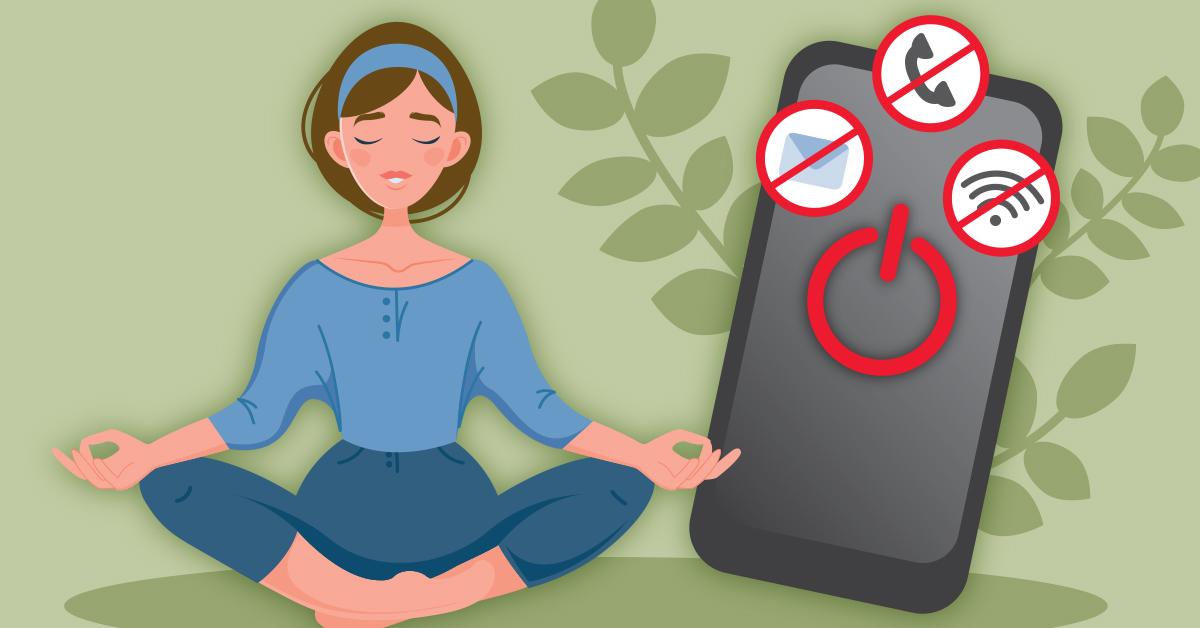
This is where a digital detox becomes useful. It involves taking intentional breaks from digital devices or reducing unnecessary screen use to create a healthier relationship with technology.
In this guide, we will explore what a digital detox means, why it matters, its benefits and practical ways to reduce screen time while improving focus and productivity.
What Is a Digital Detox?

A digital detox is a conscious effort to reduce the time spent using smartphones, computers, tablets and other digital devices, especially for non-essential activities.
It does not mean completely avoiding technology or giving up the internet. Instead, the purpose is to become more aware of your digital habits and use technology more intentionally.
For example, you might decide to:
Avoid checking your phone immediately after waking up.
Stop using social media during meals.
Keep your smartphone away while working or studying.
Reduce unnecessary notifications.
Avoid screens before bedtime.
Spend more time on offline activities.
A digital detox can last for a few hours, one day, a weekend or longer, depending on your lifestyle and personal goals.
Why Is a Digital Detox Important?
Digital devices provide convenience, but excessive or uncontrolled screen use can create distractions throughout the day.
Many people frequently switch between social media, messages, emails and other applications. This constant activity can interrupt concentration and make it harder to complete tasks efficiently.
A digital detox helps you recognise which digital activities are genuinely useful and which ones consume time without adding much value.
Here are some reasons why reducing unnecessary screen time matters:
1. Reduces Digital Distractions
Frequent notifications and app alerts can interrupt your attention while working, studying or spending time with family.
Limiting unnecessary notifications helps create a quieter environment where you can concentrate on one activity at a time.
2. Supports Better Sleep Habits
Using smartphones late at night can delay bedtime and interfere with a consistent sleep routine.
Creating a screen-free period before sleeping can help you relax and prepare for rest.
3. Improves Productivity
Checking messages and social media repeatedly can break your workflow.
Reducing these interruptions gives you more opportunities to complete important tasks without constantly switching between activities.
4. Encourages Real-Life Connections
Excessive phone use can sometimes reduce meaningful face-to-face interactions.
Taking breaks from screens creates more opportunities to talk with friends, spend time with family and enjoy activities without digital distractions.
5. Promotes Mindful Technology Use
A digital detox encourages you to think about why, when and how you use technology.
Instead of automatically opening an app whenever you feel bored, you can make more intentional choices about your time.
10 Effective Ways to Reduce Screen Time
Reducing screen time does not have to be difficult. Small changes in your daily routine can gradually help you develop healthier digital habits.
1. Set Daily Screen Time Limits
The first step is understanding how much time you spend on digital devices.
Most smartphones have built-in features that show daily and weekly screen usage.
For example:
Apple's Screen Time provides app usage reports and limits.
Android's Digital Wellbeing tracks screen time and app activity.
App timers can help limit time spent on selected applications.
Start by identifying the apps that consume most of your free time. Set realistic limits and gradually reduce unnecessary usage.
2. Turn Off Unnecessary Notifications
Notifications are among the most common sources of digital interruptions.
Every message, promotional alert or social media update can encourage you to check your phone.
Consider disabling notifications from:
Shopping applications.
Social media platforms.
Mobile games.
Promotional emails.
Non-essential news alerts.
Keep important calls, work messages and emergency notifications enabled.
3. Avoid Using Your Phone Immediately After Waking Up
Many people start their mornings by checking WhatsApp, Instagram, emails or news updates.
This habit can make the morning feel rushed and distract you before completing important activities.
Instead, try starting your day with:
Drinking a glass of water.
Stretching or exercising.
Getting natural daylight.
Having breakfast.
Planning your daily tasks.
Try keeping the first 30 minutes of your morning screen-free.
4. Create Screen-Free Zones at Home

Designating certain areas as screen-free spaces can help reduce unnecessary device usage.
For example, you can make these areas technology-free:
Dining table.
Bedroom.
Study area during focused work.
Family gathering space.
Keeping your phone away during meals also encourages better conversations and more mindful eating.
5. Follow the 20-20-20 Rule
If your work requires long hours in front of a computer, regular breaks are important.
The 20-20-20 rule is a simple technique commonly recommended for reducing digital eye strain.
Every 20 minutes, look at something approximately 20 feet away for at least 20 seconds.
You can also:
Blink regularly.
Adjust your screen brightness.
Maintain a comfortable viewing distance.
Take longer movement breaks during extended work sessions.
6. Replace Scrolling with Offline Activities
One of the easiest ways to reduce screen time is to replace unnecessary digital activities with enjoyable offline alternatives.
Instead of automatically opening social media when you have free time, try:
Reading a physical book.
Going for a walk.
Cooking a new recipe.
Gardening.
Drawing or painting.
Playing outdoor sports.
Spending time with family and friends.
Choosing activities you genuinely enjoy makes it easier to maintain a digital detox.
7. Avoid Screens Before Bedtime
Late-night scrolling can become a difficult habit to break.
The habit of checking messages, watching videos or browsing social media can extend bedtime without you realising it.
Try creating a relaxing evening routine:
Stop using unnecessary screens 30–60 minutes before sleeping.
Keep your smartphone away from your bed.
Read a book or listen to relaxing audio.
Prepare your clothes and schedule for the next day.
Maintain a consistent sleeping time.
If you need your phone as an alarm, consider placing it away from your immediate sleeping area.
8. Schedule Specific Times for Social Media
Social media platforms are designed to encourage continuous engagement.
Checking them throughout the day can consume more time than expected.
Instead of opening apps whenever you receive a notification, create specific checking periods.
For example:
Morning: 10 minutes.
Afternoon: 10 minutes.
Evening: 15 minutes.
Adjust these periods according to your personal and professional requirements.
9. Try a Weekly Digital Detox Day
A weekly digital detox can help you understand how dependent you are on certain digital activities.
Choose a few hours or one day when you avoid non-essential screen use.
During this period, focus on activities such as:
Meeting friends.
Spending time outdoors.
Reading.
Exercising.
Exploring a hobby.
Organising your home.
You can still use devices for essential communication, navigation or emergencies.
10. Track Your Progress Every Week
Changing digital habits takes consistency. Monitoring your screen time helps you understand whether your efforts are working.
Check your weekly device reports and compare them with previous weeks.
Pay attention to:
Total daily screen time.
Time spent on social media.
Number of phone pickups.
Bedtime phone usage.
Time spent on productive applications.
Celebrate small improvements rather than expecting immediate results.
Benefits of a Digital Detox

Reducing unnecessary screen time can create positive changes in different areas of everyday life.
1. Better Focus and Concentration
Frequent digital interruptions can make it difficult to concentrate on demanding tasks.
Reducing notifications and unnecessary app checking helps create longer periods of uninterrupted attention.
2. Improved Productivity
A more organised digital routine can help you manage your time effectively.
You may find it easier to complete assignments, work projects and personal responsibilities without constant distractions.
3. Healthier Sleep Routine
Reducing late-night screen use can help you maintain a more consistent bedtime and create a relaxing environment before sleep.
4. More Time for Physical Activities
Less recreational screen time creates opportunities for walking, exercising, playing sports and enjoying outdoor activities.
5. Better Social Interactions
Spending less time on your phone during social situations can encourage more meaningful conversations and stronger personal connections.
6. Reduced Digital Overload
Constant exposure to notifications, online discussions and information can feel overwhelming.
Taking regular breaks provides an opportunity to disconnect from unnecessary updates and focus on activities that matter.
Digital Detox Routine: A Simple Daily Schedule
If you are unsure where to start, follow this beginner-friendly digital detox routine.
Time | Healthy Habit |
|---|---|
6:30 AM | Wake up without checking your phone |
7:00 AM | Exercise, stretch or go for a walk |
8:00 AM | Have breakfast without screens |
9:00 AM | Begin work or study with focused sessions |
11:00 AM | Take a short screen break |
1:00 PM | Enjoy a screen-free lunch |
4:00 PM | Take a walk or enjoy an offline activity |
7:00 PM | Spend time with family or friends |
9:00 PM | Reduce screen use and relax |
10:00 PM | Prepare for sleep without scrolling |
You can adjust this schedule according to your work, study and personal commitments.
Best Apps and Features to Manage Screen Time
Technology itself can help you build healthier digital habits. Several tools provide screen usage reports, app limits and focus features.
1. Apple Screen Time
Apple Screen Time helps iPhone and iPad users understand their device usage.
Its features include:
Daily and weekly activity reports.
App usage limits.
Downtime scheduling.
Communication limits.
Website and content restrictions.
2. Google Digital Wellbeing
Google Digital Wellbeing provides tools for managing smartphone usage on supported Android devices.
Its features include:
Dashboard for screen time.
App timers.
Focus Mode.
Bedtime Mode.
Notification management.
3. Forest
Forest is a focus application that encourages users to stay away from their phones while completing tasks.
Users grow virtual trees during focused sessions, creating a visual reminder to maintain concentration.
4. Freedom
Freedom helps users block selected websites and applications across supported devices.
It can be useful for people who frequently get distracted by social media, entertainment websites and other online activities.
5. StayFree
StayFree helps users monitor screen time and understand their application usage patterns.
Depending on device compatibility and available features, it can provide usage statistics, limits and reminders.
Common Digital Detox Mistakes to Avoid

A digital detox is about developing healthier habits, not creating unnecessary restrictions.
Here are some common mistakes to avoid:
1. Trying to Quit All Technology Suddenly
Completely avoiding digital devices may not be practical for people who depend on them for work, education or communication.
Start by reducing non-essential screen time.
2. Setting Unrealistic Screen Time Goals
Reducing eight hours of recreational screen use to one hour overnight may be difficult.
Set achievable limits and gradually make improvements.
3. Replacing One Screen with Another
Switching from social media on your phone to continuous video watching on a television does not necessarily reduce overall screen exposure.
Choose more offline activities instead.
4. Ignoring Work-Related Screen Usage
Not all screen time is harmful or unnecessary. Online learning, professional tasks and communication are important parts of modern life.
Focus on reducing recreational and distracting usage rather than essential digital activities.
5. Giving Up After One Bad Day
Building new habits takes time. If you spend more time on your phone than planned, simply return to your routine the following day.
Consistency is more important than perfection.
Conclusion
Technology has made everyday life more convenient, but constant screen exposure can sometimes take attention away from important activities. A digital detox provides an opportunity to review your digital habits and create a healthier balance between online and offline life.
You do not need to give up your smartphone or completely disconnect from the internet. Start with simple changes such as turning off unnecessary notifications, avoiding late-night scrolling, scheduling social media breaks and spending more time on offline activities.
Remember, the goal is not to use technology less at any cost. It is to use it more intentionally so that it supports your life rather than constantly competing for your attention.
FAQ'S
A digital detox is the practice of reducing unnecessary screen time and taking intentional breaks from smartphones, computers, tablets and other digital devices.
There is no single screen-time limit that works for every adult. It depends on your work, lifestyle, recreational activities and individual needs. Focus on reducing unnecessary usage and maintaining a healthy balance.
Start by tracking your phone usage, setting app limits, turning off unnecessary notifications and keeping your device away during meals and bedtime. If phone use feels uncontrollable and significantly affects daily life, consider seeking professional support.
Reducing frequent notifications and unnecessary screen interruptions can help create better conditions for focused work and study.
A digital detox can last for a few hours, one day, a weekend or longer. Beginners can start with short screen-free periods and gradually increase them.
Sources and notes
Links the author listed for this post.
Based on general digital wellness guidance and information from the American Academy of Ophthalmology and Apple Screen Time resources.

Discussion
0 comments
No comments yet
Discussion will appear here once it loads.